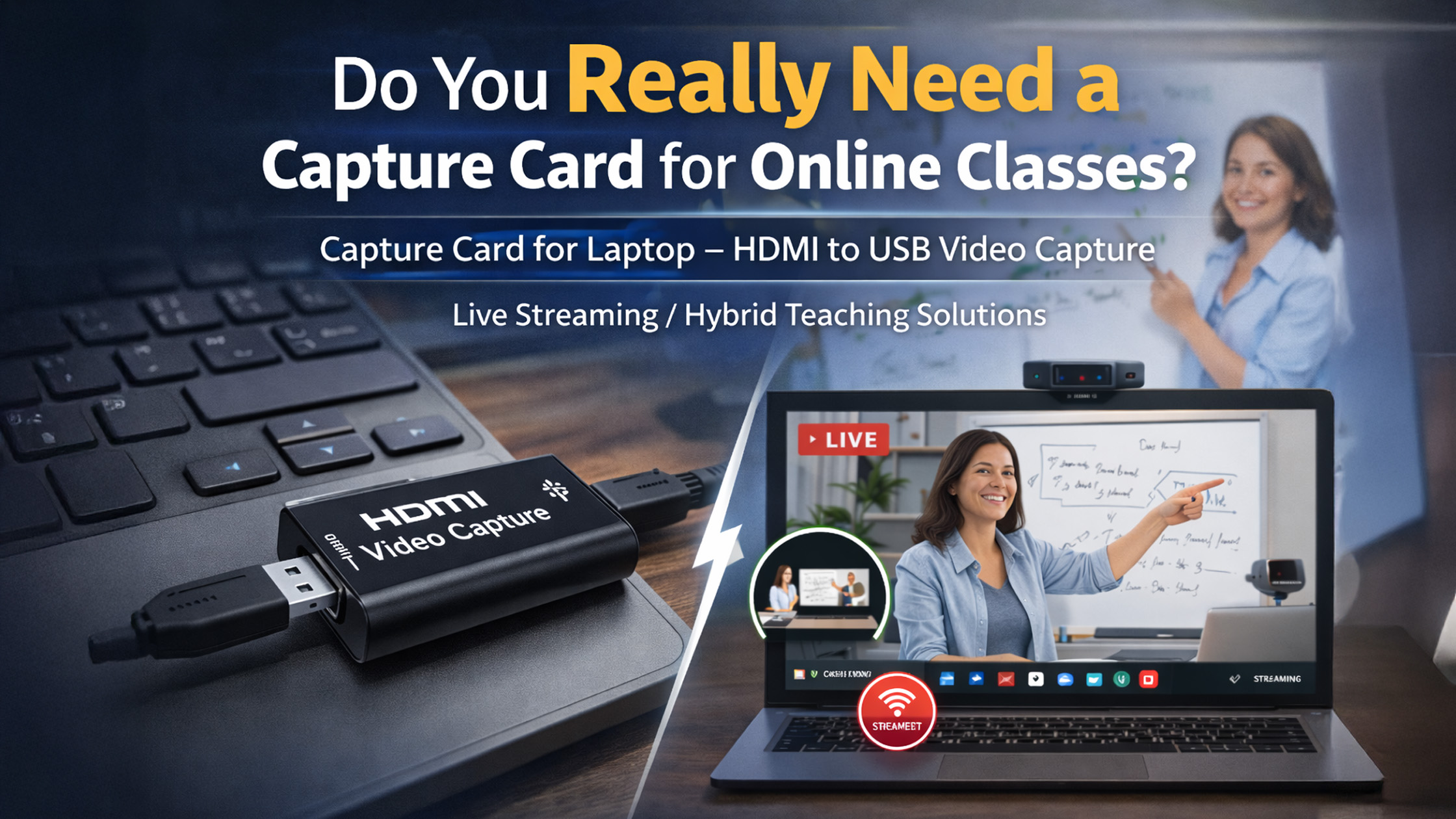
Online teaching in India has evolved rapidly—thanks to digital boards, PTZ cameras, interactive panels, and HD/4K teaching setups. But one question most teachers still ask is: “Do I really need a capture card for online classes?” If you use a DSLR camera, handycam, PTZ camera, or teaching studio setup, a capture card is often essential for high-quality streaming. This guide explains everything in a simple, practical way—plus how GoLive eTechnologies can help you build a professional yet affordable online-class setup.
What Is a Capture Card?
A capture card is a small device that converts your camera’s video signal into a format your laptop can recognize. It allows you to use DSLRs, PTZ cameras, CCTV cameras, and video mixers as webcams for:
Live online classes
Zoom/Google Meet sessions
Recording lessons
YouTube or Facebook Live
Hybrid classrooms
It works with all teaching software including OBS Studio, Google Meet, Microsoft Teams, Zoom, Teachmint, etc.
Do You Need a Capture Card for Teaching Online?
Yes — if you use:
DSLR (Canon 200D II, Sony NX80, etc.)
PTZ camera (Evota 4K PTZ Camera, Logitech PTZ Pro 2, etc.)
Handycam
Vision mixer/video switcher
Interactive panel HDMI output
No — if you use:
Built-in laptop webcam
USB webcams like Logitech B525, Logitech C930e
4K USB teaching cameras
Mobile phone as webcam
Why Teachers in India Prefer Capture Cards
1. Superior Video Quality
A capture card helps teachers stream at:
1080p Full HD
4K Ultra HD (with supported devices)
Perfect for coaching centers, smart classrooms, and EduTech creators.
2. Zero Lag + Smooth Streaming
Better than USB webcams because HDMI capture is:
Faster
Cleaner
More stable
Especially important during hybrid classroom or smart board teaching using:
Evota Smart Board
Newline Smart Board
Maxhub Digital Board
LG Interactive Digital Board
3. Multi-Camera Setup
Capture cards allow you to connect:
Teaching camera
Document camera
Digital board feed
PTZ camera
All together in OBS or Zoom.
4. Works with All Laptops
Whether you use Windows, MacBook, or PC—
a capture card for laptop is universally compatible.
Types of Capture Cards Teachers Use
1. USB Capture Card (Most Popular)
Affordable and easy to plug in.
Best for:
Home tutors
Coaching centers
Schools using PTZ cameras
2. HDMI to USB Capture Card
Good for DSLR + PTZ setups.
Supports HDMI Video Capture Device Software and OBS Studio.
3. 4K Video Capture Card
For advanced setups with:
Evota 4K PTZ Camera
4K Smart Boards
Professional YouTube educators
Why Buy Capture Cards from GoLive eTechnologies?
GoLive eTechnologies India Private Limited is one of India’s most trusted providers of digital classroom equipment—smart boards, PTZ cameras, 4K USB cameras, and hybrid teaching solutions.
GoLive Offers:
High-quality HDMI capture cards
4K HDMI video capture devices
USB capture cards for laptops
Bundled teaching studio kits
Online class studio setup solutions
Installation + training support
Compatible With GoLive’s Flagship Products:
Evota 4K PTZ Camera
Evota 10x HD PTZ Camera
Evota C12HUL Camera
Evota Interactive Panel
Evota Smart Board / Digital Board
Maxhub Smart Board
LG Interactive Panel
Newline Interactive Panel
Whether you want smart boards, digital panels, 4K cameras, or capture cards, GoLive ensures premium quality with India-wide delivery.
Smart Classroom Use Cases
1. Online Coaching Classes
Connect DSLR/4K PTZ cam with HDMI capture.
2. School Smart Classrooms
Combine capture card + interactive panel for high-quality lesson recording.
3. Hybrid Teaching
Capture live board + teacher video simultaneously.
4. YouTube / Instagram Educators
Better lighting + 4K teaching camera + capture card = professional look.
Do Smart Boards Need Capture Cards?
Smart boards like Evota Smart Board, LG Interactive Digital Board, Maxhub, Newline often connect directly via USB-C/HDMI.
But…
If you want to record or stream the board, a capture card is extremely useful.
Recommended Capture Card Setup for Teachers
Basic Setup (Under ₹1,000–₹3,000):
HDMI to USB capture card
USB webcam / basic PTZ camera
Premium Setup:
Evota 4K PTZ Camera
4K Capture Card
Smart Board (Evota, Maxhub, LG, Newline)
Studio lights + wireless mic
Final Verdict: Do You Really Need a Capture Card?
If your goal is professional teaching quality, then yes, a capture card is highly recommended—especially if using:
PTZ cameras
DSLR cameras
Smart boards
Vision mixers
Hybrid class setups
For teachers using only a USB webcam, you can skip it.
If you're unsure, GoLive eTechnologies experts help you choose the right card based on your exact setup.
Your email address will not be published. Required fields are marked *
By Inhype • September 12, 2026
A smart classroom is only as effective as the technology supporting it. Interactive panels, smart boards, PTZ cameras, microphones, speakers, PCs and
Read More
By Inhype • September 12, 2026
Higher education is rapidly moving beyond traditional chalkboards and projectors. Today, colleges and universities need technology that supports inter
Read More
By Inhype • September 12, 2026
A smart classroom for CBSE schools is no longer simply a classroom with a digital board. Modern schools are building connected learning environments t
Read More
By Inhype • September 12, 2026
Planning a smart classroom project for 10, 20 or even 50 classrooms requires more than simply purchasing digital boards. Schools, colleges, universiti
Read More
By Inhype • September 12, 2026
A smart classroom can transform the way teachers explain concepts, students interact with lessons, and institutions deliver digital education. From in
Read More


Golive eTechnologies India Private Limited (CIN - U31909UP2021PTC148242) is one of India's leading providers of smart classrooms, interactive boards, video conferencing solutions, and display technologies for the education, healthcare, corporate, and government sectors.

No comments yet. Be the first to comment!