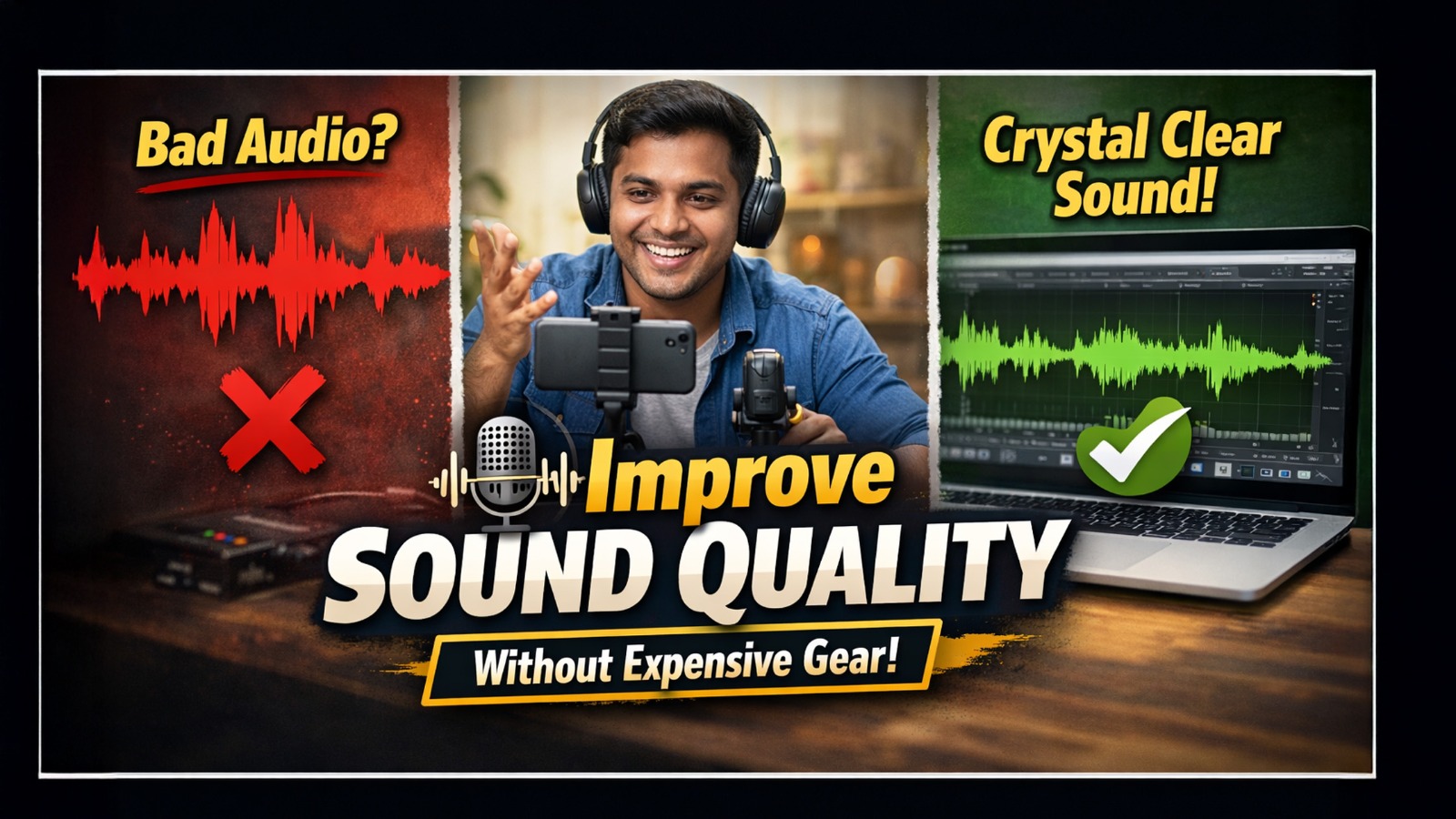
High-quality sound is one of the biggest factors that determine how professional your video looks and feels. But most creators, educators, and business users struggle with poor audio because professional microphones or studio acoustics can feel expensive. The good news? You can improve sound quality in video without expensive gear, and many budget-friendly tools from GoLive eTechnologies India Pvt Ltd can help you upgrade instantly. Whether you create online classes, YouTube tutorials, product demos, hybrid classroom content, or marketing videos—this guide helps you fix audio problems easily.
Why Good Audio Matters More Than Video Quality
Even if you shoot with a premium camera like the evota 4k ptz camera, logitech c930e, Sony NX80, or a 4K USB camera, bad audio instantly ruins viewer experience.
Good sound helps in:
Better clarity for teaching & training
Higher student retention in smart classrooms
Professional impression in corporate meetings
Smooth communication in hybrid setups
Reducing viewer fatigue
Platforms like YouTube, Zoom, Google Meet, and Microsoft Teams even prioritize clearer audio inputs for noise reduction.
1. Choose the Right Recording Environment (Most Important)
Before thinking about microphones, your room environment helps the most.
Here’s how to improve sound quality in a video instantly:
Record in a smaller room
Use curtains, rugs, cushions to absorb echo
Switch off fans, AC noise, outside traffic
Never record near walls—stand at least 1–2 feet away
If you’re building an online teaching setup, products like:
Digital board for teaching
Evota interactive panel
Newline Smart Board
LG Interactive Digital Board
…already come with built-in sound control & audio clarity, making them ideal for educators.
2. Use Affordable Microphones (Under ₹1,500 – ₹10,000)
You don’t need a studio mic.
Even an entry-level mic improves audio by 50–70%.
Affordable mics available through GoLive eTechnologies include:
Ahuja wired microphone – best for classes
Button mic / collar mic for teachers
Wireless mic low price options
Microphone used by YouTubers (budget-friendly)
These are ideal for:
Coaching centres
Online tutors
Hybrid classrooms
Office video conferencing
YouTube creators
If you use a logitech ptz camera, logitech bcc950 webcam, or evota 10x HD PTZ camera, pairing it with a mic enhances voice clarity dramatically.
3. Improve Audio Quality Online (Free & Simple)
If you’re wondering how to improve audio quality in video without software, the answer is:
Online audio enhancers.
Popular options allow you to:
Remove background noise
Boost vocals
Reduce echo
Balance levels
Free tools work well for beginners, while creators handling advanced projects often upgrade to:
OBS Studio
Audacity
Adobe Audition
GoLive eTechnologies provides products like HDMI video capture device software, capture cards, and studio setup solutions that integrate perfectly with online enhancement tools.
4. Maintain Proper Mic Positioning
Correct placement improves sound even more than the mic you use.
Keep mic 5–8 inches away
Avoid touching or rubbing the mic
Point the mic toward your mouth, not your chest
For classroom boards (Evota / Maxhub / Newline), use the mic built into the panel
Teachers using:
Evota smart board 75 inch price range products
Maxhub smart board
Newline interactive panel
LG interactive panel
…benefit from integrated noise cancellation.
5. Use a Pop Filter or DIY Shield
Pop filters reduce unwanted “p” and “b” blasts.
Budget solutions:
Cloth layer
Dupatta
Foam
Thin sponge sheet
Affordable options available via GoLive include:
Mic controller accessories
Pop filter attachments
Perfect for YouTubers, podcasters, and online educators.
6. Upgrade to an External Webcam for Built-In Audio Boost
Webcams now ship with excellent microphones that outperform laptop audio.
Top picks available on GoLive eTechnologies:
Logitech C930e (1080p HD)
Wide-angle
Noise reduction mic
Best for online teaching & Zoom
Ideal for hybrid classrooms
Logitech B525 HD Webcam
Foldable
Crisp audio
Good for office/educational content
Evota 4K PTZ Camera
Perfect for coaching centres
Auto-tracking
Studio-level sound pickup
These webcams combined with a digital panel board, smart board, or online class studio setup create a complete audio-video solution.
7. Use a Ring Light to Reduce Audio Problems? (Yes!)
A good ring light like:
12-inch ring light
18 ring light
Gold ring light
Portable ring light
…reduces echo indirectly by improving lighting, allowing you to sit farther from noisy areas while staying visible.
Lighting from GoLive eTechnologies includes:
Mini ring light
LED ring light
Professional ring light
Video stand light
This is extremely helpful in hybrid teaching and YouTube tutorial setups.
8. Use Smart Boards with Built-In Audio Enhancement
If you’re a school, coaching centre, or corporate trainer—your best investment is an Interactive Smart Board.
GoLive supplies:
Evota Smart Board
MaxHub Smart Board
Newline Digital Board
LG Interactive Digital Board
Eyeris Smart Board
These panels feature:
Built-in microphones
Noise suppression
Classroom-optimized speakers
Auto gain control
They intelligently improve sound quality in video during live classes.
9. Avoid Background Noises During Recording
Easy fixes:
Choose morning/late-night recording
Record indoors
Keep pets / traffic noise away
Put phone on silent
Turn off fan/AC
Use noise-reducing apps
For studio-level silence, use:
Green mat shooting setup
Chroma setup
Acoustic foam
These are compatible with smart classroom installations powered by golive eTechnologies.
10. Shoot in Short Segments & Edit Smartly
Short clips make audio correction easier.
Use basic edits:
Fade in/out
Background music (low volume)
Noise removal
Equalization
If you use HDMI video capture software, editing becomes smoother and more synchronized with high-quality audio.
Conclusion
Improving sound quality in a video is easier than most people think.
You don’t need costly microphones or a studio—you need:
The right environment
Simple budget tools
Smart techniques
Affordable equipment from GoLive eTechnologies India Pvt Ltd
Whether you're teaching, recording product videos, or running hybrid classes—GoLive provides India’s most reliable collection of smart boards, PTZ cameras, webcams, microphones, ring lights, and digital classroom solutions.
Your email address will not be published. Required fields are marked *
By Inhype • September 12, 2026
A smart classroom is only as effective as the technology supporting it. Interactive panels, smart boards, PTZ cameras, microphones, speakers, PCs and
Read More
By Inhype • September 12, 2026
Higher education is rapidly moving beyond traditional chalkboards and projectors. Today, colleges and universities need technology that supports inter
Read More
By Inhype • September 12, 2026
A smart classroom for CBSE schools is no longer simply a classroom with a digital board. Modern schools are building connected learning environments t
Read More
By Inhype • September 12, 2026
Planning a smart classroom project for 10, 20 or even 50 classrooms requires more than simply purchasing digital boards. Schools, colleges, universiti
Read More
By Inhype • September 12, 2026
A smart classroom can transform the way teachers explain concepts, students interact with lessons, and institutions deliver digital education. From in
Read More



Golive eTechnologies India Private Limited (CIN - U31909UP2021PTC148242) is one of India's leading providers of smart classrooms, interactive boards, video conferencing solutions, and display technologies for the education, healthcare, corporate, and government sectors.
No comments yet. Be the first to comment!