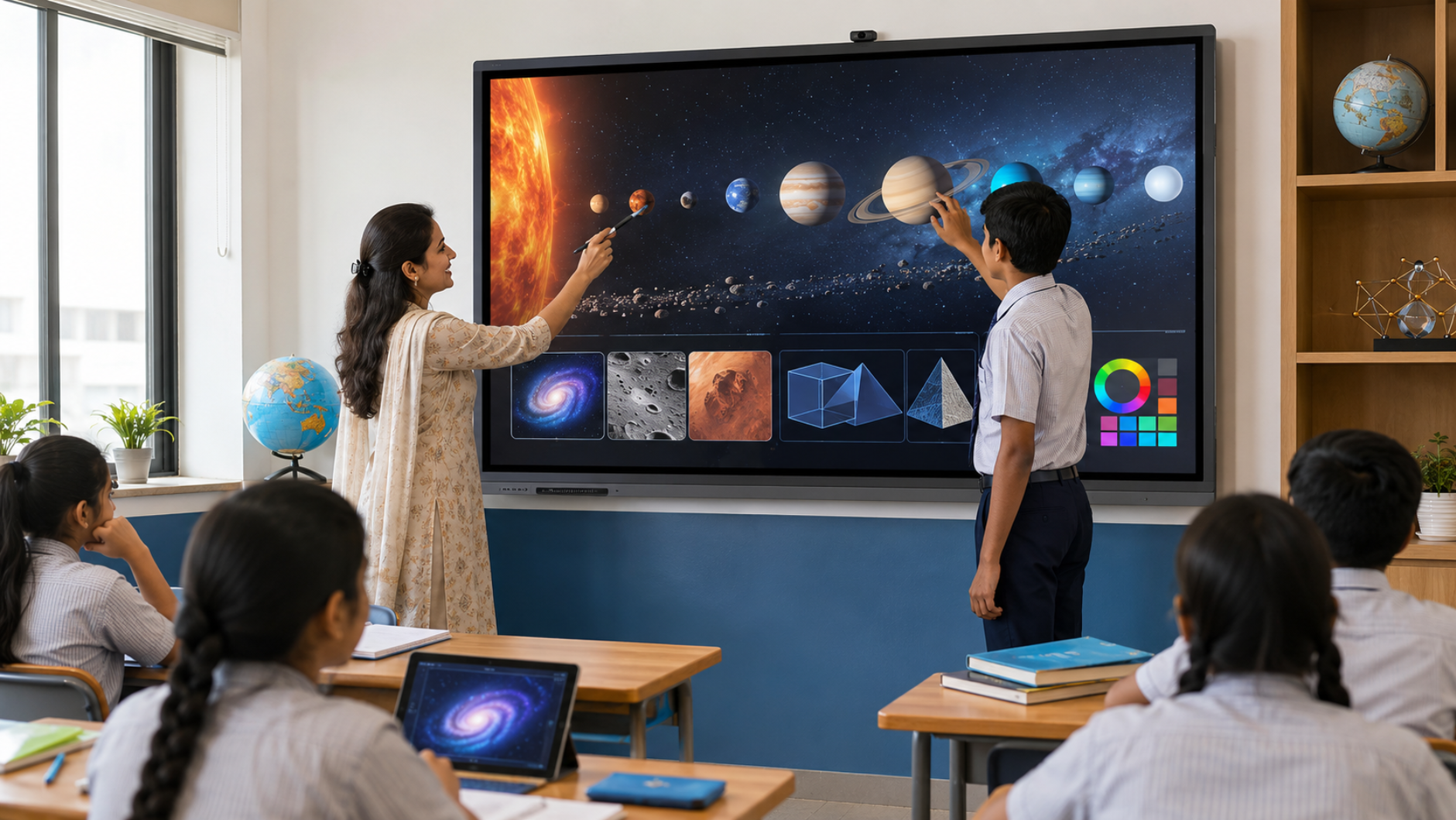
Smart classrooms are transforming how teachers explain concepts, students participate in lessons, and institutions deliver engaging learning experiences. At the centre of this transformation is the interactive display—a modern digital teaching board that combines a large touchscreen, collaboration tools, multimedia capabilities and classroom-friendly software. But with so many options available, choosing the best interactive display for a smart classroom requires more than simply comparing screen sizes or prices. Schools, colleges, universities and coaching centres should consider touch responsiveness, display quality, connectivity, operating system, writing experience, collaboration features, installation and after-sales support. At GoLive eTechnologies, the focus goes beyond supplying technology. Our approach is simple: Technology that works, backed by people who help. From selecting the right interactive panel to installation, deployment and ongoing assistance, we help institutions create smart classroom environments with greater confidence.
What Is an Interactive Display for a Smart Classroom?
An interactive display is a large touchscreen panel designed for teaching, collaboration and digital presentations. Unlike a traditional projector-and-whiteboard setup, an interactive flat panel display combines the display, touch interface and digital teaching environment in one solution.
An interactive display can be used to:
Write and draw directly on the screen
Display PowerPoint presentations and educational videos
Annotate documents and webpages
Conduct interactive activities
Connect laptops and other devices
Support hybrid and online classes
Collaborate with multiple users
Present high-resolution educational content
For schools and coaching centres looking for a digital board for teaching, an interactive panel can become the central technology platform of the classroom.
10 Best Interactive Display Features for Smart Classrooms
1. High-Resolution 4K Display
One of the most important features of a modern smart classroom display is image quality.
A 4K interactive display provides sharp text, detailed diagrams, educational videos and presentations. This is particularly useful for subjects such as science, mathematics, engineering and medical education where small visual details matter.
When comparing an interactive panel board price, institutions should evaluate display resolution alongside screen size, touch technology and overall functionality.
2. Responsive Multi-Touch Technology
Touch interaction is what makes an interactive display different from a conventional LED screen.
A good smart classroom panel should offer responsive touch for:
Writing
Drawing
Object movement
Annotation
Digital activities
Multi-user collaboration
A responsive digital writing board allows teachers to move naturally between explaining concepts and interacting with digital content.
For institutions searching for a smart board for teaching, touch performance should therefore be an important purchasing criterion.
3. Digital Writing and Annotation
Teachers should be able to write directly on presentations, PDFs, webpages and other learning materials.
Features such as:
Digital pens
Multiple writing colours
Erasing tools
Screen annotation
Shape recognition
Digital whiteboard functionality
can make classroom teaching more interactive.
This makes an interactive whiteboard for teaching especially useful for mathematics, diagrams, brainstorming and problem-solving sessions.
4. Built-In Collaboration Features
Modern classrooms increasingly involve collaborative learning.
A good interactive display can allow teachers and students to work together on the same digital canvas. This can support:
Group discussions
Brainstorming
Presentations
Project work
Interactive quizzes
Student participation
These capabilities can turn a conventional classroom into a digital smart classroom rather than simply replacing a chalkboard with a screen.
5. Multiple Connectivity Options
Connectivity is essential when installing technology in a classroom.
Look for interactive panels with useful connectivity options such as:
HDMI
USB
USB-C
LAN
Wi-Fi
Bluetooth
Screen sharing
These connections allow teachers to integrate laptops, document sources, cameras and other classroom equipment.
For institutions developing a complete smart classroom setup, connectivity should be evaluated alongside the panel itself.
6. Integrated Audio
Good visuals need good sound.
Integrated speakers can make interactive displays suitable for:
Educational videos
Online lectures
Recorded lessons
Presentations
Hybrid classes
Interactive learning content
For larger classrooms, however, external classroom speakers and microphones may be required depending on room size and acoustics.
GoLive eTechnologies can help institutions evaluate the complete technology requirement rather than treating the display as an isolated product.
7. Android or Smart Operating Environment
Many modern interactive panels provide a built-in smart operating environment, allowing teachers to access applications and digital content without relying entirely on an external computer.
This can simplify everyday classroom operations.
Depending on the selected model, users may benefit from features such as:
Digital whiteboarding
Screen sharing
Browser access
Educational applications
File management
Wireless collaboration
When comparing an Evota interactive panel, MAXHUB smart board, Newline interactive panel or other professional solutions, institutions should compare the actual software and hardware specifications rather than focusing only on brand or price.
8. Eye-Friendly Classroom Display
Teachers and students can spend several hours looking at classroom displays. Therefore, institutions should consider features designed to improve viewing comfort.
Depending on the model, these may include:
Anti-glare surfaces
Reduced reflection
Flicker-free technology
Appropriate brightness
Eye-comfort features
The right display should provide clear visibility from different seating positions without unnecessarily increasing eye strain.
9. Screen Sizes for Different Classrooms
Interactive displays are available in different sizes, with 65-inch, 75-inch and 86-inch options being common choices for classrooms and training environments.
|
Screen Size |
Suitable For |
|---|---|
|
65-inch |
Smaller classrooms, meeting rooms, training rooms |
|
75-inch |
Standard classrooms and coaching centres |
|
86-inch |
Larger classrooms, lecture rooms and collaboration spaces |
A 75-inch interactive display is often a practical choice for institutions that need a balance between visibility, classroom space and budget.
GoLive eTechnologies can help customers select the appropriate size based on room dimensions, viewing distance and usage requirements.
10. Installation, Training and After-Sales Support
A smart classroom investment does not end when the display is delivered.
Installation, configuration, teacher training and technical assistance can significantly influence the actual value of the solution.
This is where GoLive eTechnologies differentiates its approach.
Our technology support includes:
Requirement assessment
Product selection assistance
Installation support
Deployment assistance
User guidance and training
Technical support
Post-installation assistance
Our core promise is:
Technology that works, backed by people who help.
The objective is simple: less technology headache and more confidence that everything will work.
Which Interactive Display Is Right for Your Smart Classroom?
There is no single best interactive panel for every institution.
Schools
Schools may prioritise:
Easy digital writing
Durable touchscreens
Teacher-friendly interfaces
Educational content compatibility
Simple operation
Coaching Centres
Coaching institutes may prioritise:
Large displays
High-resolution content
Recording compatibility
Long operating hours
Easy lesson delivery
Colleges & Universities
Higher education institutions may require:
Advanced collaboration
Wireless presentation
Hybrid teaching
Large screen sizes
Integration with existing technology
Corporate Training Rooms
Training environments may focus on:
Video conferencing
Wireless sharing
Presentation capabilities
Collaboration
Professional audio and video integration
Interactive Display vs Traditional Projector
|
Feature |
Interactive Display |
Traditional Projector |
|---|---|---|
|
Touch interaction |
Yes |
Usually requires additional equipment |
|
Digital writing |
Built-in |
Additional setup |
|
4K availability |
Available |
Depends on projector |
|
Maintenance |
Generally simpler |
Lamp/filter maintenance may apply |
|
Classroom collaboration |
Strong |
Requires additional tools |
|
Installation |
Wall/stand mounting |
Projector + screen setup |
|
Everyday usability |
Direct touchscreen |
Multiple components |
For institutions looking for a modern smart board for classroom environments, an interactive flat panel can provide a more integrated experience.
Why Choose GoLive eTechnologies for Smart Classroom Solutions?
Choosing the right display is only one part of a successful classroom technology deployment.
GoLive eTechnologies provides an end-to-end approach covering selection, installation and support.
Our brand proposition is built around four practical benefits:
Right Solution
We help customers choose technology according to their classroom, usage and budget instead of simply recommending a product.
Fast Deployment
Our objective is to make the transition from purchase to operational classroom as smooth as possible.
Installation & Training
Technology becomes more valuable when teachers and staff know how to use it effectively.
Ongoing Support
Our relationship does not end after delivery. Assistance continues beyond installation.
This approach gives institutions greater peace of mind when investing in smart classroom technology.
Explore Interactive Displays with GoLive eTechnologies
Whether you are setting up a new school classroom, upgrading an existing digital classroom or building a coaching-centre teaching environment, choosing the right interactive display can improve both teaching efficiency and student engagement.
GoLive eTechnologies offers solutions across leading professional display categories, including Evota, MAXHUB, Newline, LG and Eyeris, subject to model availability and requirements.
Instead of choosing an interactive panel based only on digital board price in India, evaluate the complete solution—display quality, touch performance, software, connectivity, installation, training and support.
Ready to build a smarter classroom? Explore interactive display solutions from GoLive eTechnologies and get expert assistance from selection to installation and beyond.
Your email address will not be published. Required fields are marked *

By Inhype • September 12, 2026
A smart classroom is only as effective as the technology supporting it. Interactive panels, smart boards, PTZ cameras, microphones, speakers, PCs and
Read More
By Inhype • September 12, 2026
Higher education is rapidly moving beyond traditional chalkboards and projectors. Today, colleges and universities need technology that supports inter
Read More
By Inhype • September 12, 2026
A smart classroom for CBSE schools is no longer simply a classroom with a digital board. Modern schools are building connected learning environments t
Read More
By Inhype • September 12, 2026
Planning a smart classroom project for 10, 20 or even 50 classrooms requires more than simply purchasing digital boards. Schools, colleges, universiti
Read More
By Inhype • September 12, 2026
A smart classroom can transform the way teachers explain concepts, students interact with lessons, and institutions deliver digital education. From in
Read More




Golive eTechnologies India Private Limited (CIN - U31909UP2021PTC148242) is one of India's leading providers of smart classrooms, interactive boards, video conferencing solutions, and display technologies for the education, healthcare, corporate, and government sectors.


















No comments yet. Be the first to comment!