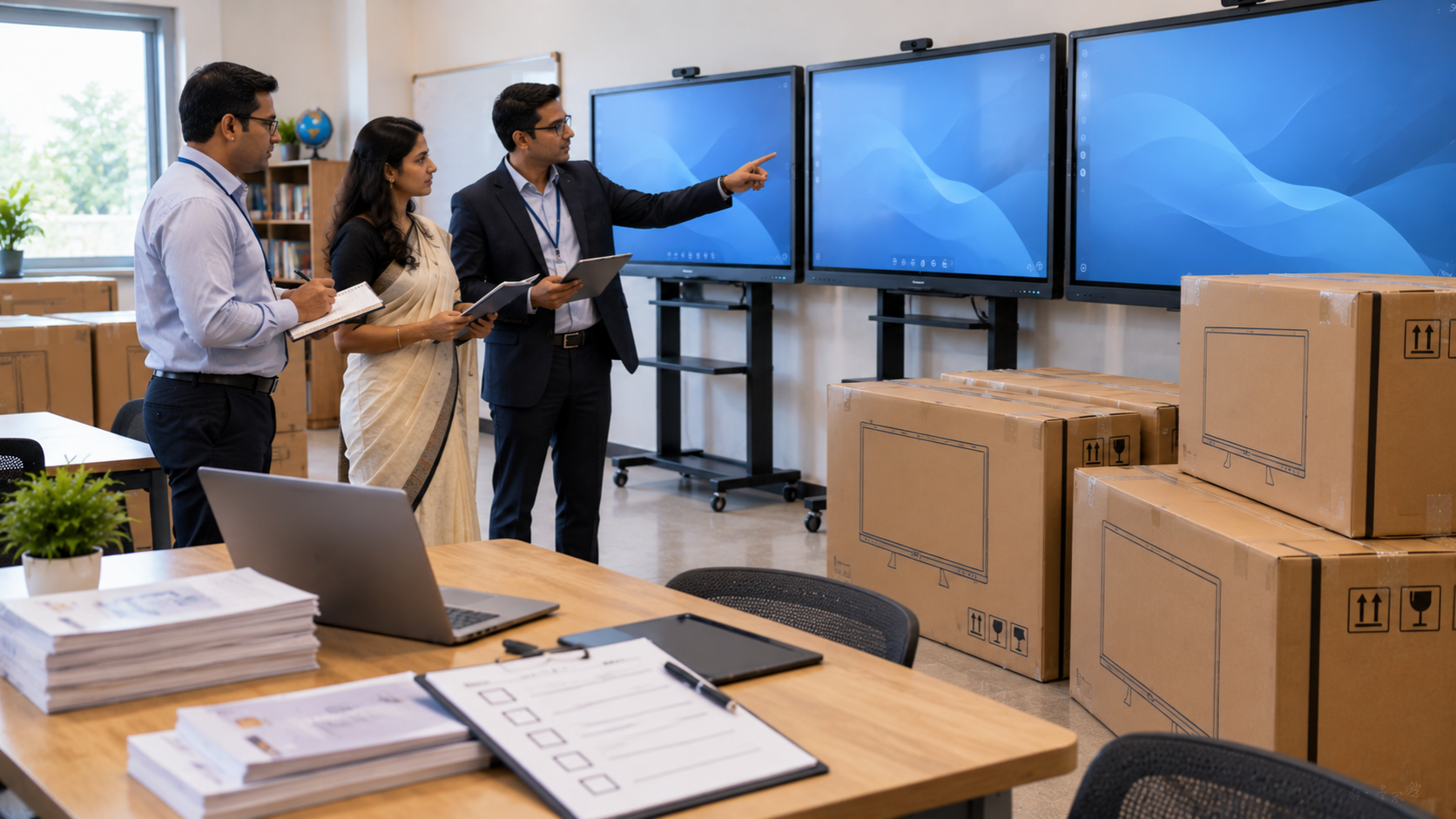
Schools, colleges, universities, coaching centres and training institutions are increasingly investing in interactive displays for classrooms to create more engaging, collaborative and technology-enabled learning environments. But when purchasing 10, 20, 50 or even hundreds of displays, choosing the right product is about much more than comparing the digital board price. A successful institutional procurement process needs to consider screen size, display quality, operating system, connectivity, installation, teacher training, warranty, after-sales support and long-term value. This is where a technology partner such as GoLive eTechnologies can make the procurement process easier—from selecting the right solution to installation and ongoing support. Technology that works, backed by people who help. Why Institutions Are Moving Towards Interactive Displays Traditional boards and projector-based classrooms can have limitations related to visibility, maintenance, lamp replacement, shadows and classroom interaction. An interactive flat panel display combines a large digital screen with touch functionality, multimedia capabilities and collaboration tools. Interactive displays can support: Digital presentations and PowerPoint-based teaching Video-based learning Interactive quizzes and activities Screen annotation and digital writing Hybrid and online classes Content sharing and collaboration Teacher training and institutional presentations Coaching and competitive-exam classrooms For institutions planning a smart classroom setup, an interactive display can become the central teaching and collaboration device.
Interactive Display Procurement Checklist for Schools
1. Determine the Right Screen Size
Screen size should be selected according to classroom dimensions, viewing distance and student strength.
Common institutional requirements include:
|
Display Size |
Suitable For |
|---|---|
|
55–65 inch |
Small classrooms, meeting rooms and training rooms |
|
75 inch |
Standard classrooms, coaching centres and lecture rooms |
|
86 inch |
Larger classrooms and lecture spaces |
|
98–100 inch |
Large classrooms, auditoriums and institutional collaboration |
A 75 inch interactive display is often a practical choice for classrooms because it offers a large viewing area without requiring the space associated with very large screens.
For larger rooms, an 86 inch interactive panel or larger digital display may provide better visibility.
2. Compare Display Resolution and Touch Performance
For modern classrooms, Full HD may not provide the same level of detail as a 4K display.
When evaluating an interactive panel, consider:
4K UHD resolution
Multi-touch capability
Anti-glare surface
Brightness and contrast
Viewing angles
Touch response
Built-in speakers
Protective glass
Digital annotation functionality
A 4K digital smart board can be particularly useful for displaying diagrams, maps, videos, presentations and detailed educational content.
3. Evaluate Connectivity and Compatibility
A classroom display should work smoothly with the institution's existing technology ecosystem.
Check for connectivity options such as:
HDMI
USB
USB-C
LAN
Wi-Fi
Bluetooth
DisplayPort, where applicable
Wireless screen sharing
Institutions should also check whether the display supports the PCs, laptops, cameras and other equipment already being used.
For classrooms using digital teaching equipment, compatibility can prevent unnecessary additional investment.
4. Choose the Right Interactive Display Brand
Institutional buyers may compare options such as Evota, MAXHUB, Newline and LG interactive displays depending on their technical requirements and procurement budget.
GoLive eTechnologies provides access to multiple technology solutions, helping institutions compare specifications and select a suitable solution rather than choosing purely on brand name or initial price.
Product categories may include:
Evota interactive panel
Evota smart board
Evota interactive flat panel
MAXHUB smart board
MAXHUB digital board
Newline interactive panel
Newline digital board
LG interactive panel
LG interactive digital board
The right choice should be based on classroom requirements, specifications, quantity, deployment environment and total cost of ownership.
5. Don't Compare Only the Digital Board Price
When institutions search for terms such as interactive panel price, digital board price in India, smart board price in India, LG interactive digital board price or Newline smart board price, the lowest upfront price should not automatically determine the purchase.
A better procurement calculation includes:
Total Cost of Ownership = Product + Installation + Accessories + Training + Support + Maintenance
For bulk purchases, ask suppliers about:
Institutional or volume pricing
Installation charges
Wall mounting requirements
Delivery timelines
Warranty
On-site support
Teacher training
Replacement policies
Accessories
AMC/support options
This approach helps institutions avoid unexpected costs after deployment.
6. Plan Installation Before Ordering
Buying the displays is only the first stage.
Before bulk deployment, assess:
Wall strength
Mounting position
Power points
Cable management
Network availability
Classroom layout
Viewing height
Electrical requirements
A professional installation can improve usability and reduce technology-related interruptions.
GoLive eTechnologies' end-to-end approach covers selection, deployment, installation and support, helping institutions move from procurement to classroom readiness with less technology headache.
7. Consider Teacher Training and User Adoption
Even the best smart board for teaching will deliver limited value if teachers are not comfortable using it.
Training should cover:
Digital writing
Screen annotation
Content sharing
Presentation controls
Classroom collaboration
Multimedia playback
Basic troubleshooting
Connecting laptops and other devices
Teacher training helps institutions maximise the value of their investment and improves confidence in everyday classroom usage.
8. Build a Complete Smart Classroom Ecosystem
An interactive display does not have to operate alone.
Institutions may also require:
PTZ cameras
Webcams
Wireless microphones
Speakers
Audio systems
HDMI capture devices
Video conferencing equipment
Teaching PCs
Writing tablets
Wall mounts
Cables and connectivity accessories
For example, an Evota 4K PTZ camera or other suitable PTZ camera can complement an interactive display for hybrid classrooms, lecture recording and online teaching.
For institutions creating a complete online class studio setup or hybrid classroom, integrating the display, camera and audio system during the planning stage can simplify deployment.
Interactive Display Comparison: What Should Procurement Teams Evaluate?
|
Procurement Factor |
What to Check |
|---|---|
|
Screen size |
65", 75", 86" or larger |
|
Resolution |
Prefer 4K for modern teaching |
|
Touch |
Multi-touch and responsive writing |
|
Connectivity |
HDMI, USB, USB-C, LAN, Wi-Fi |
|
Audio |
Built-in speakers and external compatibility |
|
Software |
Annotation, collaboration and screen sharing |
|
Installation |
Wall mount, cabling and electrical setup |
|
Warranty |
Coverage and service process |
|
Training |
Teacher/user onboarding |
|
Support |
Installation, troubleshooting and after-sales assistance |
|
Bulk pricing |
Institutional quotation based on quantity |
|
Deployment |
Delivery schedule and phased installation |
Why Choose GoLive eTechnologies for Bulk Interactive Display Procurement?
Selecting technology for an entire institution can be complicated. GoLive eTechnologies focuses on making the process simpler by supporting customers beyond the product purchase.
Technology that works, backed by people who help.
The GoLive approach is built around:
Right Solution + Fast Deployment + Installation + Support
This means institutions can receive assistance with solution selection, product deployment, installation and post-installation support.
Customer feedback and GoLive eTechnologies reviews can also help prospective institutional buyers understand the importance of service, delivery, installation, training and assistance—not just product specifications.
Whether you're looking for an Evota digital board, MAXHUB digital board, Newline interactive panel, LG interactive panel or a complete smart classroom solution, the goal should be to select technology that fits the institution's actual requirements.
Bulk Procurement: Questions to Ask Before Placing Your Order
Before finalising a purchase, ask your technology provider:
What screen size is recommended for our classrooms?
Is the display suitable for continuous institutional use?
What is included in the quoted price?
Is installation included?
What warranty and support are available?
Is teacher training provided?
What is the expected delivery timeline?
Can the supplier provide bulk/institutional pricing?
Are accessories and mounting solutions available?
Can the supplier support future expansion?
Getting clear answers before purchase can significantly reduce procurement risks.
Beyond Price: Buy for Long-Term Value
Searches for Evota smart board price, Evota digital board price, MAXHUB smart board price, Newline digital board price, LG digital board price and similar terms show that price is naturally an important part of procurement research.
However, institutional technology should be evaluated on value rather than price alone.
A slightly higher initial investment can provide better value if it delivers:
Better classroom usability
Reliable performance
Professional installation
Faster deployment
Teacher training
Stronger support
Lower operational headaches
Better long-term adoption
This is especially important when deploying dozens of interactive displays across multiple classrooms or campuses.
Conclusion
Bulk procurement of interactive displays requires more than finding the cheapest digital board price in India. Schools and institutions should evaluate screen size, resolution, touch technology, connectivity, installation, warranty, training, support and total cost of ownership.
Whether you're upgrading one classroom or deploying a complete smart classroom solution, GoLive eTechnologies can help you evaluate the right technology, coordinate deployment and build a reliable technology ecosystem.
Technology that works, backed by people who help.
Ready to Upgrade Your Classrooms?
Explore interactive display solutions from Evota, MAXHUB, Newline, LG and other technology brands through GoLive eTechnologies.
Get in touch with GoLive eTechnologies for institutional requirements, bulk quantities, product recommendations, installation support and customised quotations.
Your email address will not be published. Required fields are marked *

By Inhype • September 12, 2026
A smart classroom is only as effective as the technology supporting it. Interactive panels, smart boards, PTZ cameras, microphones, speakers, PCs and
Read More
By Inhype • September 12, 2026
Higher education is rapidly moving beyond traditional chalkboards and projectors. Today, colleges and universities need technology that supports inter
Read More
By Inhype • September 12, 2026
A smart classroom for CBSE schools is no longer simply a classroom with a digital board. Modern schools are building connected learning environments t
Read More
By Inhype • September 12, 2026
Planning a smart classroom project for 10, 20 or even 50 classrooms requires more than simply purchasing digital boards. Schools, colleges, universiti
Read More
By Inhype • September 12, 2026
A smart classroom can transform the way teachers explain concepts, students interact with lessons, and institutions deliver digital education. From in
Read More




Golive eTechnologies India Private Limited (CIN - U31909UP2021PTC148242) is one of India's leading providers of smart classrooms, interactive boards, video conferencing solutions, and display technologies for the education, healthcare, corporate, and government sectors.





















No comments yet. Be the first to comment!