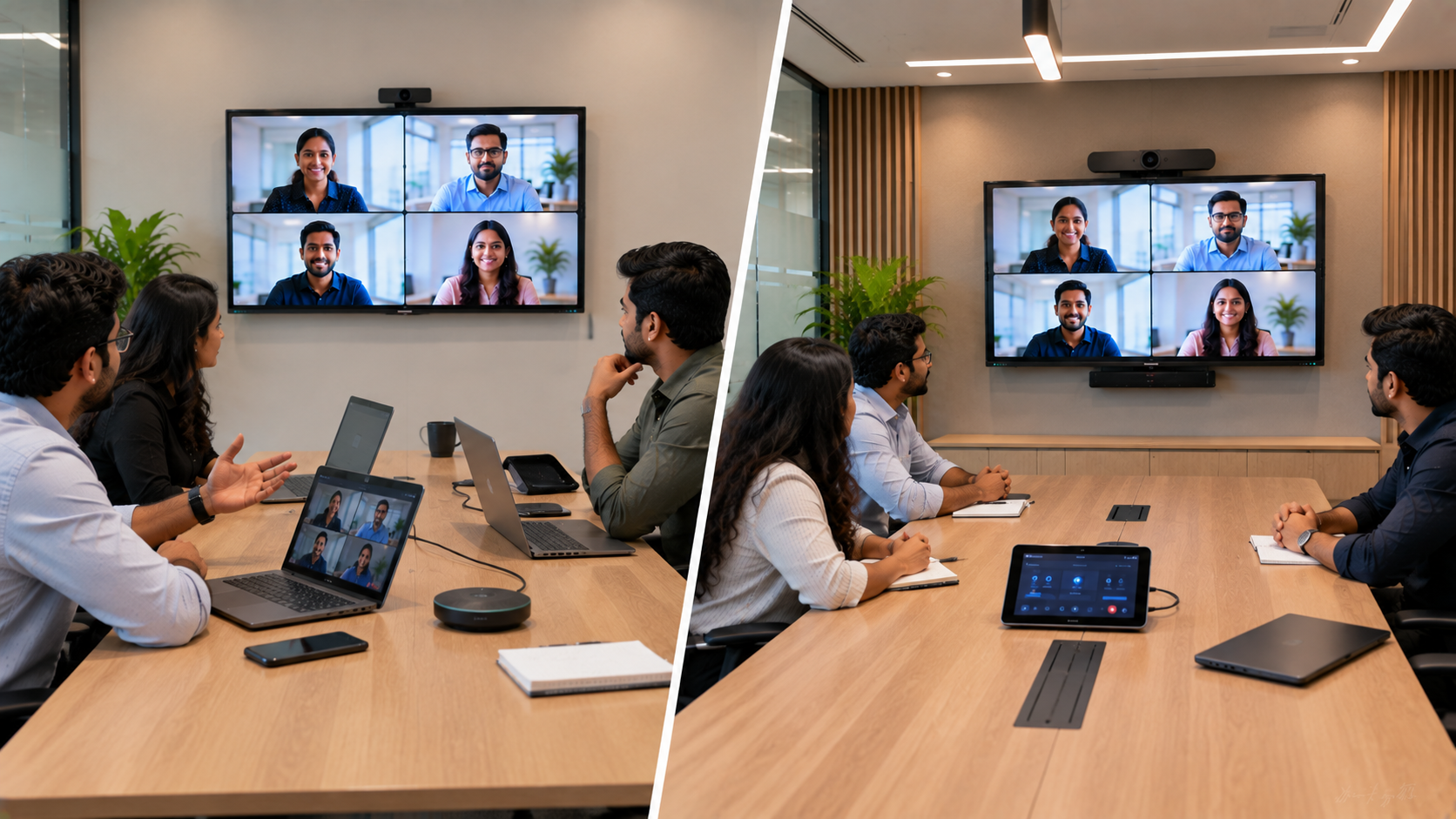
Modern businesses need conference rooms that make meetings simple, reliable and productive—whether employees are joining from the office, working remotely, or connecting with customers across India. Two popular approaches are BYOD (Bring Your Own Device) conference rooms and Dedicated Teams Rooms. But which setup is better for your organisation? The answer depends on meeting frequency, room size, collaboration requirements, IT infrastructure and budget. With the right interactive display, PTZ camera, microphone and audio system, both approaches can deliver professional hybrid meetings. At GoLive eTechnologies, the focus goes beyond selling conference-room equipment. From solution selection and deployment to installation, training and after-sales assistance, the goal is simple: technology that works, backed by people who help.
What Is a BYOD Conference Room?
A BYOD conference room allows employees to use their own laptops to conduct video meetings. The user's laptop connects to the room's display, camera, microphone and speakers through USB, HDMI or compatible connectivity.
For example, an employee can walk into a meeting room, connect their laptop to the room system and start a meeting using Microsoft Teams, Zoom, Google Meet or another platform.
Key benefits of BYOD meeting rooms
Flexible for multiple video-conferencing platforms
Employees can use their preferred meeting software
Lower initial investment in smaller rooms
Easy to adapt as business requirements change
Suitable for huddle rooms and small meeting spaces
Useful for organisations with a BYOD workplace culture
A typical setup can include an interactive flat panel display, PTZ camera, conference microphone, speakers and connectivity accessories.
For organisations also looking for presentation and collaboration capabilities, an Evota interactive panel, MAXHUB smart board or Newline interactive panel can combine display, touch collaboration and meeting-room functionality in one solution.
What Is a Dedicated Teams Room?
A Dedicated Teams Room is a purpose-built meeting-room environment designed around Microsoft Teams. Instead of relying entirely on an employee's laptop, the room has dedicated hardware and controls.
A professional Teams Room can include:
Large interactive or professional display
Dedicated conference camera
Room microphone and speaker system
Touch controller
Dedicated compute system
Cable management and connectivity
Room scheduling and management capabilities
The result is a more consistent meeting experience.
Participants can enter the room and start or join meetings using the room's dedicated controls rather than configuring their laptop every time.
BYOD vs Dedicated Teams Room: Quick Comparison
|
Feature |
BYOD Room |
Dedicated Teams Room |
|---|---|---|
|
Initial investment |
Generally lower |
Generally higher |
|
Platform flexibility |
Excellent |
Best for Teams-centric organisations |
|
Setup |
Laptop-based |
Dedicated room system |
|
Ease of joining meetings |
Depends on user |
Highly streamlined |
|
IT control |
Moderate |
Higher |
|
Meeting consistency |
Depends on users |
More consistent |
|
Small meeting rooms |
Excellent |
Excellent |
|
Large boardrooms |
Suitable with right equipment |
Highly suitable |
|
Hybrid collaboration |
Very good |
Excellent |
|
Scalability |
Flexible |
Excellent for standardised rooms |
Which one should you choose?
Choose BYOD when:
Your organisation uses multiple meeting platforms.
Employees frequently bring their own laptops.
You need a cost-conscious conference room.
You have smaller huddle or meeting rooms.
Maximum platform flexibility is important.
Choose a Dedicated Teams Room when:
Microsoft Teams is your primary collaboration platform.
Meetings happen throughout the day.
You want a standardised room experience.
IT teams need greater control.
You operate multiple meeting rooms or offices.
Conference Room Display: Why the Right Screen Matters
The display is one of the most important components of a modern conference room.
A 75-inch interactive display can be particularly useful for medium and large meeting rooms where participants need to clearly see remote attendees, presentations, documents and dashboards.
GoLive eTechnologies can help businesses evaluate solutions from brands such as Evota, MAXHUB, Newline and LG, depending on room size, viewing distance, collaboration requirements and budget.
Instead of choosing a display based only on searches such as LG interactive digital board price, Newline smart board price, MAXHUB smart board price in India or Evota smart board 75 inch price, businesses should consider the complete solution cost—including installation, accessories, deployment and support.
PTZ Cameras for Professional Hybrid Meetings
A good camera can make a major difference to the quality of a hybrid meeting.
A PTZ camera provides Pan, Tilt and Zoom functionality, making it suitable for boardrooms, classrooms, training rooms and larger meeting spaces.
For businesses looking for professional conferencing solutions, options such as an Evota 4K PTZ camera, Evota 10X HD PTZ camera or other professional PTZ camera solutions can be considered based on room size and camera requirements.
For larger spaces, camera placement, field of view, microphone coverage and speaker positioning should be evaluated together rather than purchasing a camera independently.
BYOD vs Teams Room: Consider Total Cost of Ownership
The cheapest conference-room setup is not necessarily the most cost-effective.
When comparing a BYOD room with a Dedicated Teams Room, consider:
1. Hardware cost
Display, camera, microphone, speakers, controller and connectivity equipment.
2. Installation
Professional installation can reduce configuration issues and improve reliability.
3. Deployment time
A standardised solution can make it easier to deploy multiple meeting rooms.
4. Training
Employees and administrators may need guidance on using the equipment effectively.
5. Support
Fast troubleshooting and technical assistance can reduce meeting downtime.
This is where a technology partner can make a significant difference.
Why Choose GoLive eTechnologies for Conference Room Solutions?
At GoLive eTechnologies India Private Limited, the objective is not simply to provide hardware. The company follows an end-to-end technology support approach—from selection to installation and beyond.
Technology that works, backed by people who help.
GoLive can support businesses with:
Solution selection based on room requirements and budget
Professional installation of displays and conferencing equipment
Fast deployment for offices and institutions
Product guidance and user training
After-sales assistance and technical support
Integrated solutions rather than disconnected hardware purchases
This helps customers experience less technology headache and more confidence that everything will work.
Whether you are evaluating an Evota digital board, MAXHUB digital board, Newline digital board, LG interactive panel, PTZ camera or complete conference-room setup, the right combination depends on your specific environment.
BYOD or Dedicated Teams Room: Our Recommendation
There is no universal winner.
BYOD is ideal for flexibility and cost-conscious meeting spaces, particularly when employees use different platforms.
Dedicated Teams Rooms are better for organisations that want a consistent, professional and controlled Microsoft Teams experience, especially across multiple meeting rooms.
For many businesses, a hybrid strategy may be the best solution—BYOD for smaller rooms and dedicated Teams Rooms for executive boardrooms, training rooms and high-use collaboration spaces.
The key is to design the room around how people actually work.
Build a Better Conference Room with GoLive eTechnologies
From interactive flat panel displays and digital boards to PTZ cameras, conference microphones and complete meeting-room solutions, GoLive eTechnologies helps businesses choose technology that fits their requirements.
Whether you're setting up a conference room in Delhi NCR, Noida, Gurgaon, Mumbai, Bengaluru, Hyderabad, Pune or anywhere in India, speak with GoLive eTechnologies for product selection, pricing, installation and support.
Right solution + fast deployment + installation + support = peace of mind.
Ready to upgrade your conference room?
Contact GoLive eTechnologies today for a customised conference-room solution and get expert assistance from selection to installation and beyond.
Your email address will not be published. Required fields are marked *

By Inhype • September 12, 2026
A smart classroom is only as effective as the technology supporting it. Interactive panels, smart boards, PTZ cameras, microphones, speakers, PCs and
Read More
By Inhype • September 12, 2026
Higher education is rapidly moving beyond traditional chalkboards and projectors. Today, colleges and universities need technology that supports inter
Read More
By Inhype • September 12, 2026
A smart classroom for CBSE schools is no longer simply a classroom with a digital board. Modern schools are building connected learning environments t
Read More
By Inhype • September 12, 2026
Planning a smart classroom project for 10, 20 or even 50 classrooms requires more than simply purchasing digital boards. Schools, colleges, universiti
Read More
By Inhype • September 12, 2026
A smart classroom can transform the way teachers explain concepts, students interact with lessons, and institutions deliver digital education. From in
Read More




Golive eTechnologies India Private Limited (CIN - U31909UP2021PTC148242) is one of India's leading providers of smart classrooms, interactive boards, video conferencing solutions, and display technologies for the education, healthcare, corporate, and government sectors.





















No comments yet. Be the first to comment!