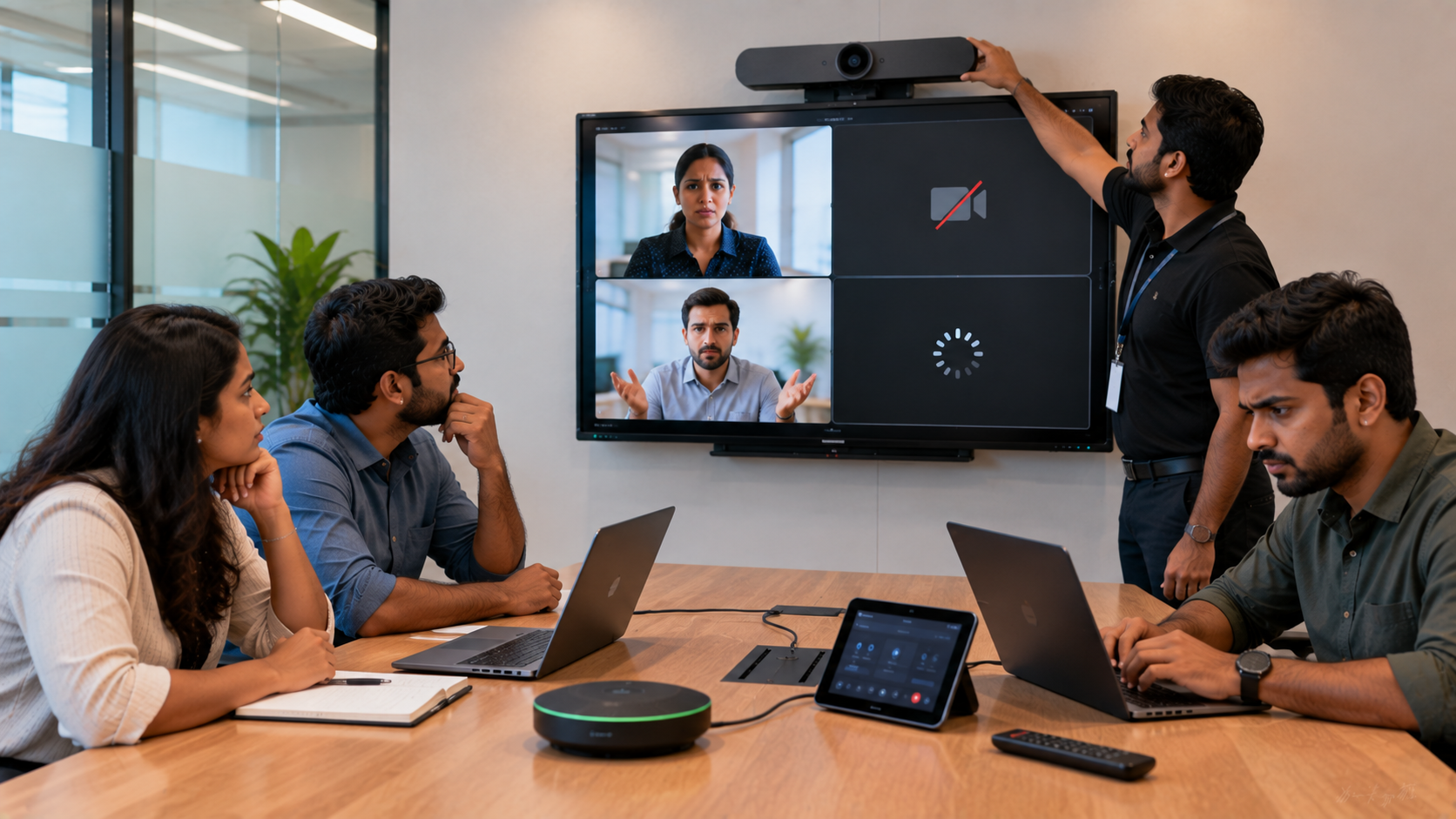
Video conferencing has become essential for business meetings, online teaching, hybrid classrooms, training sessions and remote collaboration across India. But even the best meeting setup can face problems such as video lag, poor audio, camera issues, screen-sharing failures and unstable connectivity. The good news is that most video conferencing problems can be identified and fixed with a systematic troubleshooting approach. For organisations planning a reliable conference room, hybrid classroom or online teaching setup, choosing the right combination of interactive display, PTZ camera, microphone, speakers and connectivity equipment is equally important. At GoLive eTechnologies India Private Limited, the focus is not simply on selling individual devices. GoLive helps customers select, install and support integrated technology solutions so that the display, camera, audio and software work together effectively
1. Video Lag or Frozen Video
One of the most common video conferencing problems is video lag. You may notice delayed movement, frozen video or participants appearing several seconds behind the conversation.
Common causes:
Unstable or slow internet connection
Too many devices using the same network
High-resolution video consuming excessive bandwidth
Outdated conferencing software or drivers
Overloaded computer hardware
How to troubleshoot:
Test your internet connection before the meeting.
Close unnecessary applications and browser tabs.
Disconnect unused devices from the network.
Reduce video resolution if bandwidth is limited.
Update the conferencing application and camera drivers.
For classrooms and conference rooms requiring consistent video quality, a professional PTZ camera can provide a more suitable solution than relying on a basic laptop webcam.
GoLive offers solutions including the Evota 4K PTZ Camera, Evota 10x HD PTZ Camera, Logitech PTZ solutions and other professional camera options for meeting rooms, hybrid classrooms and streaming environments.
2. Camera Not Detected or Poor Video Quality
A camera may fail to appear in your conferencing software, show a black screen or produce blurry video.
Try these steps:
Check whether the camera is properly connected.
Make sure the correct camera is selected in the meeting application.
Close other applications using the camera.
Check USB or HDMI connections.
Update camera drivers where applicable.
Check lighting and camera positioning.
For professional conference rooms, PTZ cameras provide greater flexibility because they can remotely pan, tilt and zoom to capture presenters, speakers and different areas of a room.
The Evota 4K PTZ Camera is suitable for professional video communication, streaming, training halls and hybrid meeting environments.
3. Microphone Not Working or Poor Audio
Poor audio can make an otherwise excellent video conference frustrating.
Typical problems include:
Microphone not detected
Low microphone volume
Echo
Background noise
Participants hearing distorted audio
Microphone accidentally muted
Quick troubleshooting checklist
Check the input device: Ensure the correct microphone is selected in your conferencing software.
Check mute settings: Verify both the application and physical microphone controls.
Reduce background noise: Keep microphones away from speakers and noisy equipment.
Test before joining: Always conduct a short audio test before an important meeting.
For larger conference rooms, a conference speaker and microphone or integrated professional audio system can provide more reliable coverage than a laptop microphone.
GoLive can help configure microphones, conference speakers and audio equipment as part of an integrated meeting-room solution.
4. Echo During Video Conferences
Echo generally occurs when microphone audio is picked up again through speakers.
How to fix echo:
Use headphones for smaller meetings.
Keep microphones away from speakers.
Reduce speaker volume.
Use echo-cancellation equipment where appropriate.
Avoid having multiple devices connected to the same meeting with their microphones active.
In professional installations, correct positioning and system integration are critical. A high-quality camera combined with appropriate microphones and speakers can provide a significantly better meeting experience.
This is why GoLive approaches conferencing as an integrated technology solution rather than simply a collection of products.
5. Screen Sharing Is Not Working
Screen sharing problems can prevent participants from viewing presentations, spreadsheets, videos or classroom content.
Troubleshooting steps:
Confirm that screen-sharing permissions are enabled.
Select the correct display or application window.
Check HDMI or USB connections.
Restart the conferencing software.
Update display and graphics drivers.
Check whether another application is controlling the display.
For modern meeting rooms and smart classrooms, an interactive flat panel display can simplify content presentation and collaboration.
GoLive provides interactive display solutions from Evota, MAXHUB, LG and Newline, including:
Evota Interactive Panel
MAXHUB Smart Board
LG Interactive Digital Board
Newline Interactive Panel
These solutions can support presentations, annotation, collaboration and hybrid teaching.
6. Interactive Board or Digital Panel Not Responding
If an interactive display stops responding, first check whether the problem is hardware, connectivity or software related.
Try:
Restarting the interactive panel.
Checking power and input source.
Reconnecting HDMI/USB cables.
Checking touch/USB connectivity.
Restarting the connected PC or OPS.
Updating relevant software and drivers.
GoLive offers Evota Smart Boards, MAXHUB Digital Boards, LG Interactive Panels and Newline Interactive Panels for education, corporate collaboration and training environments.
When comparing Evota digital board price, MAXHUB digital board price, LG interactive digital board price India or Newline digital board price, institutions should consider not only the display cost but also installation, integration, support and long-term usability.
7. Wireless Screen Sharing Keeps Disconnecting
Wireless presentation is increasingly important in modern conference rooms and classrooms.
Connection issues can occur because of:
Weak Wi-Fi
Network congestion
Device compatibility
Outdated software
Poor network configuration
A properly designed wireless collaboration ecosystem can reduce cable dependence and make meetings faster to start.
GoLive's interactive display solutions support modern collaboration workflows across Windows, macOS, Android, iOS and other devices, depending on the selected configuration.
8. HDMI or Capture Device Problems
When a professional camera, interactive display or external video source needs to be connected to a computer for recording or streaming, an HDMI video capture device can be useful.
If the computer does not detect the source:
Check HDMI cables.
Confirm the correct input/output ports.
Restart the capture device.
Check the capture software.
Verify resolution compatibility.
Test another HDMI cable.
For advanced setups, GoLive also supports workflows involving HDMI video capture software, OBS Studio, video capture cards and video switching equipment.
Choosing the Right Video Conferencing Setup
The right setup depends on your room size, number of participants, application and budget.
|
Requirement |
Recommended Solution |
|---|---|
|
Small online meeting |
HD webcam + microphone |
|
Corporate conference room |
PTZ camera + conference audio + display |
|
Hybrid classroom |
Interactive panel + PTZ camera + audio |
|
Online teaching studio |
PTZ camera + writing pad + display + capture |
|
Large training room |
PTZ camera + professional audio + interactive display |
|
Hybrid event |
Multiple cameras + video switcher + capture device |
For education and training environments, GoLive can combine an Evota Smart Board, PTZ camera and writing pad for PC into a complete teaching setup. Its current product portfolio also includes interactive flat panels, cameras, microphones, commercial displays and accessories.
Evota, MAXHUB, LG or Newline: Which Should You Choose?
There is no single “best” interactive panel for every customer.
|
Brand/Solution |
Suitable For |
|---|---|
|
Evota Interactive Panel |
Schools, coaching centres, training and hybrid classrooms |
|
MAXHUB Digital Board |
Corporate collaboration and education |
|
LG Interactive Digital Board |
Premium education and enterprise environments |
|
Newline Interactive Panel |
Classrooms, training rooms and collaborative spaces |
Instead of choosing purely on digital board price, consider display size, camera integration, connectivity, installation, warranty, training and after-sales support.
GoLive helps customers compare options according to their actual requirements rather than simply choosing the lowest upfront price.
Why Choose GoLive eTechnologies?
Technology should reduce complexity—not create more of it.
GoLive eTechnologies follows an integration-first approach where display + camera + audio + software are designed to work together.
Customers can explore solutions including:
Evota Smart Board
Evota Interactive Flat Panel
Evota 4K PTZ Camera
MAXHUB Smart Board
MAXHUB Digital Board
LG Interactive Digital Board
Newline Interactive Panel
Writing Pad for PC
HDMI Video Capture Devices
Online Class Studio Setup
Conference Room Audio Solutions
Whether you are comparing Evota smart board price, Evota camera price, Newline smart board price, MAXHUB smart board price in India or LG interactive panel price, GoLive can help identify the right configuration.
The value goes beyond the product itself: right solution + fast deployment + installation + support.
That means less technology headache and more confidence that everything will work.
Final Checklist Before Your Next Video Conference
Before starting an important meeting or class, check:
Internet connectivity
Camera selection and framing
Microphone and speaker levels
Echo and background noise
Interactive display connection
HDMI/capture device
Screen-sharing permissions
Meeting software updates
A few minutes of preparation can prevent major disruptions.
And when you are building a new conference room, smart classroom or hybrid teaching studio, choosing an integrated solution from the beginning can make troubleshooting much easier.
Ready to Build a Better Video Conferencing Setup?
From interactive panels and digital boards to PTZ cameras, writing pads, capture devices and professional audio, GoLive eTechnologies provides end-to-end technology support—from selection and installation to deployment and beyond.
Choose the right technology. Deploy it faster. Get support when you need it.
Your email address will not be published. Required fields are marked *

By Inhype • September 12, 2026
A smart classroom is only as effective as the technology supporting it. Interactive panels, smart boards, PTZ cameras, microphones, speakers, PCs and
Read More
By Inhype • September 12, 2026
Higher education is rapidly moving beyond traditional chalkboards and projectors. Today, colleges and universities need technology that supports inter
Read More
By Inhype • September 12, 2026
A smart classroom for CBSE schools is no longer simply a classroom with a digital board. Modern schools are building connected learning environments t
Read More
By Inhype • September 12, 2026
Planning a smart classroom project for 10, 20 or even 50 classrooms requires more than simply purchasing digital boards. Schools, colleges, universiti
Read More
By Inhype • September 12, 2026
A smart classroom can transform the way teachers explain concepts, students interact with lessons, and institutions deliver digital education. From in
Read More




Golive eTechnologies India Private Limited (CIN - U31909UP2021PTC148242) is one of India's leading providers of smart classrooms, interactive boards, video conferencing solutions, and display technologies for the education, healthcare, corporate, and government sectors.





















No comments yet. Be the first to comment!