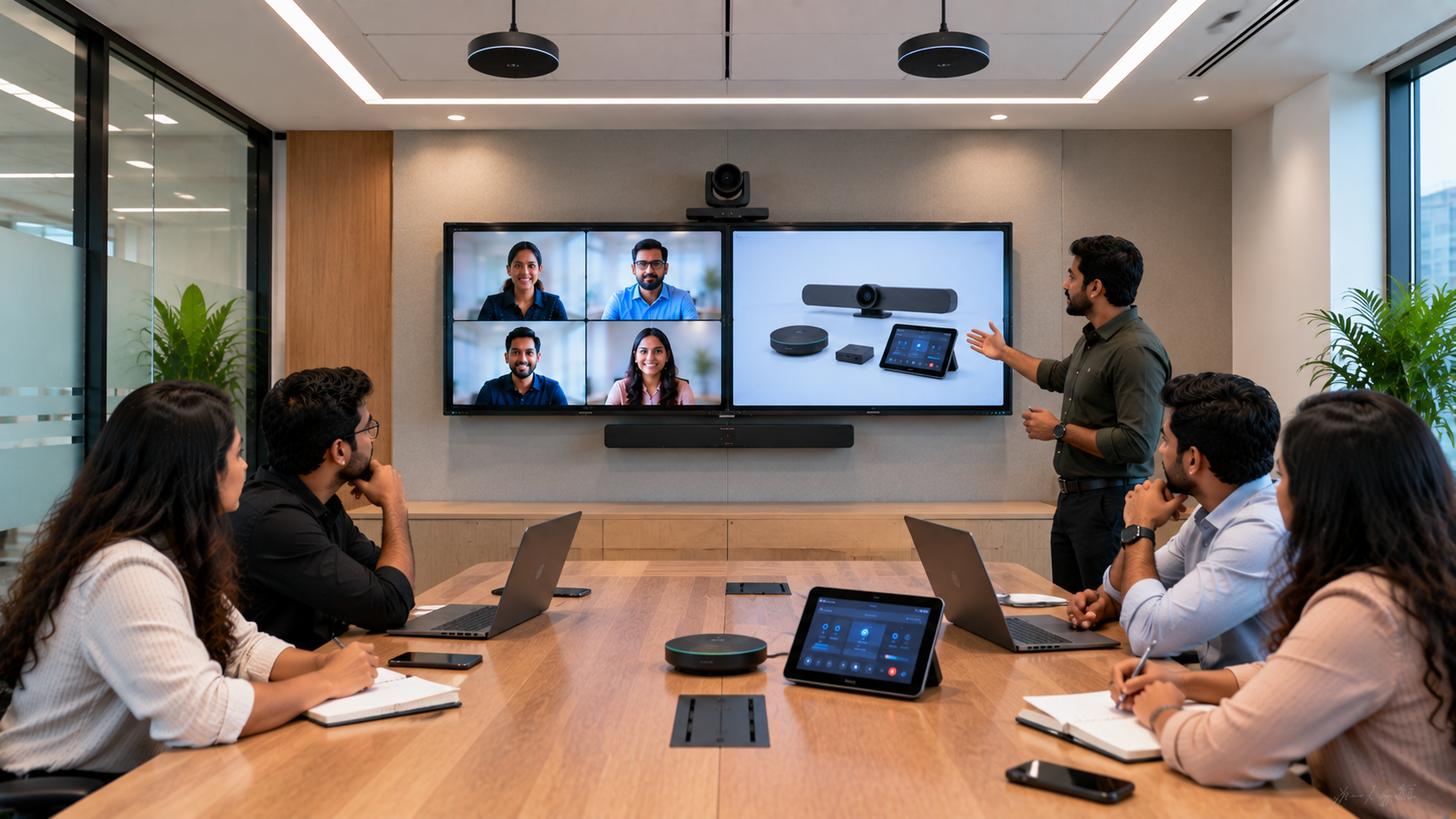
A modern corporate meeting room needs more than a large screen and a conference camera. Whether you are setting up a boardroom, hybrid meeting room, training room, executive conference room or collaboration space, the right corporate meeting room AV setup can make communication clearer, meetings faster and hybrid collaboration more productive. From an interactive flat panel display and PTZ camera to conference room speakers, microphones and video capture equipment, every component needs to work together. GoLive eTechnologies helps businesses across India select, deploy and support the right meeting-room technology—from product selection to installation, training and after-sales assistance.
What Is a Corporate Meeting Room AV Setup?
A corporate AV setup combines audio, video, display and collaboration technologies to create an efficient meeting environment.
A typical meeting room technology setup may include:
Interactive flat panel or large-format display
PTZ or 4K conference camera
Conference room speaker and microphone
Video conferencing system
HDMI video capture device
Wireless presentation system
PC or laptop connectivity
Cables, mounting accessories and installation equipment
The ideal configuration depends on room size, seating capacity, meeting frequency, online collaboration requirements and budget.
Key Technology for a Modern Corporate Meeting Room
1. Interactive Flat Panel Display
An interactive flat panel can serve as the central visual workspace for presentations, video meetings, brainstorming and collaborative discussions.
GoLive eTechnologies offers solutions from brands such as Evota, MAXHUB, Newline and LG, allowing businesses to compare screen sizes, features and pricing based on their requirements.
For example, an Evota interactive panel can be considered for meeting rooms where touchscreen collaboration, annotation and presentation are important. A 75-inch display can be particularly useful for medium and larger conference rooms.
When comparing options, businesses may search for:
Evota smart board 75 inch price
Evota digital board price
MAXHUB smart board price in India
Newline interactive panel price
LG interactive panel 75 inch price
LG interactive flat panel 75 inch price in India
Rather than selecting a display based only on price, consider resolution, screen size, operating system, connectivity, touch performance, warranty and installation support.
2. PTZ Camera for Hybrid Meetings
A PTZ camera is an important component of a professional hybrid meeting room. PTZ stands for Pan-Tilt-Zoom, allowing the camera to remotely move and zoom to capture participants or presenters.
For corporate applications, a 4K PTZ camera can provide detailed video for meetings, presentations and training sessions.
GoLive eTechnologies can help businesses evaluate solutions such as:
Evota 4K PTZ camera
Evota 10X HD PTZ camera
Logitech PTZ solutions
Lecture and teaching cameras
Camera solutions for larger conference rooms
An Evota 4K camera may be suitable for businesses looking for a professional video solution with high-resolution capture, while room size and required zoom range should determine the final camera selection.
3. Professional Conference Room Audio
Poor audio can make an otherwise expensive conference room frustrating to use.
A complete setup may include:
Conference microphones
Wireless microphones
Ceiling or wall-mounted speakers
Conference speakerphones
Amplifiers and audio interfaces
Mixer or microphone controller
For larger rooms, speaker placement and microphone coverage are just as important as the equipment itself.
The goal is simple: every participant should be heard clearly without repeatedly asking, “Can you hear me?”
4. Connectivity and Video Capture
Corporate meeting rooms frequently connect laptops, displays, cameras and conferencing platforms. HDMI connectivity, USB connections and video capture devices help integrate these components.
An HDMI video capture device can be useful for applications involving video recording, live streaming, content production or lecture capture.
For businesses running webinars, training sessions or internal broadcasts, the meeting room can also function as an online class studio setup, teaching studio setup or professional video space with the right equipment.
How to Choose the Right Meeting Room AV Setup
|
Requirement |
Recommended Technology |
|---|---|
|
Small meeting room |
65-inch display + USB camera + speakerphone |
|
Medium conference room |
75-inch interactive display + PTZ camera + microphones |
|
Large boardroom |
86-inch/large display + PTZ camera + distributed audio |
|
Hybrid meeting room |
Interactive display + PTZ camera + professional microphone |
|
Training room |
Interactive panel + camera + speakers + capture device |
|
Webinar/training studio |
Display + camera + microphones + capture/switching system |
The right corporate AV setup should be designed around the room—not simply around individual products.
Evota, MAXHUB, Newline or LG: Which Should You Choose?
Businesses researching smart board price, digital board price in India, interactive panel price or 75 inch interactive display will find several brands and configurations.
Evota
A practical option for organisations looking for interactive displays and professional AV solutions with a focus on value, functionality and deployment support.
MAXHUB
A strong consideration for collaboration-focused corporate environments requiring interactive displays and professional meeting-room technology.
Newline
Suitable for interactive collaboration, presentations, education and meeting-room applications.
LG
A recognised display option for organisations looking for professional large-format and interactive display solutions.
Instead of focusing only on searches such as LG interactive digital board price India, MAXHUB digital board price or Newline smart board price, compare the complete cost of ownership—including installation, accessories, configuration, warranty and support.
Why Buy Your Corporate AV Setup from GoLive eTechnologies?
Choosing individual products from multiple suppliers can create unnecessary installation and compatibility challenges.
GoLive eTechnologies provides an end-to-end approach:
Requirement assessment and solution selection
Product comparison and pricing guidance
Professional installation
Configuration and deployment
User training
Post-installation assistance
Ongoing technology support
Our brand promise is simple: Technology that works, backed by people who help.
The objective is to reduce technology headaches and give organisations confidence that their meeting-room setup will work when it matters.
Customers also value practical support such as fast delivery, installation, training and assistance—important considerations when deploying technology across offices, institutions and corporate facilities.
Meeting Room AV Setup Price in India
The cost of a corporate meeting room AV setup varies according to screen size, camera specifications, audio requirements, room dimensions, installation complexity and accessories.
Instead of relying on generic searches such as digital board price under 5000, businesses should evaluate the complete solution required for professional meetings. A very low-cost display may not provide the connectivity, reliability, touch functionality or support required in a corporate environment.
For an accurate meeting room AV setup price in India, share your room size, seating capacity and preferred features with GoLive eTechnologies for a suitable recommendation.
Corporate AV Solutions Across India and Delhi NCR
Whether you are upgrading a conference room in Delhi, Noida, Gurugram, Ghaziabad or another Indian city, GoLive eTechnologies can help with technology selection and deployment.
From an Evota panel 75 inch to a MAXHUB digital board, Newline interactive panel, LG interactive display or professional PTZ camera, the focus should remain on finding the right solution for your environment.
Final Checklist Before Buying
Before purchasing a corporate meeting-room AV system, check:
Room size and viewing distance
Number of participants
Display size and resolution
Camera coverage and zoom requirements
Microphone pickup range
Speaker coverage
HDMI/USB/network connectivity
Video conferencing compatibility
Installation and mounting requirements
Warranty, training and after-sales support
Upgrade Your Corporate Meeting Room with GoLive eTechnologies
A professional meeting room should make collaboration easier—not create another technology headache.
GoLive eTechnologies brings together the right products, fast deployment, installation and ongoing assistance so your organisation can focus on meetings instead of troubleshooting equipment.
Explore interactive displays, PTZ cameras and complete AV solutions at GoLive eTechnologies and enquire today for a customised corporate meeting room setup.
Your email address will not be published. Required fields are marked *

By Inhype • September 12, 2026
A smart classroom is only as effective as the technology supporting it. Interactive panels, smart boards, PTZ cameras, microphones, speakers, PCs and
Read More
By Inhype • September 12, 2026
Higher education is rapidly moving beyond traditional chalkboards and projectors. Today, colleges and universities need technology that supports inter
Read More
By Inhype • September 12, 2026
A smart classroom for CBSE schools is no longer simply a classroom with a digital board. Modern schools are building connected learning environments t
Read More
By Inhype • September 12, 2026
Planning a smart classroom project for 10, 20 or even 50 classrooms requires more than simply purchasing digital boards. Schools, colleges, universiti
Read More
By Inhype • September 12, 2026
A smart classroom can transform the way teachers explain concepts, students interact with lessons, and institutions deliver digital education. From in
Read More




Golive eTechnologies India Private Limited (CIN - U31909UP2021PTC148242) is one of India's leading providers of smart classrooms, interactive boards, video conferencing solutions, and display technologies for the education, healthcare, corporate, and government sectors.





















No comments yet. Be the first to comment!