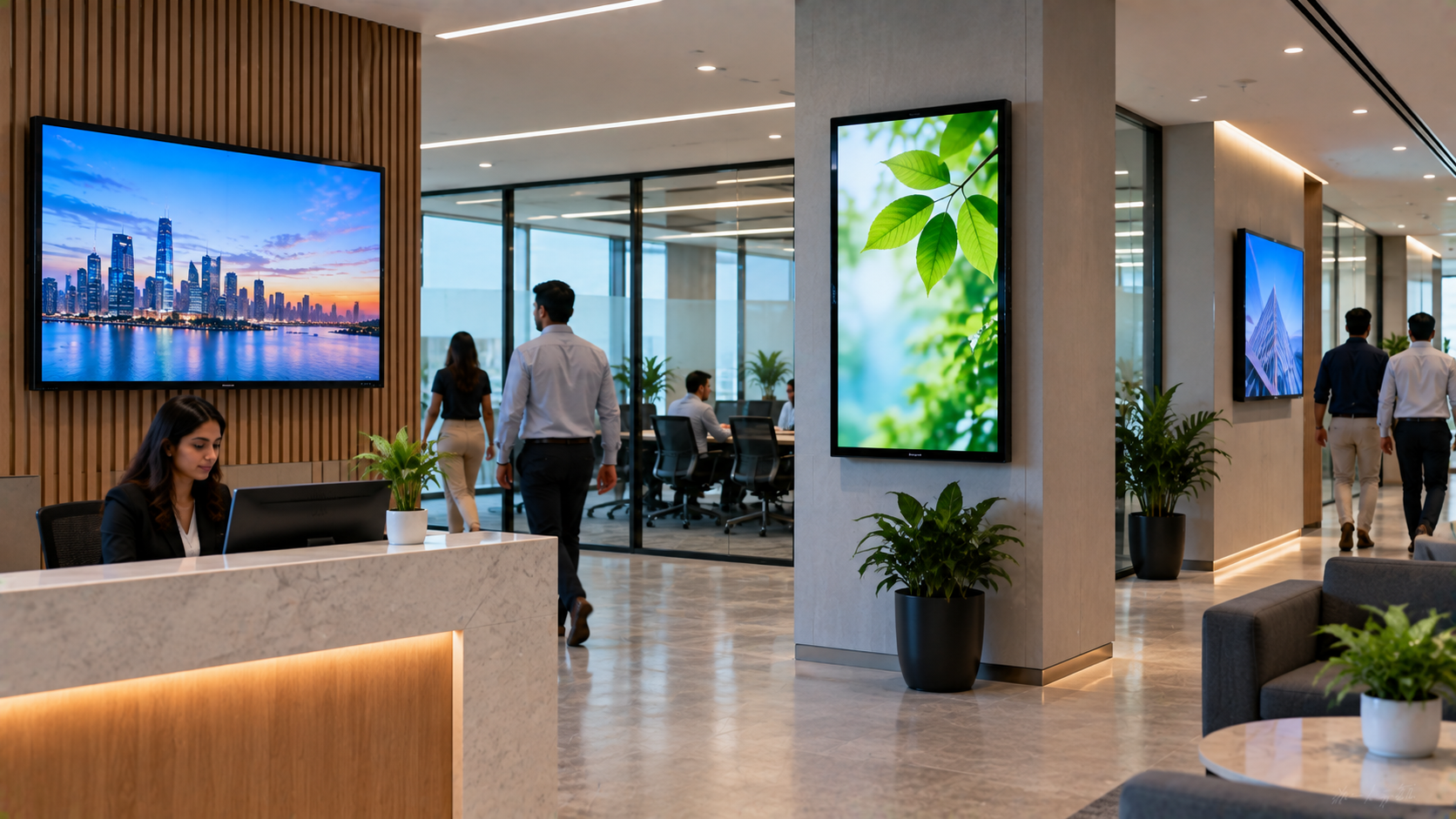
Modern corporate offices need more than conventional notice boards and printed communication. Digital signage for corporate offices provides a dynamic way to share announcements, company updates, employee communication, meeting information, dashboards, wayfinding content and brand messages across workplace displays. From reception areas and meeting rooms to employee floors and cafeterias, a well-planned digital signage solution can make corporate communication faster, more engaging and easier to manage. For businesses looking for the right display technology in India, GoLive eTechnologies provides end-to-end technology support—from solution selection and supply to installation, deployment and ongoing assistance.
What Is Digital Signage for Corporate Offices?
Digital signage uses commercial displays, interactive panels, media players and content-management systems to display digital information.
Unlike static posters, a digital screen board can be updated quickly and used for multiple communication requirements.
Common corporate applications include:
Reception and welcome screens
Internal announcements
Employee engagement content
Corporate videos and presentations
Meeting-room schedules
KPI and business dashboards
Wayfinding and office navigation
Safety and emergency communication
Promotional and brand communication
Visitor information
For organizations with multiple locations, digital signage can also help standardize communication across offices.
Why Should Corporate Offices Invest in Digital Signage?
A corporate digital display can improve communication while reducing dependence on printed materials.
Key benefits include:
Faster communication: Content can be changed without printing and replacing physical notices.
Professional workplace experience: Reception and common-area screens can create a more modern corporate environment.
Better employee engagement: Visual content can make internal announcements easier to notice.
Flexible content: Organizations can display text, images, presentations, videos and other visual information.
Scalable deployment: A solution can start with one screen and expand to multiple locations.
Centralized communication: Businesses can establish consistent messaging across departments or offices.
Where Can Digital Signage Be Used in Corporate Offices?
The right deployment depends on the office layout and communication objectives.
|
Office Area |
Digital Signage Use |
|---|---|
|
Reception |
Welcome messages, company information and visitor guidance |
|
Meeting Rooms |
Room schedules, presentations and meeting information |
|
Corridors |
Internal announcements and employee communication |
|
Cafeteria |
Menus, notices and engagement content |
|
Training Rooms |
Presentations and learning content |
|
Boardrooms |
Collaboration and corporate presentations |
|
Waiting Areas |
Brand videos and corporate information |
|
Multiple Offices |
Centralized company communication |
For interactive requirements, an interactive flat panel display or interactive panel can provide touch-enabled collaboration in addition to digital signage.
Digital Signage vs Traditional Notice Boards
Traditional notice boards are inexpensive for basic communication, but they require manual replacement of printed content.
A digital signage setup provides:
Dynamic content
Multimedia support
Faster updates
Better visual engagement
More flexible communication
Potential integration with meeting-room and corporate systems
For organizations already investing in workplace AV technology, combining digital signage with interactive panels, PTZ cameras and conferencing equipment can create a more connected office environment.
Choosing the Right Display for Your Corporate Office
There is no single display size or technology suitable for every office.
Consider these factors before purchasing:
1. Screen Size
Choose the screen according to viewing distance and room size. Common requirements include 65-inch, 75-inch and larger displays.
For collaborative spaces, a 75 inch interactive display can provide a larger working area.
2. Interactive vs Non-Interactive
A standard display is suitable for announcements and information.
An interactive flat panel is more appropriate when users need to write, annotate, collaborate or present.
3. Content Requirements
Determine whether the display needs to show:
Images
Corporate videos
Presentations
Dashboards
Live information
Meeting schedules
Web-based content
4. Installation Environment
Consider wall mounting, viewing angles, ambient lighting, connectivity and cable management before installation.
5. Support and Maintenance
The display is only one part of the solution. Businesses should also consider installation, configuration, training and post-sales assistance.
This is where GoLive eTechnologies focuses on its end-to-end technology support model.
GoLive eTechnologies Products for Corporate Digital Signage
GoLive eTechnologies offers workplace technology solutions designed around different business requirements.
Evota Interactive Panels
An Evota interactive panel can support presentations, collaboration, training and interactive workplace communication.
For larger meeting and collaboration environments, businesses can explore Evota 75 inch and other available configurations based on their requirements.
Potential applications:
Corporate training
Meeting rooms
Collaboration spaces
Presentation rooms
Employee learning
For current Evota digital board price, Evota smart board price and configuration-specific pricing, businesses should enquire based on screen size, specifications and installation requirements.
MAXHUB Digital Boards
MAXHUB smart board and digital board solutions can be considered for corporate meeting and collaboration environments where interactive functionality is important.
Businesses researching MAXHUB digital board price in India, MAXHUB smart board price in India or larger display configurations should compare specifications, screen size, connectivity and intended use rather than considering price alone.
LG Interactive Displays
An LG interactive panel can be suitable for corporate meeting rooms, training environments and collaborative workplaces.
Businesses researching LG interactive digital board price, LG interactive panel 75 inch price or LG 65 inch interactive display price in India should consider the complete solution—including installation and accessories—when preparing their budget.
Newline Interactive Panels
Newline interactive panel solutions can support collaboration, presentations and interactive corporate training.
Searches such as Newline digital board price, Newline smart board price and Newline interactive panel price in India can vary according to model, size, specifications and configuration.
Don't Forget the Corporate AV Ecosystem
Digital signage works even better when integrated with the wider workplace technology ecosystem.
Depending on your requirements, a corporate setup may include:
Interactive flat panels
PTZ cameras
4K cameras
Conference cameras
Wireless microphones
Conference room speakers
Video capture devices
Presentation equipment
Digital displays
Mounting solutions
Connectivity accessories
For example, an Evota 4K PTZ camera can complement meeting and training environments where video communication or recording is required.
GoLive eTechnologies can help businesses evaluate the complete requirement instead of treating every product as a standalone purchase.
How Much Does Corporate Digital Signage Cost in India?
There is no fixed price for a corporate digital signage project.
The overall digital board price in India or digital signage project cost can depend on:
Display size
Display technology
Interactive functionality
Brand and model
Mounting requirements
Installation complexity
Accessories
Number of screens
Content-management requirements
Networking and integration
For this reason, businesses should compare the total solution cost rather than only the screen price.
GoLive eTechnologies can help businesses identify the right configuration based on office size, application, budget and deployment requirements.
Why Choose GoLive eTechnologies?
The right technology is only valuable when it works reliably after installation.
GoLive eTechnologies follows an end-to-end support approach covering:
Selection → Supply → Installation → Deployment → Training → Support
The brand promise is simple:
Technology that works, backed by people who help.
The customer benefit is equally practical: less technology headache and more confidence that everything will work.
For corporate buyers, this means getting the right solution, faster deployment, professional installation and ongoing assistance from a technology partner.
Customer feedback around GoLive eTechnologies repeatedly highlights areas such as service, support, fast delivery, installation, training and assistance—the practical elements that matter after a technology purchase.
Corporate Digital Signage Implementation Checklist
Before placing an order, businesses should confirm:
Purpose of each digital display
Required screen size
Interactive or non-interactive requirement
Installation location
Power and connectivity availability
Content requirements
Required accessories
Number of displays
Installation and configuration
Staff training
Post-installation support
Final Takeaway
A well-designed digital signage solution for corporate offices can transform workplace communication from static notices into dynamic, visual and flexible communication.
Whether you need an interactive panel for a boardroom, a large digital display for reception or a complete corporate AV setup, the most important step is selecting technology that matches your actual workplace requirements.
With Evota, MAXHUB, Newline, LG and other workplace technology solutions, GoLive eTechnologies helps Indian businesses move from product selection to deployment with professional installation and support.
Ready to Upgrade Your Corporate Office?
Choose the right display. Get it installed correctly. Get support when you need it.
Explore workplace technology solutions from GoLive eTechnologies and enquire about the right configuration for your office.
Your email address will not be published. Required fields are marked *

By Inhype • September 12, 2026
A smart classroom is only as effective as the technology supporting it. Interactive panels, smart boards, PTZ cameras, microphones, speakers, PCs and
Read More
By Inhype • September 12, 2026
Higher education is rapidly moving beyond traditional chalkboards and projectors. Today, colleges and universities need technology that supports inter
Read More
By Inhype • September 12, 2026
A smart classroom for CBSE schools is no longer simply a classroom with a digital board. Modern schools are building connected learning environments t
Read More
By Inhype • September 12, 2026
Planning a smart classroom project for 10, 20 or even 50 classrooms requires more than simply purchasing digital boards. Schools, colleges, universiti
Read More
By Inhype • September 12, 2026
A smart classroom can transform the way teachers explain concepts, students interact with lessons, and institutions deliver digital education. From in
Read More




Golive eTechnologies India Private Limited (CIN - U31909UP2021PTC148242) is one of India's leading providers of smart classrooms, interactive boards, video conferencing solutions, and display technologies for the education, healthcare, corporate, and government sectors.





















No comments yet. Be the first to comment!