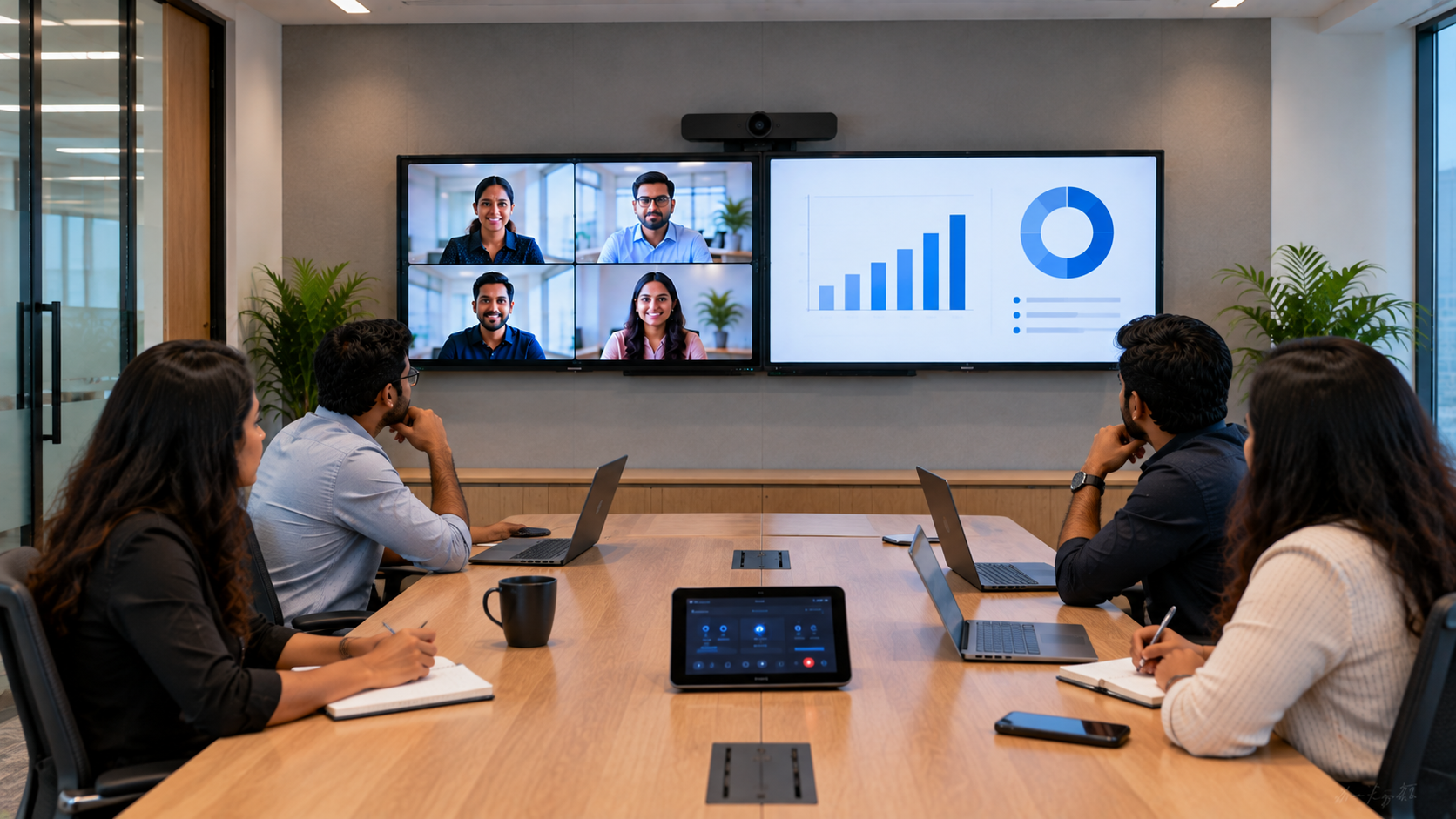
A modern conference room is no longer just a table, chairs and a single display. With hybrid meetings, presentations, video conferencing and collaborative work becoming standard across Indian businesses, choosing the right conference room display setup can significantly improve meeting productivity. One common question businesses ask is: Do we really need two screens in a conference room? The answer depends on how your team conducts meetings. A dual display conference room setup can be especially valuable when you need to display presentation content while simultaneously keeping remote participants, meeting notes, dashboards or collaboration tools visible. At GoLive eTechnologies, the focus is not simply on supplying technology. Our approach is to help businesses select the right solution, deploy it quickly and provide installation and ongoing support—so you experience less technology headache and more confidence that everything will work.
What Is a Dual Display Conference Room Setup?
A dual display conference room setup uses two screens or interactive displays in the same meeting space. Instead of switching constantly between presentation content and video conferencing, each screen can perform a dedicated role.
For example:
|
Screen 1 |
Screen 2 |
|---|---|
|
PowerPoint presentation |
Remote participants |
|
Business dashboard |
Video conference |
|
Product demonstration |
Meeting notes |
|
Spreadsheet |
Teams/Zoom/other meeting interface |
|
Shared content |
Speaker or participant view |
This configuration can use interactive flat panels, digital boards or professional displays, depending on the room size and meeting requirements.
For businesses considering an interactive display panel, digital panel board, smart board or interactive flat panel, two-screen configurations can provide considerably more workspace.
When Do You Actually Need Two Screens?
A second display is useful when your meetings regularly involve multiple types of information that need to remain visible simultaneously.
1. Hybrid Meetings With Remote Participants
Hybrid meetings are one of the strongest use cases for dual displays.
With one screen showing a presentation and the second displaying remote attendees, participants can maintain eye contact with the audience while still following the content.
Pairing an interactive panel with a PTZ camera can further improve the meeting experience.
GoLive eTechnologies offers solutions such as the Evota 4K PTZ Camera for professional video conferencing environments where camera movement, framing and high-resolution video matter.
2. Boardrooms With Frequent Presentations
Senior-management meetings often involve presentations, financial dashboards, reports and real-time discussions.
A dual display arrangement allows:
Presentation slides on one screen
Financial dashboards on another
Meeting participants to remain visible
Data and documents to stay open simultaneously
Less screen switching during discussions
For larger boardrooms, businesses can evaluate Evota interactive panels, MAXHUB smart boards, Newline interactive panels or LG interactive displays based on their room size, collaboration requirements and budget.
3. Training and Collaboration Rooms
Training rooms and corporate learning spaces can benefit from two interactive displays.
One screen can show training material while another displays:
Live annotations
Questions
Participant screens
Reference documents
Demonstrations
This can make smart classroom and corporate training environments more interactive.
For organisations comparing an Evota smart board, Newline smart board, MAXHUB digital board or LG interactive digital board, the right choice should be based on display size, touch capability, operating system, connectivity and after-sales requirements—not price alone.
Dual Display vs Single Display Conference Room
|
Feature |
Single Display |
Dual Display |
|---|---|---|
|
Presentation + participants |
Requires switching |
Both visible |
|
Hybrid meetings |
Good |
Excellent |
|
Multitasking |
Limited |
High |
|
Large meetings |
Suitable |
Better visibility |
|
Collaboration |
Good |
More flexible |
|
Cost |
Lower |
Higher |
|
Installation complexity |
Lower |
Moderate |
A single 75-inch interactive display may be sufficient for a smaller meeting room. A dual-screen configuration becomes more valuable when the room supports hybrid meetings, executive presentations or complex collaboration.
What Screen Size Should You Choose?
Screen size should depend on viewing distance, room dimensions and the type of content being displayed.
Common conference-room configurations include:
65-inch: Smaller meeting rooms
75-inch: Medium and large conference rooms
86-inch: Larger boardrooms and training spaces
100-inch and above: Large collaboration or presentation environments
Businesses researching Evota smart board 75 inch price, Evota smart board 86 inch price, LG interactive digital board 75 price, LG interactive panel 75 inch price, Newline interactive panel 75 inch price or MAXHUB digital board 100 inch price should compare the complete solution rather than focusing only on the display price.
Installation, mounting, connectivity, camera integration and support can significantly affect the final project cost.
Which GoLive eTechnologies Products Can Be Used?
GoLive eTechnologies provides technology solutions for meeting rooms, classrooms, offices and professional collaboration environments.
Evota Interactive Panels
An Evota interactive panel can serve as a central collaboration and presentation screen. Interactive functionality can be particularly useful for brainstorming, annotations, presentations and training.
Businesses can explore suitable Evota digital board, Evota smart board and Evota 75-inch configurations depending on their requirements.
Evota 4K PTZ Camera
A professional 4K PTZ camera can complement a dual-display conference room by providing high-quality video for hybrid meetings.
The Evota 4K PTZ Camera can be considered for:
Corporate boardrooms
Training rooms
Hybrid classrooms
Webinars
Conference spaces
Online teaching environments
MAXHUB Smart Boards
A MAXHUB smart board or MAXHUB digital board can be considered where businesses need interactive collaboration and professional presentation capabilities.
The right MAXHUB smart board price depends on the selected model, display size and configuration.
Newline Interactive Panels
Newline interactive panels are another option for organisations looking for collaboration-focused displays.
Businesses researching Newline digital board price, Newline smart board price or Newline interactive panel price in India should consider the complete deployment, including installation and support.
LG Interactive Displays
For organisations looking for established professional display technology, LG interactive digital boards and LG interactive panels can be evaluated based on room requirements and budget.
Searches such as LG interactive digital board price India, LG smart board 75 inch price and LG 65 inch interactive display price in India are useful starting points, but final pricing should be confirmed for the exact model and configuration.
Don't Forget the Conference Room Camera and Audio
A dual display setup works best when the complete meeting environment is planned together.
A professional conference room may include:
Interactive display or digital board
PTZ camera
Conference microphone
Speakers
HDMI connectivity
Video capture device
Wireless presentation system
Network connectivity
Mounting solution
For larger spaces, businesses may also require a conference room speaker and microphone, audio interface or professional microphone system.
This is where an end-to-end technology partner can make a difference.
Instead of purchasing individual components and figuring out compatibility later, GoLive eTechnologies can help businesses evaluate the complete technology requirement—from selection to installation and beyond.
How Much Does a Dual Display Conference Room Cost?
There is no single dual display conference room price because the investment depends on:
Display size and brand
Number of interactive panels
PTZ camera requirements
Audio system
Mounting requirements
Connectivity
Installation
Room size
Integration requirements
Therefore, searches such as digital board price in India, interactive panel price, PTZ camera price, LG interactive panel price, Newline digital board price or MAXHUB board price should be treated as reference points rather than a final project quotation.
For an accurate recommendation, businesses should share their room size, seating capacity, preferred display size and meeting requirements.
Why Choose GoLive eTechnologies?
Technology investment is not only about buying hardware.
GoLive eTechnologies focuses on delivering the right solution with practical implementation support.
Our brand promise
Technology that works, backed by people who help.
What businesses can expect:
Right solution: Recommendations based on actual room requirements
Fast deployment: Helping organisations get their technology operational quickly
Professional installation: Proper setup rather than simply delivering a box
Ongoing support: Assistance when questions or issues arise
Training: Helping teams use their technology confidently
Peace of mind: One technology partner instead of multiple disconnected vendors
Customer feedback and reviews frequently highlight the importance of service, support, fast delivery, installation, training and assistance. These are central to the GoLive approach.
Final Verdict: Do You Need Two Screens?
You probably need a dual display conference room setup if your meetings frequently involve presentations + remote participants, dashboards + discussions, training + collaboration or multiple information sources simultaneously.
For smaller meeting rooms with straightforward presentations, one appropriately sized interactive display may be enough.
For larger boardrooms and hybrid meeting environments, two screens can deliver a more professional and productive experience.
The key is choosing the right combination of interactive display, PTZ camera, audio and connectivity for your actual room—not simply buying the biggest screen available.
GoLive eTechnologies helps you choose, deploy and support the right technology solution, from selection to installation and beyond.
Your email address will not be published. Required fields are marked *

By Inhype • September 12, 2026
A smart classroom is only as effective as the technology supporting it. Interactive panels, smart boards, PTZ cameras, microphones, speakers, PCs and
Read More
By Inhype • September 12, 2026
Higher education is rapidly moving beyond traditional chalkboards and projectors. Today, colleges and universities need technology that supports inter
Read More
By Inhype • September 12, 2026
A smart classroom for CBSE schools is no longer simply a classroom with a digital board. Modern schools are building connected learning environments t
Read More
By Inhype • September 12, 2026
Planning a smart classroom project for 10, 20 or even 50 classrooms requires more than simply purchasing digital boards. Schools, colleges, universiti
Read More
By Inhype • September 12, 2026
A smart classroom can transform the way teachers explain concepts, students interact with lessons, and institutions deliver digital education. From in
Read More




Golive eTechnologies India Private Limited (CIN - U31909UP2021PTC148242) is one of India's leading providers of smart classrooms, interactive boards, video conferencing solutions, and display technologies for the education, healthcare, corporate, and government sectors.





















No comments yet. Be the first to comment!