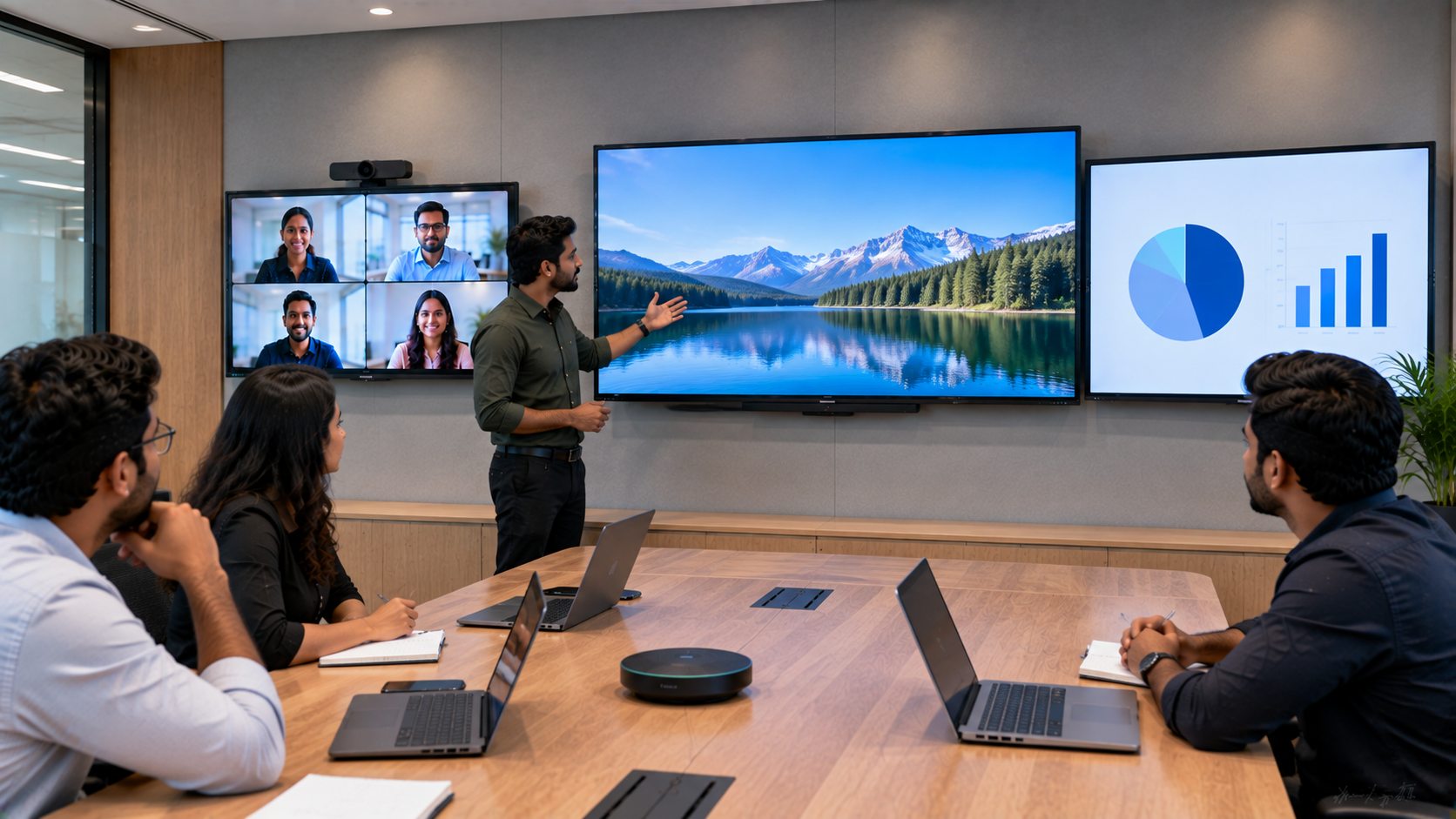
A conference room display is no longer just a screen for PowerPoint presentations. Modern meeting rooms need technology that supports presentations, video conferencing, collaboration, screen sharing, document review and hybrid meetings—without making technology complicated. Whether you are setting up a corporate boardroom, training room, meeting room, educational institution or hybrid workspace, choosing the right display can significantly improve communication and productivity. With options ranging from traditional commercial displays to interactive flat panel displays, smart boards and digital collaboration screens, selecting the right solution requires more than simply comparing screen sizes or prices. This guide explains what to consider when choosing a conference room display in India and how GoLive eTechnologies can help you select, deploy and support the right technology.
1. Consider the Conference Room Size
The first step is determining how large your conference room is and how far participants will sit from the screen.
Recommended display sizes
|
Conference Room |
Suggested Display |
|---|---|
|
Small huddle room |
55–65 inch |
|
Medium meeting room |
65–75 inch |
|
Large conference room |
75–86 inch |
|
Boardroom / large space |
86 inch+ or large-format display |
For a medium-sized meeting room, a 75 inch interactive display can provide a comfortable viewing experience without requiring a projector.
Large meeting rooms may benefit from an 86 inch interactive panel or a larger professional display.
However, screen size should always be considered alongside viewing distance and room layout.
2. Choose Between a Standard Display and Interactive Panel
Not every conference room needs an interactive display.
A standard professional screen may be sufficient if your primary requirements are:
PowerPoint presentations
Video playback
Dashboard viewing
Video conferencing
Screen sharing
An interactive flat panel display, however, is ideal when meetings involve collaboration and real-time interaction.
Participants can annotate presentations, write ideas, brainstorm, draw diagrams and interact directly with content.
For example, an Evota interactive panel can be considered for businesses looking for a modern collaboration solution.
Interactive displays are particularly useful for:
Brainstorming sessions
Strategy meetings
Training
Workshops
Hybrid meetings
Collaborative presentations
Business reviews
3. Look for 4K Resolution
For modern conference rooms, 4K resolution can provide sharper text, charts, presentations and video.
This becomes particularly important when displaying:
Financial dashboards
Excel spreadsheets
Business reports
Product designs
Data visualisations
Video conferencing feeds
A 4K display can help participants at the back of the room view detailed information more clearly.
When comparing products, businesses may encounter searches such as LG interactive digital board price, MAXHUB smart board price in India, Newline interactive panel price in India and Evota digital board price.
Instead of choosing purely on price, compare the screen size, resolution, touch technology, connectivity, operating system, installation and after-sales support.
4. Check Connectivity and Compatibility
A conference room display should work smoothly with the devices your team already uses.
Before purchasing, check for connectivity options such as:
HDMI
USB
USB-C
DisplayPort
Wi-Fi
Bluetooth
LAN
Wireless screen sharing
If your organisation frequently uses laptops, video conferencing systems or room PCs, compatibility should be considered before installation.
For more advanced meeting environments, a complete solution may include an interactive panel, PTZ camera, microphone and conference room speakers.
GoLive eTechnologies can help businesses evaluate the complete technology requirement rather than treating the display as an isolated product.
5. Consider Touch and Writing Requirements
If your conference room is used for brainstorming, training or collaborative work, touch functionality can add significant value.
An interactive panel allows users to:
Write directly on the screen
Annotate documents
Draw diagrams
Highlight presentations
Collaborate on ideas
Save meeting notes
For users who prefer writing digitally from a computer, accessories such as a computer writing pad, USB writing pad or desktop writing pad can also be considered depending on the workflow.
For organisations looking for a digital replacement for traditional whiteboards, an interactive board for teaching or business collaboration can offer considerably more functionality than a conventional whiteboard.
6. Don't Ignore Video Conferencing
Modern conference rooms increasingly support hybrid meetings.
If your team regularly conducts meetings with remote participants, the display should work well with your conferencing setup.
A professional setup may include:
Interactive Display + PTZ Camera + Conference Microphone + Speakers + Room PC
PTZ cameras are particularly useful because they can provide flexible framing and remote camera control.
GoLive offers solutions around products such as Evota 4K PTZ cameras, helping organisations create more complete meeting and collaboration environments.
For larger meeting rooms, features such as camera tracking, wide-angle coverage, microphone pickup and speaker quality should be evaluated together.
7. Compare Popular Display Options
Businesses may consider brands and product categories such as Evota, MAXHUB, Newline and LG depending on their requirements.
|
Requirement |
Recommended Direction |
|---|---|
|
Basic presentations |
Professional large display |
|
Team collaboration |
Interactive flat panel |
|
Training room |
Interactive display |
|
Hybrid meetings |
Interactive panel + PTZ camera |
|
Large boardroom |
75–86 inch+ display |
|
Education/training |
Interactive smart board |
|
Advanced collaboration |
Interactive panel + conferencing ecosystem |
Searches such as Newline digital board price, MAXHUB digital board price, LG interactive panel price and Evota smart board price are useful for initial research.
However, the final purchasing decision should consider the total solution cost, including mounting, installation, accessories, configuration and support.
8. Don't Choose Only on Display Price
A common mistake is comparing only the advertised digital board price in India.
For example, two displays may have similar screen sizes but differ significantly in:
Touch performance
Brightness
Speakers
Connectivity
Software
Warranty
Installation
Training
After-sales service
Therefore, the lowest upfront price may not always represent the best value.
At GoLive eTechnologies, the emphasis is on providing the right solution + fast deployment + installation + support.
That means businesses can get assistance from product selection through installation and beyond.
9. Why Choose GoLive eTechnologies?
Choosing the right conference room display becomes easier when you have technology experts who understand the complete deployment process.
GoLive eTechnologies' brand promise is simple:
Technology that works, backed by people who help.
From selecting the appropriate display to installation and ongoing assistance, GoLive aims to reduce the technology headache for businesses.
Customers frequently value areas such as:
Service and support
Fast delivery
Professional installation
Product assistance
Training
Post-installation support
This approach gives businesses something more valuable than a screen: peace of mind that the technology will work when it matters.
Whether you are setting up a small meeting room in Noida, a corporate boardroom in Gurugram, a training room in Delhi or a conference facility anywhere in India, selecting the right display is the first step toward a better meeting environment.
Final Checklist Before Buying a Conference Room Display
Before placing an order, check:
Room size: Is the screen large enough?
Viewing distance: Can everyone read the content comfortably?
Resolution: Is 4K required?
Touch: Do you need interactive collaboration?
Connectivity: Does it support your existing devices?
Video conferencing: Do you need a PTZ camera?
Audio: Are speakers and microphones adequate?
Installation: Is professional installation included?
Support: Who will assist after installation?
Total cost: Have accessories and deployment costs been considered?
Ready to Upgrade Your Conference Room?
Choose technology based on your actual meeting requirements—not just the lowest display price.
Explore conference room displays, interactive panels, PTZ cameras and complete meeting-room solutions from GoLive eTechnologies. Get expert assistance with selection, delivery, installation and support.
Technology that works, backed by people who help.
Your email address will not be published. Required fields are marked *

By Inhype • September 12, 2026
A smart classroom is only as effective as the technology supporting it. Interactive panels, smart boards, PTZ cameras, microphones, speakers, PCs and
Read More
By Inhype • September 12, 2026
Higher education is rapidly moving beyond traditional chalkboards and projectors. Today, colleges and universities need technology that supports inter
Read More
By Inhype • September 12, 2026
A smart classroom for CBSE schools is no longer simply a classroom with a digital board. Modern schools are building connected learning environments t
Read More
By Inhype • September 12, 2026
Planning a smart classroom project for 10, 20 or even 50 classrooms requires more than simply purchasing digital boards. Schools, colleges, universiti
Read More
By Inhype • September 12, 2026
A smart classroom can transform the way teachers explain concepts, students interact with lessons, and institutions deliver digital education. From in
Read More




Golive eTechnologies India Private Limited (CIN - U31909UP2021PTC148242) is one of India's leading providers of smart classrooms, interactive boards, video conferencing solutions, and display technologies for the education, healthcare, corporate, and government sectors.





















No comments yet. Be the first to comment!