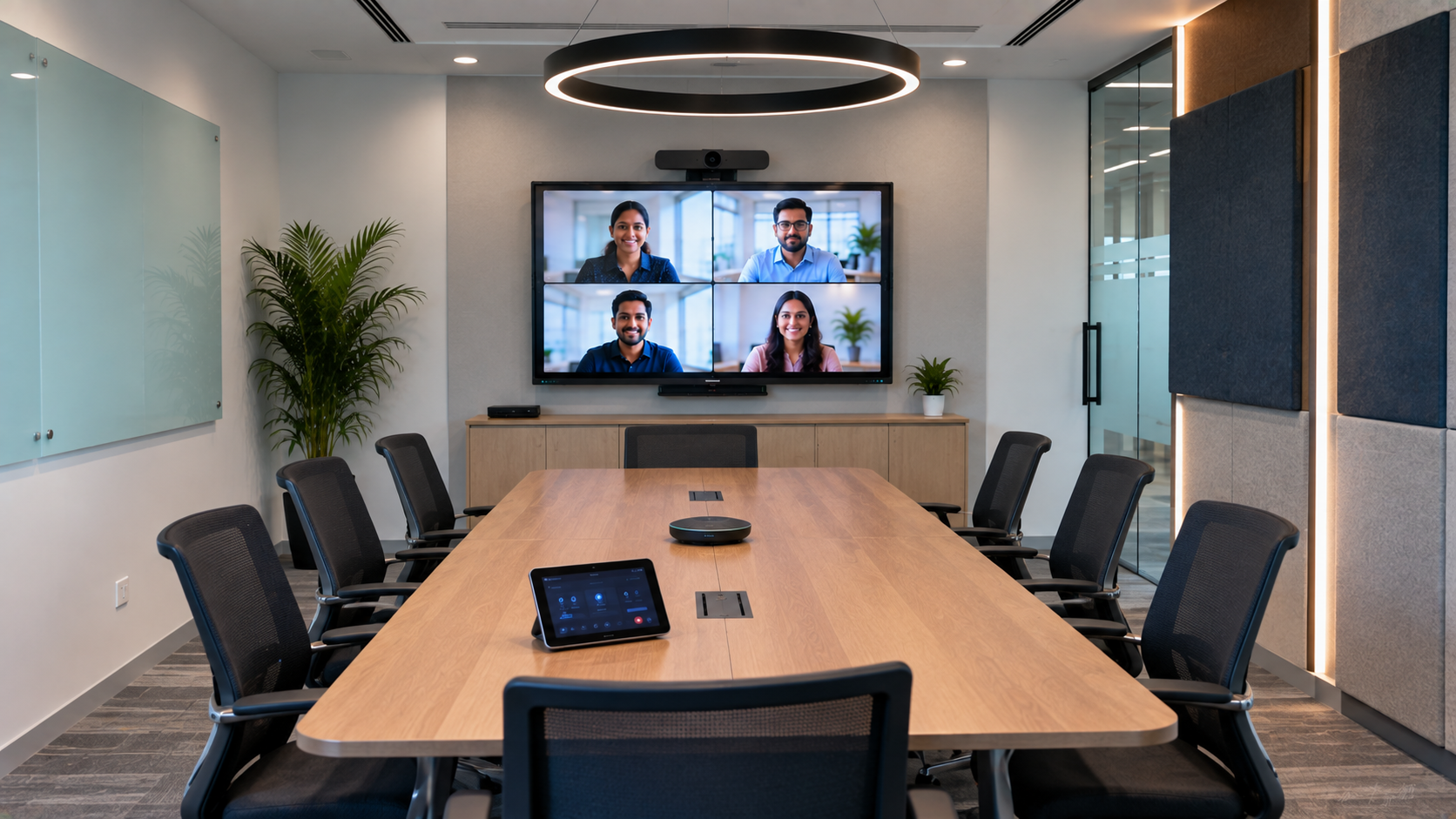
A professional video conferencing room is no longer a luxury for modern businesses. With hybrid work, remote teams, virtual meetings, online training and distributed offices becoming common across India, organisations need a reliable video conferencing room setup that delivers clear video, professional audio and smooth collaboration. The right setup is more than simply installing a camera and display. A well-designed conference room combines an interactive display, PTZ camera, microphone, speakers, connectivity, lighting and room acoustics into one dependable solution. With GoLive eTechnologies, businesses can build a complete technology environment—from selecting the right equipment to installation, deployment and ongoing assistance. Technology that works, backed by people who help.
What Is a Professional Video Conferencing Room?
A professional video conferencing room is a dedicated meeting space equipped with technology for high-quality communication between people in the same room and remote participants.
A typical setup can include:
Interactive flat panel or large professional display
PTZ or 4K conference camera
Conference room microphone and speakers
HDMI connectivity and video capture equipment
Computer or meeting-room PC
Wireless presentation solutions
Proper lighting and acoustic treatment
Video conferencing software
Cable management and professional installation
The objective is simple: everyone should be seen, heard and able to collaborate without technology becoming a distraction.
1. Choose the Right Display for Your Conference Room
The display is the visual centre of a professional meeting room. For smaller meeting rooms, a 65-inch display may be sufficient, while larger boardrooms and training rooms can benefit from a 75-inch or 86-inch interactive display.
An interactive flat panel display can be particularly useful when meetings involve presentations, brainstorming, annotation or collaborative discussions.
GoLive eTechnologies offers solutions across leading display categories, including Evota interactive panels, MAXHUB smart boards, Newline interactive panels and LG interactive displays, depending on the room's requirements and budget.
What to consider when selecting a display?
Room size and viewing distance
Screen size
4K resolution
Touch and annotation requirements
HDMI/USB connectivity
Built-in speakers
Operating system and compatibility
Installation requirements
Instead of selecting a display purely on digital board price, consider the complete cost of ownership, installation, usability and after-sales support.
2. Select a Professional PTZ Camera
A good camera is essential for professional video meetings. A PTZ camera can pan, tilt and zoom, making it suitable for conference rooms, classrooms, boardrooms and hybrid meeting environments.
For professional installations, a 4K PTZ camera can provide detailed video while optical zoom helps capture participants sitting farther away from the camera.
GoLive eTechnologies provides conference-camera solutions such as the Evota 4K PTZ camera and Evota 10X HD PTZ camera, alongside other professional camera options based on the required room configuration.
PTZ camera checklist
Look for:
4K or Full HD resolution
Optical zoom
Wide field of view
Auto-framing or tracking where required
USB and/or HDMI connectivity
Compatibility with conferencing platforms
Remote control
Suitable mounting options
The right camera should match the room rather than simply having the highest specification.
3. Build a Clear Conference Audio System
Poor audio can make even an expensive video conferencing room feel unprofessional.
Participants should be able to hear voices clearly without excessive echo, background noise or microphone dropouts.
Depending on room size, a professional setup may include:
Conference microphone
Wireless microphone for presenters
Conference speakers
Amplifier or audio interface where required
Mixer or mic controller for larger rooms
Acoustic treatment
For training rooms and hybrid classrooms, a conference speaker and microphone combination can help simplify communication.
Remember that good audio is not only about buying an expensive microphone. Room acoustics, speaker positioning, microphone placement and installation also influence performance.
4. Plan Connectivity Before Installation
A reliable conference room needs reliable connectivity.
Your design should account for:
HDMI connectivity
USB connectivity
Network connection
Wireless presentation
Video capture
Power points
Cable management
Laptop connectivity
Display and camera integration
If the room is used for recording, streaming or hybrid sessions, a video capture card, HDMI video capture device or video switcher may also be required.
Planning these connections before installation helps prevent visible cables and last-minute technical issues.
5. Consider Lighting and Room Acoustics
Even the best conference camera cannot compensate for a poorly designed room.
Avoid placing participants directly in front of bright windows. Use consistent front-facing lighting and minimise harsh backlighting.
For rooms used for online classes, training or presentations, additional lighting may be useful.
Similarly, hard walls and ceilings can create sound reflections. Curtains, carpets, acoustic panels and appropriate furniture can help create a more comfortable audio environment.
This is especially important when designing an online class studio setup, teaching studio or hybrid classroom.
6. Select the Right Room Size and Screen
There is no universal screen size for every conference room.
|
Room Type |
Recommended Technology Focus |
|---|---|
|
Small meeting room |
65-inch display + USB camera + speakerphone |
|
Medium conference room |
75-inch interactive display + PTZ camera + microphones |
|
Large boardroom |
86-inch display + PTZ camera + professional audio |
|
Training room |
Interactive panel + PTZ camera + wireless microphone |
|
Hybrid classroom |
Interactive display + camera + audio + presentation system |
The actual configuration should depend on room dimensions, seating layout, viewing distance and meeting requirements.
7. Prioritise Installation and Support
One of the biggest mistakes businesses make is treating conference-room technology as a collection of individual products.
A camera may work perfectly on its own but still create problems when connected to the display, laptop, microphone and conferencing platform.
This is why end-to-end technology support matters.
GoLive eTechnologies helps customers with the complete technology journey—from selection and installation to deployment, training and assistance.
The goal is not simply to sell a camera, smart board or conference display. It is to create a solution that works together.
Right solution + fast deployment + installation + support = less technology headache.
GoLive eTechnologies: Complete Technology Solutions for Modern Workspaces
GoLive eTechnologies India Private Limited provides technology solutions for businesses, educational institutions, training centres and professional environments.
Its solution portfolio can support requirements around:
Interactive flat panels
Smart boards
PTZ cameras
Conference-room technology
Digital boards
Hybrid classrooms
Online teaching setups
Video and presentation solutions
Professional installation
Whether you are comparing Evota smart board price, MAXHUB smart board price, Newline interactive panel price in India or LG interactive digital board price, the right decision should consider more than the product's initial price.
GoLive focuses on helping customers choose the right solution for their actual application, followed by installation and support.
Why choose GoLive?
Technology that works, backed by people who help.
Customers need confidence that their technology will work when an important meeting, presentation or training session begins. GoLive's end-to-end approach brings selection, deployment, installation, support and assistance together.
That means:
Right solution for the application
Fast deployment to reduce downtime
Professional installation
Training and assistance
Ongoing support
Greater confidence after purchase
Professional Video Conferencing Room Setup: Final Checklist
Before completing your conference room, check:
Appropriate display size selected
4K/HD camera positioned correctly
Microphone coverage tested
Speakers positioned for even audio
Lighting checked from the camera's perspective
HDMI and USB connectivity tested
Internet/network connection tested
Video conferencing platform configured
Cables organised
Equipment professionally installed
Users trained on the setup
A professional video conferencing room should make meetings easier—not more complicated.
Build Your Video Conferencing Room with GoLive eTechnologies
Whether you need a conference room for corporate meetings, a hybrid classroom, training centre, boardroom or online teaching environment, GoLive eTechnologies can help you select and deploy the right technology.
From the first product selection to installation and beyond, choose technology with the support to make it work.
Your email address will not be published. Required fields are marked *

By Inhype • September 12, 2026
A smart classroom is only as effective as the technology supporting it. Interactive panels, smart boards, PTZ cameras, microphones, speakers, PCs and
Read More
By Inhype • September 12, 2026
Higher education is rapidly moving beyond traditional chalkboards and projectors. Today, colleges and universities need technology that supports inter
Read More
By Inhype • September 12, 2026
A smart classroom for CBSE schools is no longer simply a classroom with a digital board. Modern schools are building connected learning environments t
Read More
By Inhype • September 12, 2026
Planning a smart classroom project for 10, 20 or even 50 classrooms requires more than simply purchasing digital boards. Schools, colleges, universiti
Read More
By Inhype • September 12, 2026
A smart classroom can transform the way teachers explain concepts, students interact with lessons, and institutions deliver digital education. From in
Read More




Golive eTechnologies India Private Limited (CIN - U31909UP2021PTC148242) is one of India's leading providers of smart classrooms, interactive boards, video conferencing solutions, and display technologies for the education, healthcare, corporate, and government sectors.





















No comments yet. Be the first to comment!