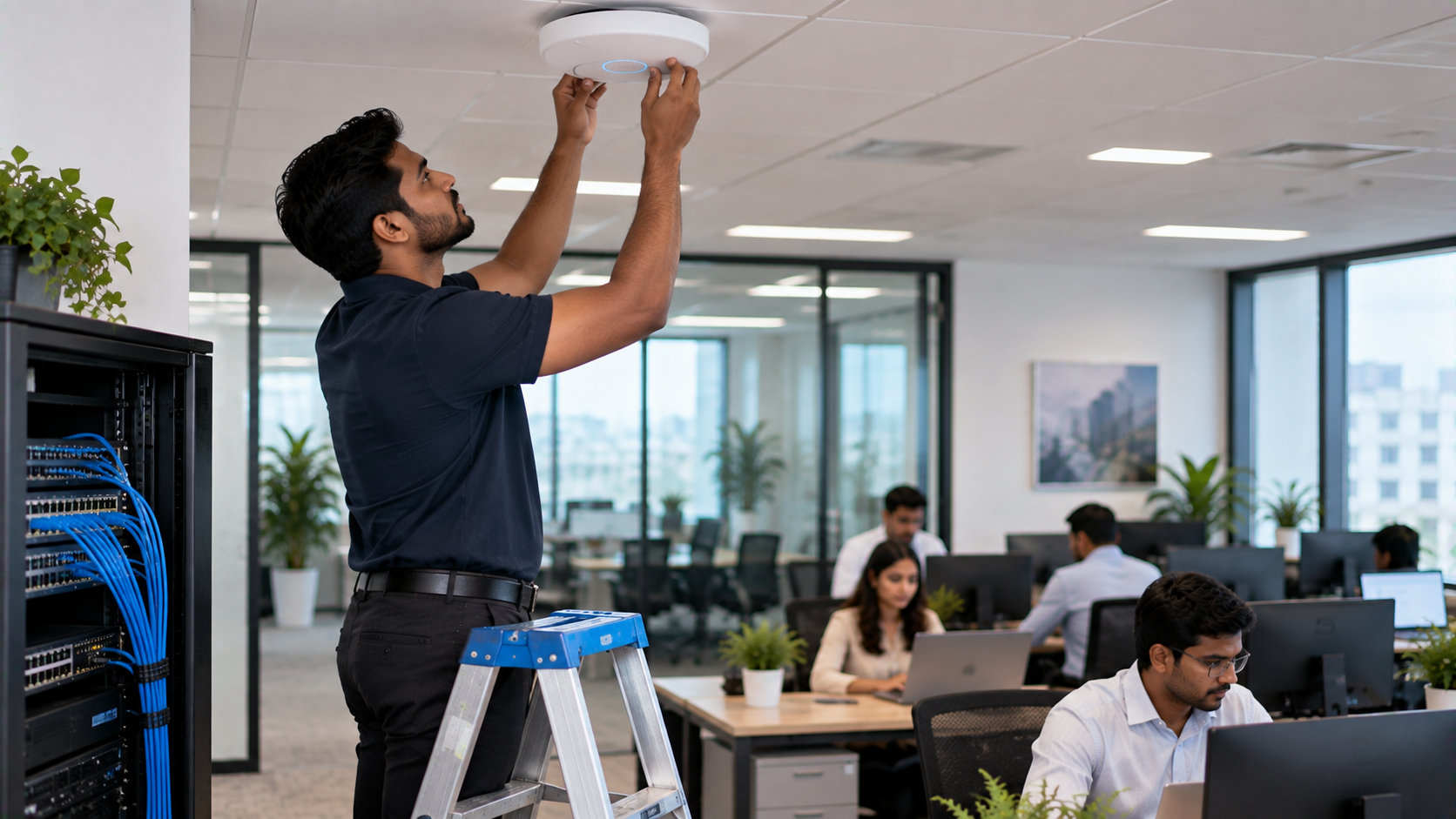
A reliable office Wi-Fi network is no longer a luxury. From cloud applications and video meetings to wireless presentations, smart displays and hybrid work, businesses depend on stable connectivity throughout the working day. A poorly designed network can lead to slow speeds, dropped video calls, weak signals and frustrated employees. Designing a reliable office Wi-Fi network requires more than simply installing a powerful router. You need the right combination of network planning, access-point placement, bandwidth management, security, hardware and ongoing technical support. For businesses looking for technology solutions backed by installation and support, GoLive eTechnologies provides an end-to-end approach—from selecting the right technology to deployment and assistance after installation.
What Makes an Office Wi-Fi Network Reliable?
A reliable office Wi-Fi network should provide:
Consistent wireless coverage across workspaces
Sufficient bandwidth for simultaneous users
Low latency for video conferencing and cloud applications
Secure access for employees and guests
Reliable connectivity for smart-office devices
Easy monitoring and troubleshooting
Scalability as the business grows
The goal is not simply to achieve high internet speed. The goal is to create a network that works consistently when people need it.
Step 1: Understand Your Office Wi-Fi Requirements
Start by assessing how your office uses connectivity.
Consider:
Number of employees and visitors
Number of laptops, smartphones and tablets
Video conferencing requirements
Cloud-based applications
VoIP and communication systems
Smart displays and interactive panels
Printers and IoT devices
Guest Wi-Fi requirements
Future expansion plans
For example, an office using cloud software and daily video meetings will have different requirements from a small workspace with basic browsing and email usage.
Step 2: Create a Wi-Fi Coverage Plan
Access-point placement is one of the most important factors in office Wi-Fi design.
Walls, glass partitions, elevators, furniture and other electronic equipment can affect wireless signals. Instead of placing one router in a convenient location, businesses should identify areas requiring consistent coverage.
A professional Wi-Fi assessment can help determine:
Number of access points required
Ideal access-point locations
Potential dead zones
Expected user density
Interference sources
Coverage requirements for meeting rooms and common areas
For larger offices, multiple strategically positioned access points can provide more consistent coverage than relying on a single wireless router.
Step 3: Plan for User Density and Bandwidth
A common mistake is designing a network based only on office size.
A 2,000-square-foot office with 20 users can have very different requirements from a similarly sized workspace with 100 employees.
Consider peak usage periods. If employees simultaneously participate in video meetings, access cloud applications and transfer files, network demand can increase significantly.
A reliable design should therefore account for concurrent users and devices, not just internet-plan speed.
Step 4: Separate Business and Guest Networks
Office Wi-Fi should be designed with security in mind.
Businesses can consider separate networks or VLANs for:
Employees
Guests
IoT and smart-office devices
Conference rooms
Administrative systems
This approach helps reduce unnecessary access between different categories of users and devices.
Strong passwords, updated firmware, secure authentication and appropriate access controls should also form part of the overall network strategy.
Step 5: Build Wi-Fi Around Your Smart Office
Modern offices increasingly use technology beyond computers and smartphones.
Meeting rooms may include interactive flat panels, PTZ cameras, wireless presentation systems, digital displays and collaboration equipment. Training rooms and classrooms may use smart boards and digital teaching systems.
GoLive eTechnologies offers technology solutions across these categories, including Evota interactive panels, Evota PTZ cameras, MAXHUB smart boards, Newline interactive panels and other workplace technology solutions.
A properly designed network helps these devices communicate reliably and supports smoother collaboration.
Step 6: Consider Video Conferencing Requirements
Video conferencing is particularly sensitive to unstable connectivity.
Meetings involving HD or 4K video can require significantly more network resources than basic web browsing. Offices using PTZ cameras, conference cameras, microphones and interactive displays should therefore consider these requirements during network planning.
For example, businesses can integrate solutions such as an Evota 4K PTZ camera or other compatible conferencing equipment into meeting-room technology plans.
The objective is to create a complete technology environment rather than selecting individual devices without considering how they work together.
Step 7: Choose Technology Based on the Application
There is no single Wi-Fi setup that works for every business.
Your technology selection should consider:
|
Requirement |
What to Consider |
|---|---|
|
Small office |
Coverage, user count and basic security |
|
Corporate office |
High device density and business continuity |
|
Meeting rooms |
Video conferencing and wireless presentation |
|
Training rooms |
Interactive displays and collaboration |
|
Hybrid work |
Video conferencing and cloud applications |
|
Guest areas |
Separate and controlled guest access |
|
Multi-floor office |
Multiple access points and structured planning |
The same principle applies to displays and collaboration technology. Businesses comparing an Evota smart board price, MAXHUB smart board price, Newline interactive panel price in India or LG interactive digital board price in India should look beyond the purchase price and consider installation, compatibility, warranty and support.
Step 8: Plan Installation and Future Support
Technology deployment does not end when hardware arrives.
Cable management, mounting, configuration, device testing and user training can significantly affect the final experience.
This is where GoLive eTechnologies focuses on providing technology that works, backed by people who help.
From selection to installation and beyond, the objective is to reduce technology-related headaches and give businesses greater confidence that their systems will work as intended.
Customers also frequently value practical assistance such as fast delivery, installation, training, service and ongoing support. These elements can be particularly important for businesses deploying multiple technology products across offices, classrooms or meeting spaces.
Office Wi-Fi Design Checklist
Before implementing your network, check that you have considered:
Number of users and connected devices
Office floor plan and coverage requirements
Access-point placement
Peak bandwidth requirements
Video conferencing usage
Employee and guest network separation
Network security
Smart-office and AV equipment
Future expansion
Installation and technical support
Why Choose GoLive eTechnologies?
Selecting technology should not become another business headache.
GoLive eTechnologies follows an end-to-end technology support approach covering selection, deployment, installation and assistance beyond installation.
Whether you are setting up a corporate office, meeting room, training centre, classroom or hybrid workspace, the focus is simple:
Right solution + fast deployment + installation + support.
The result is more than a collection of devices. It is a technology environment designed around how your organisation actually works.
Final Thoughts
A reliable office Wi-Fi network begins with planning. Understanding user density, coverage, bandwidth, security and connected devices can help businesses create a more dependable digital workplace.
If your office is also upgrading meeting rooms, interactive displays, PTZ cameras or smart-office technology, consider the complete technology ecosystem rather than treating every device as a separate purchase.
GoLive eTechnologies can help you move from technology selection to deployment and ongoing assistance—giving your organisation less technology headache and more confidence that everything will work.
Ready to Build a Smarter Office?
Explore GoLive eTechnologies for interactive displays, PTZ cameras, smart-office technology and professional technology solutions. Contact the GoLive team for product recommendations, pricing, installation and support tailored to your requirements.
Your email address will not be published. Required fields are marked *

By Inhype • September 12, 2026
A smart classroom is only as effective as the technology supporting it. Interactive panels, smart boards, PTZ cameras, microphones, speakers, PCs and
Read More
By Inhype • September 12, 2026
Higher education is rapidly moving beyond traditional chalkboards and projectors. Today, colleges and universities need technology that supports inter
Read More
By Inhype • September 12, 2026
A smart classroom for CBSE schools is no longer simply a classroom with a digital board. Modern schools are building connected learning environments t
Read More
By Inhype • September 12, 2026
Planning a smart classroom project for 10, 20 or even 50 classrooms requires more than simply purchasing digital boards. Schools, colleges, universiti
Read More
By Inhype • September 12, 2026
A smart classroom can transform the way teachers explain concepts, students interact with lessons, and institutions deliver digital education. From in
Read More




Golive eTechnologies India Private Limited (CIN - U31909UP2021PTC148242) is one of India's leading providers of smart classrooms, interactive boards, video conferencing solutions, and display technologies for the education, healthcare, corporate, and government sectors.





















No comments yet. Be the first to comment!