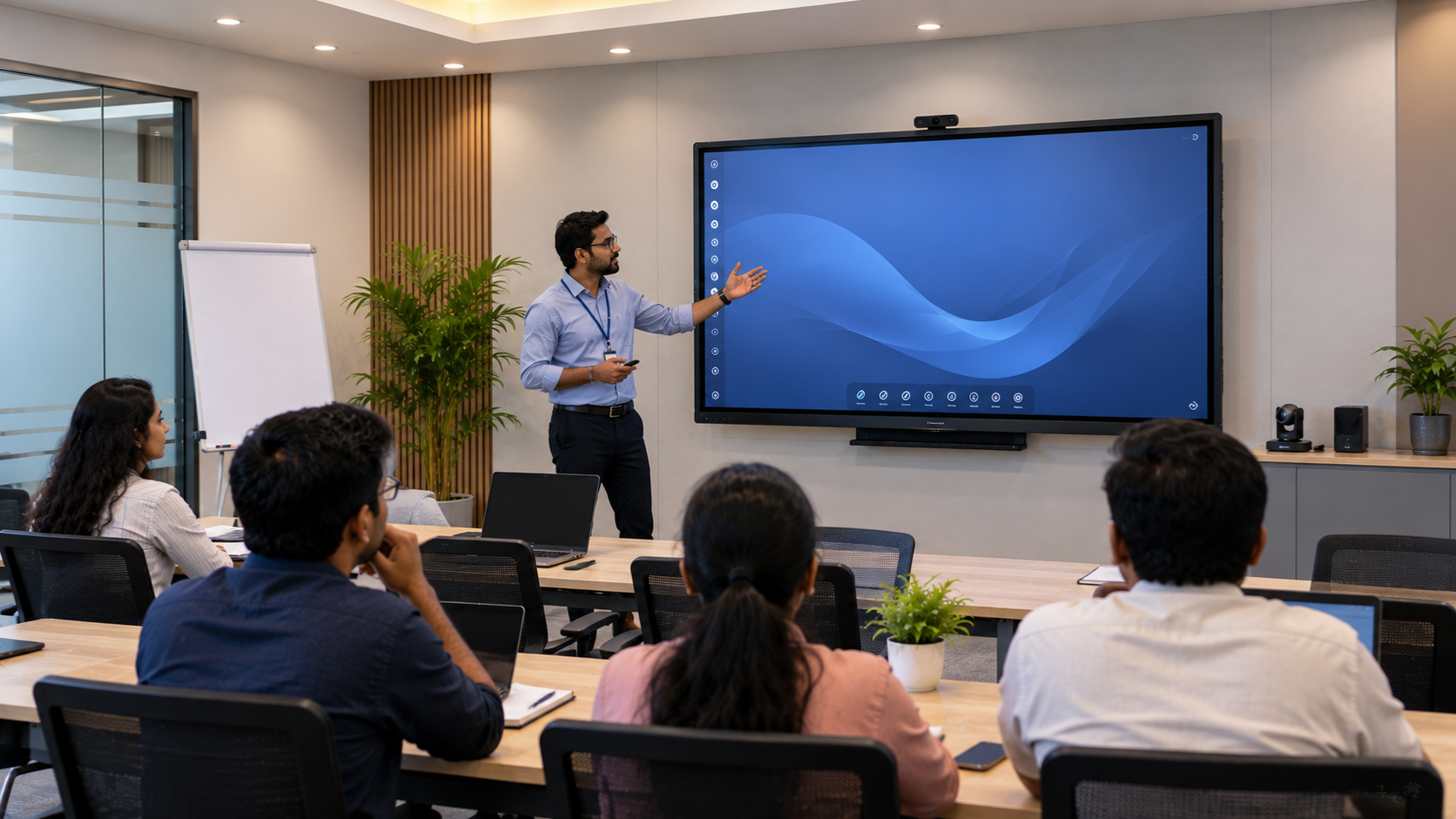
Modern training rooms are no longer limited to projectors, whiteboards and static presentations. Businesses, coaching institutes, colleges and corporate learning teams are increasingly adopting interactive displays to create engaging, collaborative and technology-enabled learning environments. An interactive display for training rooms combines a large touchscreen, digital whiteboarding, multimedia presentation, video conferencing and collaboration capabilities in one professional solution. For organisations planning a smart classroom setup, corporate training room or hybrid learning environment, choosing the right screen size, resolution, connectivity and supporting equipment is essential. At GoLive eTechnologies, the focus is not simply on supplying a digital board. The goal is to provide the right solution + fast deployment + installation + support, helping customers move from technology selection to a working training environment with confidence.
What Is an Interactive Display for a Training Room?
An interactive display is a large-format touchscreen designed for presentations, teaching, collaboration and digital content sharing. Unlike a conventional projector and whiteboard combination, an interactive flat panel display provides a direct touch interface.
Trainers can:
Write and annotate directly on presentations
Display videos, documents and websites
Conduct interactive activities
Share content from laptops and other devices
Collaborate with participants
Conduct hybrid or remote training sessions
Save and share digital notes
For corporate offices, universities, coaching centres and smart classrooms in India, an interactive panel can become the central technology hub of the training room.
Recommended Interactive Display Size for Training Rooms
Screen size should be selected according to room dimensions, viewing distance and the number of participants.
|
Training Room |
Recommended Display |
Typical Use |
|---|---|---|
|
Small room |
55–65 inch |
Small team training |
|
Medium room |
65–75 inch |
Corporate training |
|
Large room |
75–86 inch |
Classrooms and larger groups |
|
Large auditorium-style room |
86 inch+ / LED |
Large audiences |
A 75 inch interactive display is often a practical choice for medium-sized training rooms because it provides sufficient viewing area without occupying excessive wall space.
For larger classrooms and training environments, an 86 inch interactive panel can offer better visibility from the back of the room.
When comparing options such as an Evota smart board 75 inch, Newline digital board 75 inch, LG interactive panel 75 inch or MAXHUB smart board, organisations should evaluate the complete specification rather than choosing purely based on screen price.
Key Specifications to Consider When Buying an Interactive Display
1. 4K Ultra HD Resolution
For professional training rooms, 4K resolution is recommended. It provides sharper text, presentations, charts, videos and detailed visual content.
A 4K interactive display is particularly useful when trainers frequently use:
Excel dashboards
Business presentations
Product demonstrations
Training videos
Technical diagrams
Detailed graphics
GoLive eTechnologies can help businesses compare suitable Evota, MAXHUB, Newline and LG interactive display options based on room requirements and budget.
2. Touch Technology
Touch responsiveness is one of the most important characteristics of a digital teaching board.
Look for:
Smooth touch response
Multi-touch capability
Accurate writing
Low writing latency
Compatible digital pens
Palm rejection where supported
This makes the display useful not only for presentations but also as a digital writing board, collaborative whiteboard and teaching board.
3. Built-in Operating System and Computing
Modern interactive panels may include an integrated operating environment for running applications without connecting an external computer.
Depending on the model, users may also require:
OPS PC compatibility
Windows connectivity
Android-based applications
Wireless screen sharing
USB connectivity
HDMI connectivity
For organisations running complex training software, GoLive eTechnologies can help identify whether an integrated system or external PC/OPS configuration is more suitable.
Interactive Display + PTZ Camera: The Ideal Hybrid Training Setup
An interactive panel becomes significantly more useful when combined with a professional camera and audio system.
For hybrid classrooms and corporate training, a typical setup can include:
Interactive Display + PTZ Camera + Microphone + Speakers + PC/OPS + HDMI Capture + Network
A PTZ camera allows trainers to conduct remote sessions while maintaining professional video quality.
Depending on the application, options such as an Evota 4K PTZ camera, Evota PTZ camera, Logitech PTZ camera or other professional conferencing cameras can be considered.
For larger rooms, features such as:
Pan
Tilt
Optical zoom
Auto framing
Preset positions
4K video
can improve the training experience.
GoLive eTechnologies can help customers design an integrated online teaching setup, hybrid classroom or professional training-room solution instead of purchasing individual components without considering compatibility.
Recommended Training Room Setup
A practical training room configuration can include:
Display
75-inch or 86-inch 4K interactive flat panel
Camera
4K PTZ camera for hybrid training and recording
Audio
Professional microphones and conference speakers
Computing
Laptop, desktop PC or OPS computer
Connectivity
HDMI, USB, LAN/Wi-Fi and wireless screen sharing
Installation
Wall mount or suitable mobile stand
Optional Equipment
HDMI video capture device
Presentation clicker
Wireless microphone
Additional speakers
Camera controller
Network infrastructure
This approach creates a complete smart classroom setup rather than simply installing a screen.
Evota vs Newline vs MAXHUB vs LG Interactive Displays
GoLive eTechnologies offers access to multiple display categories, allowing customers to select according to their application and budget.
|
Brand/Category |
Suitable For |
Key Consideration |
|---|---|---|
|
Evota Interactive Panel |
Training, education & collaboration |
Value-focused integrated solution |
|
Newline Interactive Panel |
Education & corporate training |
Collaboration-focused environments |
|
MAXHUB Smart Board |
Corporate & professional training |
Collaboration and presentation |
|
LG Interactive Panel |
Premium professional environments |
Brand, display and ecosystem requirements |
Instead of searching only for an LG interactive digital board price, Newline smart board price or MAXHUB smart board price in India, buyers should compare screen size, resolution, touch technology, connectivity, warranty, installation and after-sales support.
Interactive Display Price in India: What Should You Budget?
The interactive display price in India varies considerably depending on screen size, brand, resolution, touch technology, operating system and included features.
Search terms such as:
Interactive panel price
Digital board price
Smart board price in India
75 inch interactive display price
Interactive whiteboard price
Digital teaching board price
can produce a wide range of results.
However, the lowest displayed price is not necessarily the lowest total cost of ownership.
A professional purchase should consider:
Display + Installation + Accessories + Warranty + Training + Technical Support
GoLive eTechnologies follows an end-to-end approach covering selection, installation, deployment and support, helping organisations reduce technology headaches after purchase.
For current pricing of Evota, Newline, MAXHUB, LG and other interactive display options, customers can contact the GoLive team for a solution based on their room size and requirements.
Why Choose GoLive eTechnologies for Training Room Technology?
The right interactive display is only one part of a successful training room.
GoLive eTechnologies focuses on providing:
Right Solution
Recommendations based on room size, application, budget and user requirements.
Fast Deployment
A streamlined process to help organisations get their technology operational quickly.
Professional Installation
Proper installation and configuration to ensure the equipment works as intended.
Training & Assistance
Support for users who need help getting familiar with the technology.
Ongoing Support
Assistance beyond the initial purchase.
The brand promise is simple:
Technology that works, backed by people who help.
For customers, that means less technology headache and more confidence that everything will work.
Interactive Displays for Corporate Training, Schools and Coaching Centres
Interactive panels can be used across multiple environments.
Corporate Training Rooms
Ideal for employee training, presentations, workshops and collaboration.
Schools and Colleges
Useful for digital teaching, multimedia lessons and interactive classroom activities.
Coaching Centres
A large touchscreen display can support presentations, digital notes, recorded lessons and visual explanations.
Hybrid Classrooms
Combined with a PTZ camera, microphone and conferencing platform, an interactive panel can support participants joining remotely.
Online Training Studios
An interactive display can become part of an online class studio setup with cameras, lighting, microphones and capture equipment.
Interactive Display Buying Checklist
Before purchasing an interactive display, ask:
What is the room size?
How many participants will attend?
Is 75 or 86 inches more appropriate?
Is 4K resolution required?
How many people need simultaneous touch?
Is wireless screen sharing required?
Do you need an OPS PC?
Will the room support hybrid training?
Is a PTZ camera required?
What audio equipment is needed?
Does installation come with the solution?
What after-sales support is available?
A good technology partner should answer these questions before recommending a product.
Final Recommendation
For most medium-sized corporate training rooms, a 75-inch 4K interactive flat panel paired with a professional PTZ camera, microphone and speakers offers a strong balance between visibility, functionality and investment.
For larger rooms, an 86-inch interactive display may provide better visibility.
Whether you're comparing an Evota digital board, Newline interactive panel, MAXHUB digital board or LG interactive panel, look beyond the screen price and evaluate the complete deployment.
GoLive eTechnologies helps organisations select, install and deploy the right technology with support that continues beyond the purchase.
Technology that works, backed by people who help.
Your email address will not be published. Required fields are marked *

By Inhype • September 12, 2026
A smart classroom is only as effective as the technology supporting it. Interactive panels, smart boards, PTZ cameras, microphones, speakers, PCs and
Read More
By Inhype • September 12, 2026
Higher education is rapidly moving beyond traditional chalkboards and projectors. Today, colleges and universities need technology that supports inter
Read More
By Inhype • September 12, 2026
A smart classroom for CBSE schools is no longer simply a classroom with a digital board. Modern schools are building connected learning environments t
Read More
By Inhype • September 12, 2026
Planning a smart classroom project for 10, 20 or even 50 classrooms requires more than simply purchasing digital boards. Schools, colleges, universiti
Read More
By Inhype • September 12, 2026
A smart classroom can transform the way teachers explain concepts, students interact with lessons, and institutions deliver digital education. From in
Read More




Golive eTechnologies India Private Limited (CIN - U31909UP2021PTC148242) is one of India's leading providers of smart classrooms, interactive boards, video conferencing solutions, and display technologies for the education, healthcare, corporate, and government sectors.





















No comments yet. Be the first to comment!