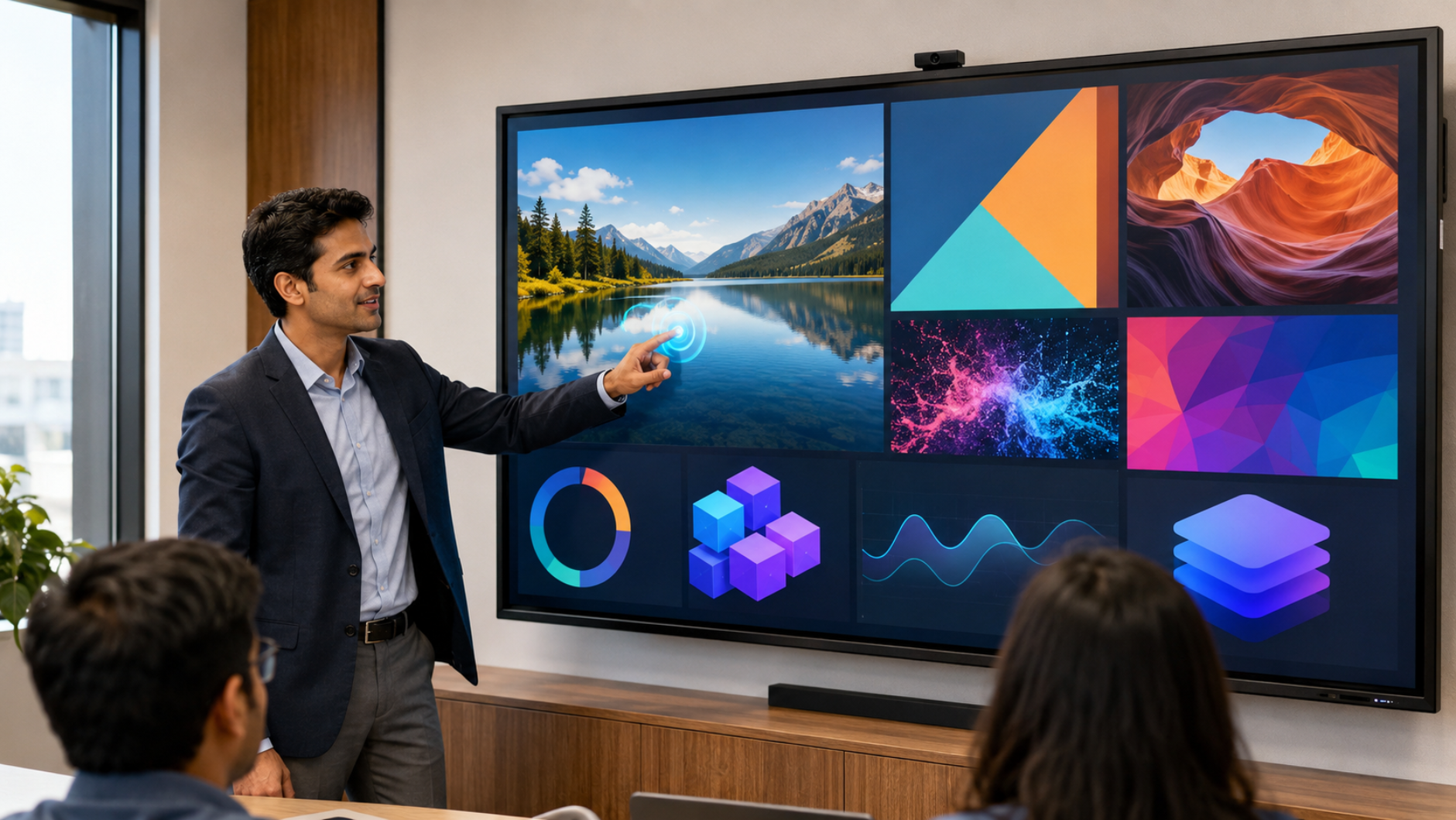
Buying an interactive display is a major investment for a school, college, coaching centre, corporate office, training room or hybrid classroom. But comparing products only by digital board price in India can lead to the wrong decision. Specifications such as touch technology, brightness, resolution, RAM and storage directly affect how smoothly an interactive panel performs in everyday use. Whether you are comparing an EVOTA Smart Board, MAXHUB Digital Board, LG Interactive Digital Board or Newline Interactive Panel, understanding these specifications will help you choose the right display for your room, users and budget. At GoLive eTechnologies India Private Limited, the focus is not simply on selling a digital board. GoLive helps customers select, deploy and support the right technology—from consultation and product selection to installation, training and after-sales assistance.
What Is an Interactive Display?
An interactive display, also called an interactive flat panel display (IFPD), is a large touchscreen designed for collaborative teaching, presentations, digital annotation, video conferencing and content sharing.
Unlike a conventional TV or projector, an interactive panel combines:
Large-format 4K display
Multi-touch interaction
Digital whiteboarding
Annotation and writing
Wireless screen sharing
Built-in operating system
External PC/OPS compatibility
Audio and connectivity options
GoLive offers interactive display solutions from brands including EVOTA, MAXHUB, LG and Newline, supporting education, corporate and professional applications.
Touch Technology: Why Touch Response Matters
Touch is one of the most important specifications when choosing a smart board for teaching or interactive board for classrooms.
A good interactive display should provide responsive, accurate and natural writing.
Important touch specifications include:
1. Touch points
More simultaneous touch points allow multiple students or presenters to interact with the board at the same time.
2. Touch response
Low-latency touch creates a more natural writing and annotation experience.
3. Palm rejection
Useful when teachers rest their hand on the screen while writing.
4. Stylus support
A digital board pen can provide greater writing precision.
5. Multi-user collaboration
Useful for group activities, brainstorming and interactive presentations.
For classrooms, coaching centres and training rooms, these capabilities can be more valuable than simply choosing the lowest interactive panel price.
Brightness: How Bright Should an Interactive Display Be?
Brightness determines how clearly content can be viewed under different lighting conditions.
For a classroom with controlled lighting, a moderate brightness specification may be sufficient. However, rooms with strong daylight, large windows or bright ambient lighting may benefit from a higher-brightness panel.
Consider brightness based on:
Room size
Natural daylight
Artificial lighting
Screen distance
Type of content
Audience size
For example, a presentation containing small text, graphs and detailed diagrams requires good visibility from the back of the room.
Tip: Don't compare brightness alone. Display quality, anti-glare performance and viewing conditions should be considered together.
Resolution: Why 4K Matters
Resolution determines the amount of detail visible on the screen.
A 4K UHD interactive display provides significantly more detail than lower-resolution displays, making it particularly useful for:
Detailed presentations
Engineering drawings
Medical education
Financial dashboards
Maps
Videos
Digital textbooks
Product demonstrations
Corporate presentations
Many current interactive panel options available through GoLive use 4K UHD displays, including EVOTA, MAXHUB, LG and Newline solutions.
4K vs lower resolution
|
Feature |
Lower Resolution |
4K UHD |
|---|---|---|
|
Image detail |
Basic |
High |
|
Text clarity |
Moderate |
Excellent |
|
Video quality |
Standard |
Highly detailed |
|
Large-screen viewing |
Limited |
Better suited |
|
Professional presentations |
Good |
Excellent |
For a 75 inch interactive display, 4K resolution is especially useful because the larger screen provides more space for detailed content.
RAM: What Does RAM Do in a Smart Board?
RAM affects how efficiently the display handles applications and multitasking.
Think of RAM as the workspace available to the interactive display's operating system.
Higher RAM can help when users:
Run multiple applications
Switch between apps
Use digital whiteboarding
Open browser-based content
Use screen-sharing applications
Conduct interactive lessons
Work with multimedia content
For basic whiteboarding and presentation use, extremely high RAM may not be necessary. For more demanding applications, multitasking and AI-enabled workflows, choosing an appropriate configuration becomes more important.
Don't select RAM based only on the largest number. Match it to the software, operating system and workload you actually intend to use.
Storage: How Much Storage Do You Need?
Storage determines how much local content the interactive display can retain.
It can be used for:
Lesson materials
Presentations
Documents
Whiteboard sessions
Applications
Media files
Locally stored resources
If your organisation primarily uses cloud storage or connects an external computer, internal storage may be less important.
However, schools, coaching centres and training organisations that regularly save lesson content directly on the panel may benefit from greater storage capacity.
Interactive Display Specifications at a Glance
|
Specification |
What It Controls |
Why It Matters |
|---|---|---|
|
Touch |
Interaction & writing |
Smooth teaching and collaboration |
|
Brightness |
Screen visibility |
Important in bright rooms |
|
Resolution |
Image detail |
Better text, graphics and video |
|
RAM |
Multitasking |
Smoother application performance |
|
Storage |
Local content |
Useful for apps and saved materials |
|
Screen Size |
Viewing area |
Determines room suitability |
EVOTA vs MAXHUB vs LG vs Newline: Which Interactive Display Should You Choose?
GoLive eTechnologies provides multiple interactive display options so organisations can select according to their requirements rather than following a one-size-fits-all approach.
EVOTA Interactive Panel
An EVOTA Smart Board is suited to classrooms, training rooms, coaching institutes and corporate environments requiring interactive teaching and collaboration.
Popular searches include:
EVOTA Smart Board price
EVOTA Digital Board price
EVOTA Smart Board 75 inch price
EVOTA Interactive Panel
EVOTA Interactive Flat Panel
EVOTA 75 inch
EVOTA Smart Board 86 inch price
MAXHUB Smart Board
A MAXHUB Digital Board can be considered for education and enterprise collaboration environments where presentation, annotation and wireless collaboration are important.
Customers often compare:
MAXHUB Smart Board price
MAXHUB Digital Board price
MAXHUB Digital Board price in India
MAXHUB Education Board price
MAXHUB Digital Board 100 inch price
MAXHUB Digital Board 85 inch price
LG Interactive Digital Board
An LG Interactive Digital Board is an option for organisations looking for a premium display ecosystem for education and enterprise environments.
Search demand commonly includes:
LG Interactive Digital Board price
LG Interactive Digital Board price India
LG Smart Board price
LG Digital Board price
LG Interactive Panel 75 inch price
LG 65 inch interactive display price in India
LG Smart Board 75 inch price
Newline Interactive Panel
A Newline Interactive Panel is designed for collaborative education, training and workplace environments.
Common searches include:
Newline Smart Board price
Newline Digital Board price
Newline Interactive Panel price
Newline Interactive Panel 75 inch price
Newline Digital Board 75 inch price
Newline Digital Board 85 inch price
GoLive can help customers compare these options according to screen size, specifications, room requirements and budget rather than choosing purely on headline price.
Don't Choose an Interactive Display Based on Price Alone
Searches such as digital board price under 5000, smart board price in India, digital board price, and interactive whiteboard price can produce very different products.
A professional interactive flat panel should be evaluated for:
Display size
Resolution
Brightness
Touch performance
RAM
Storage
Operating system
Connectivity
Wireless sharing
Warranty
Installation
Training
After-sales support
For a school or organisation, the lowest upfront digital board price may not necessarily provide the lowest total cost of ownership.
Which Screen Size Is Right for Your Room?
65-inch Interactive Display
Best for:
Small classrooms
Meeting rooms
Training rooms
Small coaching batches
75-inch Interactive Display
Best for:
Standard classrooms
Corporate meeting rooms
Coaching centres
Medium-sized training rooms
86-inch Interactive Display
Best for:
Larger classrooms
Training halls
Boardrooms
Larger audiences
100-inch Interactive Display
Best for:
Large training environments
Auditoriums
Large collaborative spaces
GoLive's portfolio includes interactive display configurations spanning popular sizes such as 65, 75, 86 and larger formats depending on the brand and model.
Interactive Displays for Smart Classrooms and Modern Workplaces
Interactive displays aren't limited to schools.
They can be used for:
Education
Smart classrooms
Digital teaching
Hybrid classes
Coaching centres
Online teaching
Remedial teaching
Interactive lessons
Corporate
Boardroom presentations
Training sessions
Brainstorming
Collaboration
Business dashboards
Government & Institutions
Training rooms
Conference rooms
Digital presentations
Collaborative workspaces
Online Teaching & Content Creation
Interactive displays can also be combined with:
EVOTA 4K PTZ Camera
EVOTA 10X HD PTZ Camera
Logitech PTZ cameras
HDMI video capture devices
Wireless microphones
Conference speakers
Writing Pad for PC
Desktop writing pad
USB writing pad for computer
This allows organisations to create complete online class studio setups, teaching studio setups and hybrid classroom environments.
Why Choose GoLive eTechnologies?
The right interactive display is only part of a successful technology deployment.
GoLive eTechnologies' brand promise is simple: Technology that works, backed by people who help.
GoLive's approach focuses on end-to-end technology support—from selection to installation and beyond.
That means customers can get support with:
Requirement analysis
Product selection
Brand comparison
Demonstration
Pricing consultation
Delivery
Installation
Configuration
User training
Technical assistance
After-sales support
GoLive's published solution portfolio highlights India-wide delivery, installation support, technical training and after-sales service across interactive display and smart classroom deployments.
The result is simple:
Less technology headache. More confidence that everything will work.
Final Buying Checklist for an Interactive Display
Before purchasing a digital board or interactive panel, ask:
Is the touch response suitable for frequent writing?
Is the brightness suitable for the room?
Is 4K resolution required?
How much RAM is appropriate for the workload?
How much internal storage is required?
What screen size fits the room?
Does it support your required connectivity?
Is wireless screen sharing available?
Is installation included?
Is training available?
What after-sales support is available?
The best interactive display panel isn't necessarily the most expensive or the cheapest. It is the one that delivers the right combination of performance, usability, deployment support and long-term value.
GoLive eTechnologies helps you make that decision with confidence.
Your email address will not be published. Required fields are marked *

By Inhype • September 12, 2026
A smart classroom is only as effective as the technology supporting it. Interactive panels, smart boards, PTZ cameras, microphones, speakers, PCs and
Read More
By Inhype • September 12, 2026
Higher education is rapidly moving beyond traditional chalkboards and projectors. Today, colleges and universities need technology that supports inter
Read More
By Inhype • September 12, 2026
A smart classroom for CBSE schools is no longer simply a classroom with a digital board. Modern schools are building connected learning environments t
Read More
By Inhype • September 12, 2026
Planning a smart classroom project for 10, 20 or even 50 classrooms requires more than simply purchasing digital boards. Schools, colleges, universiti
Read More
By Inhype • September 12, 2026
A smart classroom can transform the way teachers explain concepts, students interact with lessons, and institutions deliver digital education. From in
Read More




Golive eTechnologies India Private Limited (CIN - U31909UP2021PTC148242) is one of India's leading providers of smart classrooms, interactive boards, video conferencing solutions, and display technologies for the education, healthcare, corporate, and government sectors.


















No comments yet. Be the first to comment!