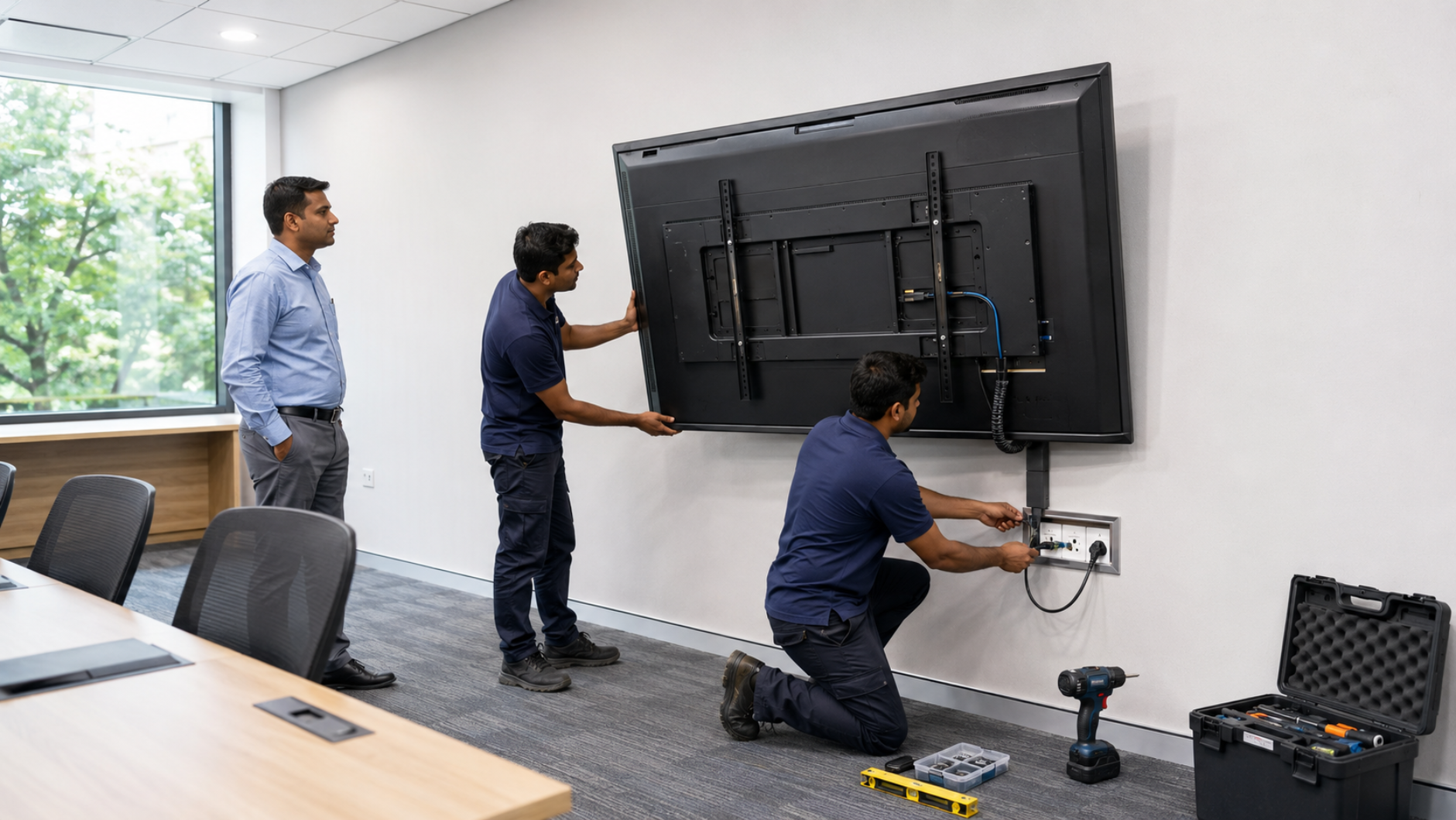
Installing an interactive flat panel display (IFP) is more than simply mounting a digital board on the wall. The room size, viewing distance, wall strength, power supply, connectivity, mounting height and supporting equipment all affect the performance and usability of your interactive display. Whether you are setting up a smart classroom, coaching centre, corporate meeting room, hybrid classroom, training room or online teaching studio, choosing the right installation setup is essential. At GoLive eTechnologies, we provide end-to-end technology support—from selecting the right interactive panel to installation, configuration, training and after-sales assistance. Our goal is simple: less technology headache and more confidence that everything will work.
What Is an Interactive Flat Panel Display?
An interactive flat panel display is a large touchscreen digital display designed for teaching, presentations, collaboration and interactive content. Unlike traditional projectors, an IFP combines a high-resolution display, touch functionality, speakers and computing connectivity in one solution.
Popular applications include:
Smart classrooms and schools
Coaching centres and training institutes
Corporate boardrooms
Meeting and conference rooms
Hybrid classrooms
Online teaching studios
Government and institutional training facilities
Popular category searches include digital board, smart board, interactive display panel, interactive whiteboard, digital teaching board and interactive flat panel for education.
Interactive Flat Panel Room Requirements
Before purchasing an interactive panel, assess the room where it will be installed.
1. Room Size and Viewing Distance
The screen size should match the room dimensions and viewing distance.
|
Room/Application |
Recommended Panel Size |
|---|---|
|
Small classroom/meeting room |
55–65 inch |
|
Standard classroom |
65–75 inch |
|
Large classroom/training room |
75–86 inch |
|
Large conference/training room |
86 inch and above |
A 75 inch interactive display is a popular choice for classrooms, coaching centres and training rooms because it provides a large viewing area without occupying excessive wall space.
For larger classrooms, an 86 inch interactive flat panel can improve visibility for students sitting farther away.
Interactive Panel Wall Requirements
Wall installation requires careful assessment before drilling or mounting.
Check the Wall Structure
The installation wall should be strong enough to support the weight of the interactive display and mounting system.
Suitable surfaces may include:
Reinforced concrete walls
Brick walls
Properly constructed masonry walls
Structural partitions designed for heavy equipment
Avoid mounting a heavy panel directly onto weak or damaged surfaces without professional assessment.
Use the Correct Wall Mount Kit
A suitable wall mount kit should match:
Panel size
Panel weight
VESA mounting pattern
Wall construction
Required viewing height
For classrooms and professional environments, professional installation helps ensure that the display remains stable and properly aligned.
GoLive eTechnologies supports customers with installation and deployment, helping organisations move from product selection to a working technology setup.
Interactive Flat Panel Height and Positioning
The mounting height should allow comfortable interaction for both teachers and students.
For classrooms, consider:
Teacher reach
Student visibility
Seating arrangement
Accessibility
Camera positioning
Cable routing
Distance from nearby furniture
The panel should be positioned where users can comfortably interact with the touchscreen without excessive stretching or bending.
For a hybrid classroom, also consider where the PTZ camera, microphone and speakers will be positioned so that online participants receive a clear view and sound.
Power Requirements for Interactive Flat Panels
A dedicated and reliable power connection is important for an interactive display.
Before installation, check:
Availability of a suitable power socket
Proper earthing
Voltage stability
Cable length
Power socket accessibility
Surge protection where appropriate
Safe cable management
Avoid loose extension cables running across walkways. In classrooms and meeting rooms, concealed or neatly managed cabling provides a safer and more professional installation.
GoLive eTechnologies can help customers plan the complete installation rather than treating the display as an isolated product.
Connectivity Requirements
An interactive panel becomes significantly more useful when the right connectivity infrastructure is available.
Common Connectivity Options
Depending on the model, users may require:
HDMI
USB
USB-C
LAN/Ethernet
Wi-Fi
Bluetooth
Audio input/output
DisplayPort or other supported interfaces
HDMI Connectivity
HDMI is commonly used to connect laptops, desktops, cameras and other external devices.
If your setup includes a camera or video production equipment, an HDMI video capture device or compatible capture solution may also be required for specific workflows.
USB Connectivity
USB ports can support peripherals such as:
Wireless keyboards and mice
USB cameras
Storage devices
Touch accessories
Interactive peripherals
If the computer is positioned far from the panel, cable length and signal requirements should be considered before installation.
Interactive Panel Installation for Smart Classrooms
A complete smart classroom setup may include more than an interactive board.
Depending on the requirement, the system may include:
Interactive flat panel
Teacher computer or OPS
PTZ camera
Wireless microphone
Speakers
HDMI connectivity
Video capture device
Network connectivity
Wall mounting system
Classroom control accessories
For online and hybrid teaching, an Evota 4K PTZ camera, Evota 10x HD PTZ camera or another suitable PTZ camera can complement the interactive display.
This creates a more complete digital classroom setup for teaching, recording and remote participation.
Choosing the Right Interactive Panel for Your Requirement
GoLive eTechnologies offers access to multiple professional display categories and brands.
Evota Interactive Panel
An Evota interactive panel can be considered for schools, coaching centres, training rooms and businesses looking for an integrated interactive display solution.
Search interest commonly includes Evota smart board price, Evota digital board price, Evota smart board 75 inch price and Evota 75 inch.
Actual pricing depends on screen size, configuration, installation requirements and product specifications.
MAXHUB Interactive Displays
MAXHUB smart boards and digital boards are designed for education, collaboration and professional environments.
Customers may compare MAXHUB smart board price, MAXHUB digital board price, MAXHUB digital board 85 inch price and other configurations based on their room and application.
Newline Interactive Panels
Newline interactive panels are another option for education and collaboration environments.
Searches such as Newline interactive panel price in India, Newline digital board price and Newline digital board 75 inch price indicate strong demand for large-format interactive displays.
LG Interactive Panels
LG interactive displays can be considered for professional classrooms and business environments.
Customers researching LG interactive digital board price, LG interactive panel 75 inch price, LG digital board 65 inch price or LG smart board price in India should compare the complete solution—not just the screen price.
Installation, mounting, connectivity and support can significantly affect the final project cost.
Interactive Flat Panel Price in India: What Affects the Cost?
The price of an interactive flat panel in India depends on several factors:
Screen size
Display resolution
Touch technology
Operating system
RAM and storage
Built-in speakers
Connectivity
OPS/computing configuration
Wall mounting requirements
Installation
Warranty and support
Additional classroom equipment
Therefore, searches such as interactive panel price, digital board price in India, smart board price in India and interactive whiteboard cost should be evaluated alongside the complete installation requirement.
A lower product price does not necessarily mean a lower total project cost.
Why Choose GoLive eTechnologies?
At GoLive eTechnologies, technology doesn't stop at product delivery.
Our brand promise is:
Technology that works, backed by people who help.
Our end-to-end approach covers:
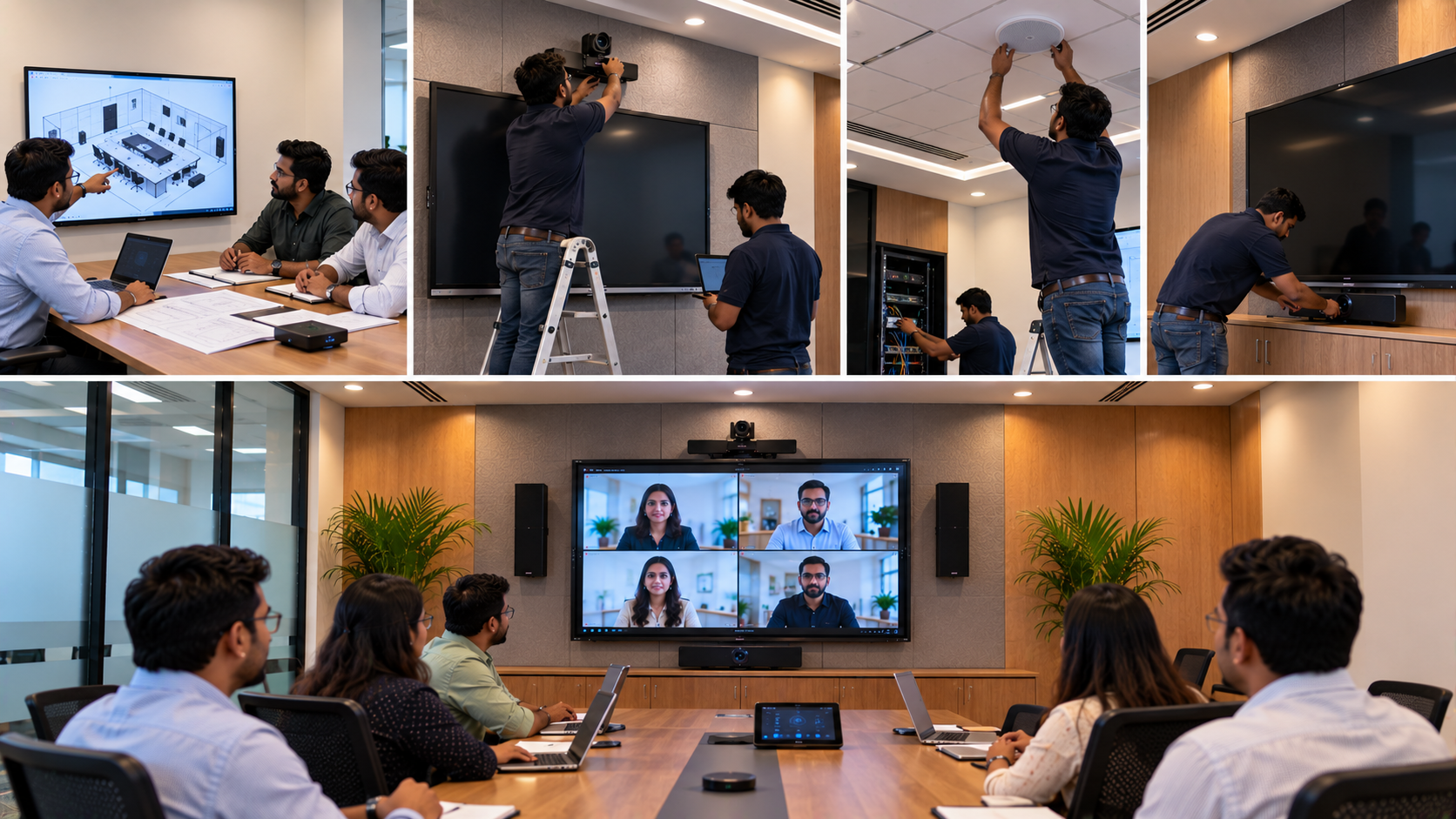
Selection → Solution Planning → Installation → Deployment → Training → Support
This means customers can get the right solution, faster deployment and practical assistance after installation.
Customer feedback repeatedly highlights the importance of service, support, fast delivery, installation, training and assistance—the areas that help turn a technology purchase into a dependable working solution.
Whether you need an interactive board for teaching, a digital board for school, an interactive panel for education, or a complete smart classroom solution, GoLive eTechnologies can help you plan the setup around your actual requirement.
Interactive Flat Panel Installation Checklist
Before installation, confirm:
Correct panel size for the room
Strong and suitable installation wall
Compatible wall mount
Proper power connection and earthing
HDMI/USB/network connectivity
Correct mounting height
Cable management
Internet availability where required
Camera and microphone positioning
Teacher/student viewing angles
Installation and user training requirements
Final Takeaway
The right interactive flat panel display is only one part of a successful digital classroom or meeting-room setup. Room dimensions, wall strength, power, connectivity, mounting height and supporting equipment all need to work together.
If you're comparing an Evota interactive panel, MAXHUB digital board, Newline interactive panel or LG interactive panel, look beyond the display price and consider the complete installation and support experience.
With GoLive eTechnologies, you get more than technology—you get end-to-end support designed to give you confidence that everything will work.
Ready to install an interactive flat panel? Contact GoLive eTechnologies for help choosing the right screen size, installation setup and complete technology solution for your school, coaching centre, office or training room.
Your email address will not be published. Required fields are marked *

By Inhype • September 12, 2026
A smart classroom is only as effective as the technology supporting it. Interactive panels, smart boards, PTZ cameras, microphones, speakers, PCs and
Read More
By Inhype • September 12, 2026
Higher education is rapidly moving beyond traditional chalkboards and projectors. Today, colleges and universities need technology that supports inter
Read More
By Inhype • September 12, 2026
A smart classroom for CBSE schools is no longer simply a classroom with a digital board. Modern schools are building connected learning environments t
Read More
By Inhype • September 12, 2026
Planning a smart classroom project for 10, 20 or even 50 classrooms requires more than simply purchasing digital boards. Schools, colleges, universiti
Read More
By Inhype • September 12, 2026
A smart classroom can transform the way teachers explain concepts, students interact with lessons, and institutions deliver digital education. From in
Read More




Golive eTechnologies India Private Limited (CIN - U31909UP2021PTC148242) is one of India's leading providers of smart classrooms, interactive boards, video conferencing solutions, and display technologies for the education, healthcare, corporate, and government sectors.


















No comments yet. Be the first to comment!