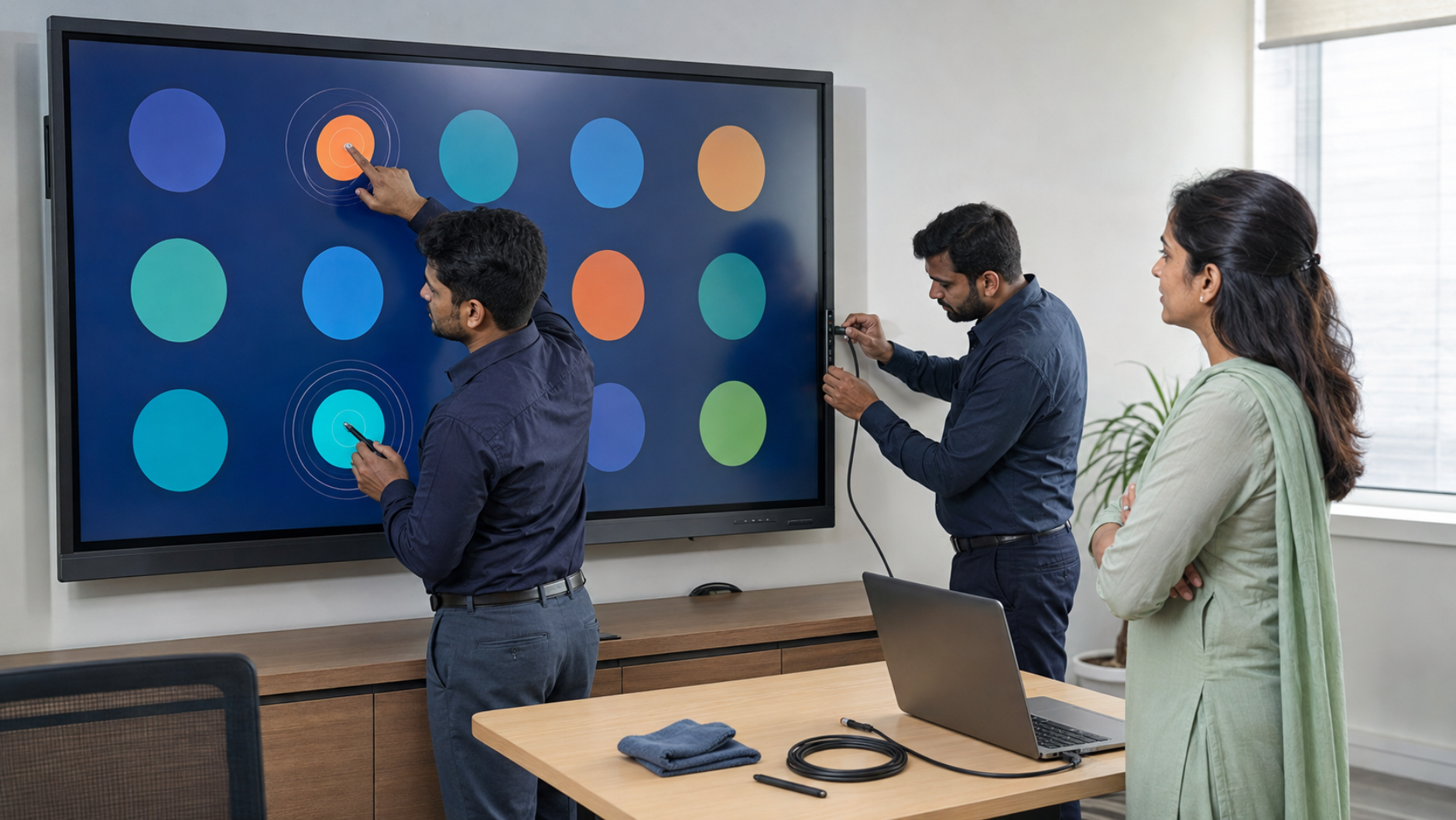
An interactive flat panel display (IFP) can transform a classroom, coaching centre, meeting room or training environment into an engaging digital workspace. But when the touch function stops responding, becomes inaccurate, or starts registering unwanted touches, it can quickly disrupt a presentation or lesson. The good news is that many interactive flat panel touch problems can be diagnosed and resolved without immediately replacing the display. Whether you use an Evota interactive panel, MAXHUB smart board, Newline interactive panel, LG interactive panel or another digital board, understanding the common causes can help you restore smooth operation faster. At GoLive eTechnologies, the focus goes beyond simply supplying technology. Our approach is: the right solution, fast deployment, installation and support—so customers have less technology headache and more confidence that everything will work.
What Is an Interactive Flat Panel?
An interactive flat panel is a large touchscreen display designed for education, business and collaboration. Unlike a traditional projector-based smart board, an IFP combines the display, touch technology and computing functionality in one solution.
Common applications include:
Smart classrooms and digital teaching
Coaching classes and training institutes
Corporate boardrooms
Online and hybrid classes
Interactive presentations
Video conferencing
Digital collaboration
Lecture recording and content creation
Popular options available through technology solution providers include Evota interactive panels, MAXHUB smart boards, Newline interactive panels and LG interactive panels.
Common Interactive Flat Panel Touch Problems
Before replacing an interactive board, identify the exact problem. Different symptoms can have different causes.
1. Touchscreen Is Not Responding
If the display works but touching the screen does nothing, possible causes include:
Loose USB touch cable
Incorrect input source
Touch driver issue
Operating-system compatibility problem
Touch function being disabled
Hardware-related fault
Start by restarting the panel and checking all connected cables.
2. Touch Response Is Delayed
A delayed touch response can make writing and navigation frustrating. Possible reasons include excessive background applications, connected computer performance, outdated drivers or temporary software issues.
If you're using an external PC with the interactive display panel, test the panel's built-in system, if available. This can help determine whether the problem is with the panel or the connected computer.
3. Touch Is Not Accurate
If you touch one location but the cursor appears somewhere else, calibration may be required.
This is particularly noticeable when:
Writing with a digital pen
Selecting small icons
Drawing diagrams
Using educational applications
Run the appropriate touch calibration procedure provided by the panel manufacturer.
4. Ghost Touch or Random Touches
Ghost touch occurs when the panel registers touches that nobody is making.
Potential causes include:
Moisture or dirt on the screen
Electrical interference
Damaged cables
Faulty peripherals
Software or firmware issues
Hardware malfunction
Clean the display using the manufacturer's recommended method and disconnect unnecessary peripherals before testing again.
5. Touch Works in One Application but Not Another
If touch works on the panel's home screen but doesn't work correctly in a particular application, the issue may not be the touchscreen itself.
Check:
Application compatibility
Operating-system permissions
Touch/pen settings
Application updates
USB/HID recognition when using an external PC
This is why proper diagnosis is important before purchasing replacement hardware.
How to Diagnose Interactive Flat Panel Touch Problems
Follow these steps before contacting technical support.
Step 1: Restart the Interactive Panel
A simple restart can resolve temporary software and touch-service issues.
Step 2: Check the Touch Connection
When connecting a laptop or desktop to an IFP, the HDMI cable generally carries the video signal, while a compatible USB connection may be required for touch functionality.
Check that:
HDMI is properly connected
USB touch cable is connected
Correct HDMI input is selected
The computer recognises the touch device
Step 3: Clean the Touch Surface
Dust, fingerprints or moisture can interfere with touch detection. Clean the screen with a suitable soft cloth and follow the manufacturer's care instructions.
Step 4: Test With Another Device
Connect another compatible computer.
If touch works normally with the second device, the original computer, driver or operating system may be responsible.
Step 5: Check Calibration
If touch is inaccurate rather than completely unavailable, calibration can often correct the problem.
Step 6: Check Drivers and Firmware
Outdated drivers or firmware can affect touch performance and compatibility. Use manufacturer-approved updates rather than downloading unknown drivers.
Step 7: Contact Professional Support
If the problem continues after basic troubleshooting, avoid opening the panel yourself. A qualified technician can determine whether the issue involves the touch sensor, controller, motherboard, display electronics or another component.
Interactive Flat Panel vs Traditional Smart Board
|
Feature |
Interactive Flat Panel |
Projector-Based Smart Board |
|---|---|---|
|
Display |
Integrated large display |
Projector + board |
|
Touch interaction |
Direct touchscreen |
Touch/interactive system |
|
Maintenance |
Generally simpler |
Projector maintenance required |
|
Brightness |
Consistent display |
Can be affected by ambient light |
|
Installation |
Wall/stand mounting |
Multiple components |
|
Collaboration |
Built-in smart features |
Depends on setup |
For organisations looking to build a digital smart classroom, an interactive flat panel can provide a cleaner, integrated solution.
Choosing the Right Interactive Panel for Your Classroom or Office
When comparing products, don't select a panel based only on digital board price.
Consider:
Screen size
4K resolution
Touch technology
Number of simultaneous touch points
Built-in operating system
RAM and storage
HDMI and USB connectivity
Wireless screen sharing
Speaker quality
Camera compatibility
Installation requirements
Warranty and after-sales support
For classrooms, 75-inch interactive displays are particularly useful when students need to clearly view presentations, annotations and educational content from different seating positions.
GoLive eTechnologies can help customers compare suitable solutions such as Evota smart boards, MAXHUB smart boards, Newline digital boards and LG interactive panels according to room size, application and budget.
Why Buy Through GoLive eTechnologies?
Buying an interactive panel is not simply about finding the lowest interactive panel price.
The real value comes from getting the right product and having support throughout its lifecycle.
GoLive eTechnologies' brand promise is simple:
Technology that works, backed by people who help.
From product selection to installation and beyond, GoLive eTechnologies focuses on reducing the technology headache for customers.
Customers can benefit from:
Product selection assistance
Installation support
Fast deployment
Technical assistance
User training
After-sales support
Solutions matched to the actual use case
This approach is especially valuable for schools, colleges, coaching centres, businesses and institutions deploying multiple interactive panels for education.
What About Interactive Flat Panel Pricing in India?
The interactive flat panel price in India varies depending on brand, screen size, resolution, touch technology, operating system, features and installation requirements.
For example, buyers researching Evota smart board price, Newline smart board price, MAXHUB smart board price, LG interactive digital board price or other brands should compare specifications and total ownership value rather than looking at price alone.
Search terms such as Evota smart board 75 inch price, Newline digital board 75 inch price, LG interactive panel 75 inch price and MAXHUB digital board price in India can help buyers understand market options, but actual pricing may vary by configuration and current availability.
For an accurate quotation, installation requirement and delivery timeline, contact GoLive eTechnologies.
When Should You Replace an Interactive Panel?
Consider professional evaluation or replacement when:
Touch consistently fails after troubleshooting
The display has physical damage
Touch accuracy cannot be restored
Repairs become frequent
The panel no longer meets classroom requirements
Software compatibility has become a limitation
You need a larger or more advanced display
If you're upgrading a classroom, boardroom or coaching centre, GoLive can help identify the right digital board for teaching, smart board for classroom or interactive display board for your environment.
Final Takeaway
Most interactive flat panel touch problems can be narrowed down through systematic troubleshooting. Restarting the device, checking USB/HDMI connections, cleaning the screen, testing another computer and checking calibration can resolve many basic issues.
However, choosing the right panel and having reliable technical support is equally important.
Whether you're comparing an Evota interactive flat panel, MAXHUB digital board, Newline interactive panel or LG interactive panel, GoLive eTechnologies provides end-to-end technology support—from selection to installation and beyond.
The goal isn't simply to sell a digital board. It's to provide the right solution, fast deployment, installation and support, giving schools and businesses greater confidence that their technology will work when they need it.
Your email address will not be published. Required fields are marked *

By Inhype • September 12, 2026
A smart classroom is only as effective as the technology supporting it. Interactive panels, smart boards, PTZ cameras, microphones, speakers, PCs and
Read More
By Inhype • September 12, 2026
Higher education is rapidly moving beyond traditional chalkboards and projectors. Today, colleges and universities need technology that supports inter
Read More
By Inhype • September 12, 2026
A smart classroom for CBSE schools is no longer simply a classroom with a digital board. Modern schools are building connected learning environments t
Read More
By Inhype • September 12, 2026
Planning a smart classroom project for 10, 20 or even 50 classrooms requires more than simply purchasing digital boards. Schools, colleges, universiti
Read More
By Inhype • September 12, 2026
A smart classroom can transform the way teachers explain concepts, students interact with lessons, and institutions deliver digital education. From in
Read More




Golive eTechnologies India Private Limited (CIN - U31909UP2021PTC148242) is one of India's leading providers of smart classrooms, interactive boards, video conferencing solutions, and display technologies for the education, healthcare, corporate, and government sectors.





















No comments yet. Be the first to comment!