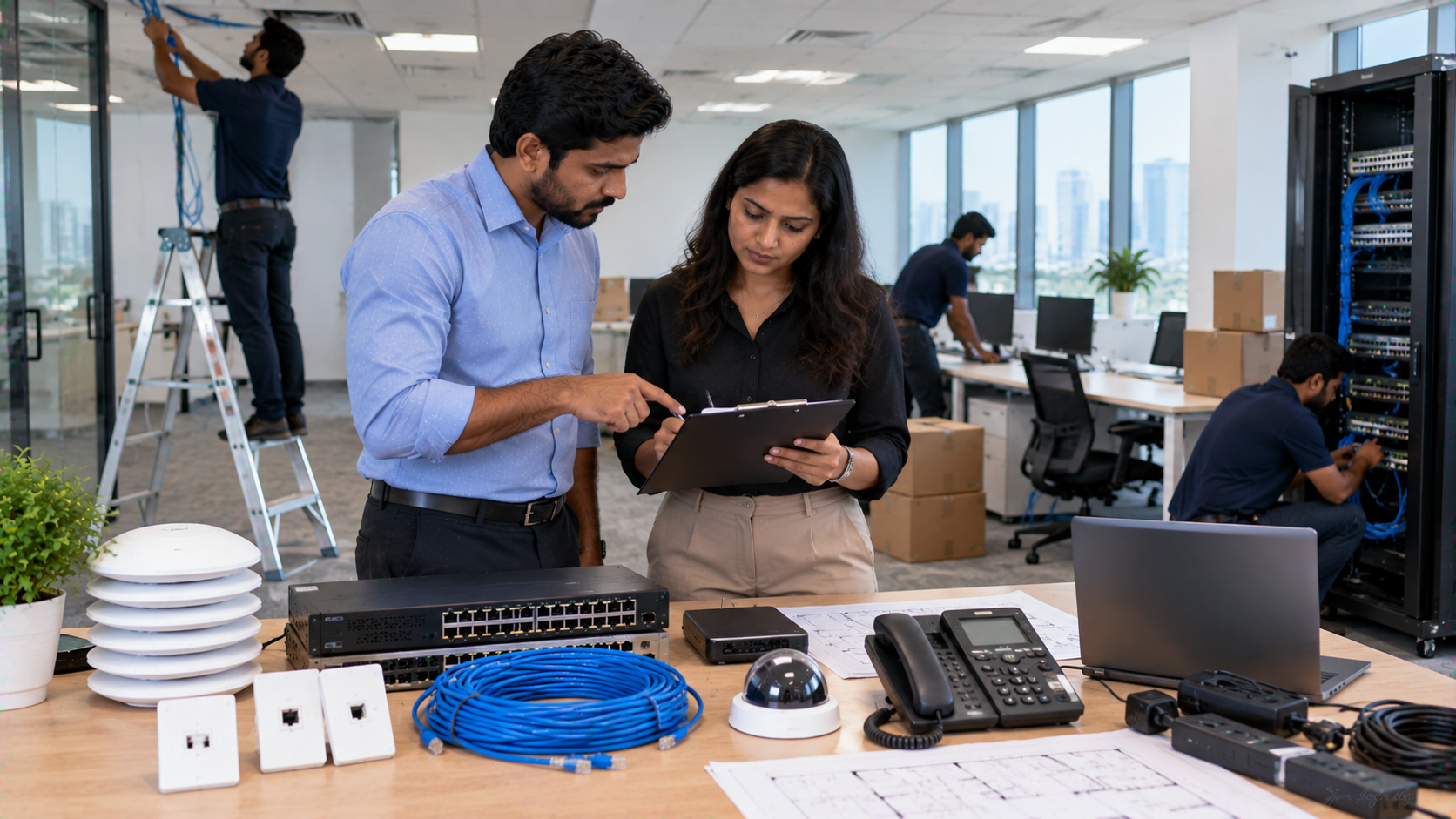
Setting up a new office involves much more than arranging desks and computers. A reliable IT infrastructure ensures that employees can communicate, collaborate, access business applications, conduct meetings and work securely from day one. From interactive displays and professional cameras to networking, displays and meeting-room equipment, choosing the right technology at the planning stage can reduce installation delays and future replacement costs. GoLive eTechnologies helps businesses plan and deploy workplace technology with an end-to-end approach—from product selection and installation to training and ongoing support. If you are planning a new office in Delhi NCR or anywhere in India, use this checklist to build a practical and scalable IT setup.
New Office IT Infrastructure Checklist
1. Computers, Workstations and Peripherals
Start by identifying the computing requirements of every department. Employees may require desktops, laptops, monitors, keyboards, mice, docking stations and other accessories.
Consider:
Business laptops or desktop computers
Monitors and dual-monitor setups
Keyboard and mouse
UPS and power backup
Printers and scanners
External storage and backup devices
Writing pad for PC, desktop writing pad or USB writing pad where required
The right configuration depends on the employee's role. A finance team, design team and administrative team may have completely different hardware requirements.
2. Interactive Displays and Digital Boards
Modern offices increasingly use interactive flat panel displays for meetings, training, brainstorming and presentations.
A digital board, interactive panel or smart board can make collaborative sessions more engaging by allowing teams to write, annotate presentations and share ideas directly on screen.
GoLive eTechnologies can help businesses evaluate options such as:
Evota interactive panel
Evota smart board
MAXHUB smart board
Newline interactive panel
LG interactive panel
65-inch, 75-inch and larger interactive displays
When comparing an Evota smart board price, Newline smart board price, MAXHUB smart board price or LG interactive digital board price, don't look only at the screen cost.
Also consider:
Display + installation + mounting + accessories + training + after-sales support
This gives a more realistic picture of the total investment.
3. Video Conferencing and PTZ Cameras
Hybrid meetings have become an important part of modern office infrastructure. A professional camera can improve the quality of meetings with clients, remote employees and business partners.
Depending on the room size and use case, consider:
PTZ camera
4K PTZ camera
Conference webcam
Speakerphone
Wireless microphone
HDMI video capture device
Display for video conferencing
For larger meeting rooms, an Evota 4K PTZ camera or Evota 10X HD PTZ camera can provide flexible camera positioning and professional video quality.
Businesses can also evaluate products such as Logitech PTZ cameras depending on their room configuration and compatibility requirements.
Instead of choosing equipment based purely on an Evota camera price or PTZ camera price, consider viewing angle, resolution, zoom capability, connectivity and installation requirements.
4. Conference Room Technology
A conference room should be designed around the way people actually collaborate.
A practical conference-room setup may include:
|
Requirement |
Possible Technology |
|---|---|
|
Presentation |
Interactive panel / large display |
|
Video |
PTZ camera / webcam |
|
Audio |
Conference speaker and microphone |
|
Content sharing |
HDMI / wireless presentation |
|
Collaboration |
Interactive display |
|
Connectivity |
HDMI, USB and network connections |
For boardrooms and larger meeting spaces, professional audio and video equipment can create a significantly smoother meeting experience.
GoLive eTechnologies can help businesses evaluate the complete setup instead of purchasing individual devices without considering compatibility.
5. Networking and Connectivity
A fast display or powerful computer cannot compensate for unreliable connectivity.
Your new office IT infrastructure checklist should include:
Business-grade internet connection
Wi-Fi access points
Network switches
Structured cabling
Ethernet connections
Network rack
Router and firewall
UPS backup
Guest Wi-Fi
Network security
Plan the network before furniture installation wherever possible. This helps reduce exposed cables and makes future expansion easier.
6. Power Backup and Installation
Technology equipment needs stable power to operate reliably.
Include:
UPS systems
Surge protection
Appropriate electrical points
Cable management
Equipment racks
Wall mounts
Display mounting solutions
For large displays and interactive panels, professional installation is particularly important because the equipment is often heavy and needs secure mounting.
This is where an end-to-end technology partner can add value: right solution + fast deployment + installation + support.
7. Office Training and Presentation Setup
If your office conducts employee training, onboarding or workshops, consider adding an interactive display panel, camera and audio equipment.
A smart office training setup can support:
Employee training
Product demonstrations
Internal presentations
Remote training
Hybrid workshops
Client presentations
For organisations running frequent training sessions, an interactive display can become a central collaboration tool rather than simply another screen.
8. Security, Backup and Data Protection
IT infrastructure should also account for business continuity.
Consider:
Data backup
Endpoint security
Firewall
Access controls
Secure Wi-Fi
Cloud backup
CCTV where required
Password and user-access policies
Hardware selection should therefore be accompanied by a basic IT security and backup strategy.
Quick Comparison: What Does a New Office Need?
|
Office Requirement |
Recommended Technology |
|---|---|
|
Employee workstations |
Desktop/laptop + monitor |
|
Team collaboration |
Interactive panel |
|
Boardroom |
Large display + PTZ camera + audio |
|
Training room |
Interactive display + camera + microphone |
|
Hybrid meetings |
PTZ camera + conference audio |
|
Connectivity |
Router + switch + Wi-Fi |
|
Power protection |
UPS + surge protection |
|
Presentation |
HDMI/wireless presentation system |
|
Collaboration |
Digital board / interactive flat panel |
How to Choose the Right Digital Board for Your Office
Searches such as digital board price in India, interactive panel price, 75 inch interactive display, Evota smart board 75 inch price, Newline digital board 75 inch price and LG interactive panel 75 inch price are useful starting points—but price should not be the only selection factor.
Before purchasing, compare:
Screen size
Resolution
Touch technology
Operating system
Connectivity
Built-in speakers
Camera compatibility
Installation requirements
Warranty and service
Training and after-sales support
GoLive eTechnologies can help you select the appropriate display according to your room size, application and budget.
Why Choose GoLive eTechnologies for Office IT Setup?
A new office should not have to manage multiple vendors for every piece of technology.
The GoLive eTechnologies approach focuses on end-to-end technology support from selection to installation and beyond.
That means businesses can get support with:
Solution selection
Product sourcing
Deployment
Installation
Configuration
User training
Technical assistance
After-sales support
The objective is simple: less technology headache and more confidence that everything will work.
Customer feedback around technology projects frequently highlights the importance of service, support, fast delivery, installation, training and assistance. These are important considerations when choosing an IT technology partner—not just the initial product price.
Final IT Infrastructure Checklist
Before opening your new office, make sure you have reviewed:
Computers and monitors
Internet and Wi-Fi
Network infrastructure
UPS and power backup
Interactive displays
Conference cameras
Microphones and speakers
Meeting-room displays
HDMI and USB connectivity
Mounting and installation
Security and backup
Employee training
Technical support
Whether you need an Evota digital board, MAXHUB digital board, Newline interactive panel, LG interactive digital board, PTZ camera or complete meeting-room setup, the right combination of products and professional deployment can make your new office technology easier to manage.
Set Up Your Office Technology With GoLive eTechnologies
Planning a new office in Delhi NCR or anywhere in India? Explore office technology solutions from GoLive eTechnologies and get support from product selection through installation and beyond.
Technology that works, backed by people who help.
Your email address will not be published. Required fields are marked *

By Inhype • September 12, 2026
A smart classroom is only as effective as the technology supporting it. Interactive panels, smart boards, PTZ cameras, microphones, speakers, PCs and
Read More
By Inhype • September 12, 2026
Higher education is rapidly moving beyond traditional chalkboards and projectors. Today, colleges and universities need technology that supports inter
Read More
By Inhype • September 12, 2026
A smart classroom for CBSE schools is no longer simply a classroom with a digital board. Modern schools are building connected learning environments t
Read More
By Inhype • September 12, 2026
Planning a smart classroom project for 10, 20 or even 50 classrooms requires more than simply purchasing digital boards. Schools, colleges, universiti
Read More
By Inhype • September 12, 2026
A smart classroom can transform the way teachers explain concepts, students interact with lessons, and institutions deliver digital education. From in
Read More




Golive eTechnologies India Private Limited (CIN - U31909UP2021PTC148242) is one of India's leading providers of smart classrooms, interactive boards, video conferencing solutions, and display technologies for the education, healthcare, corporate, and government sectors.





















No comments yet. Be the first to comment!