
From online classes and product demonstrations to corporate webinars and hybrid meetings, a professional webinar studio needs more than a camera and a laptop. Businesses in Kanpur increasingly need reliable technology that delivers clear video, professional audio, interactive presentations and a smooth online experience. This solution guide explains how a business in Kanpur can design a professional online class studio setup, teaching studio setup or webinar studio with GoLive eTechnologies India Private Limited—combining interactive displays, PTZ cameras, microphones, lighting, capture equipment and installation support.
The Business Challenge: A Basic Webcam Was Not Enough
Imagine a Kanpur-based business conducting webinars, employee training, online demonstrations or educational sessions. Its existing setup may include a laptop webcam, a basic microphone and a conventional display.
That arrangement can create several problems:
Presenter movement is difficult to capture professionally.
Screen content may not be clearly visible to remote participants.
Audio quality can vary from one session to another.
Switching between presentations, camera feeds and other sources can be inconvenient.
The business may need separate equipment from multiple vendors.
Installation and technical support can become another operational headache.
The solution is to approach the studio as an integrated technology environment, rather than buying individual products.
That is where GoLive eTechnologies' end-to-end approach becomes valuable.
GoLive eTechnologies: From Product Selection to Studio Deployment
GoLive eTechnologies provides technology solutions across interactive displays, microphones, cameras, lighting, PC/OPS modules and studio solutions. Its website currently includes dedicated categories for interactive flat panels, microphones, cameras and imaging, studio and presentation lighting, PC/OPS systems and accessories.
The brand promise is simple:
Technology that works, backed by people who help.
The core benefit is not simply purchasing equipment. It is getting the right solution + deployment + installation + support, helping reduce technology-related uncertainty.
Step 1: Choose the Right Interactive Display
The interactive display can become the visual centre of a webinar or teaching studio.
Depending on the application, businesses can evaluate:
EVOTA Interactive Panel
EVOTA Smart Board
MAXHUB Digital Board
Newline Interactive Panel
LG Interactive Digital Board
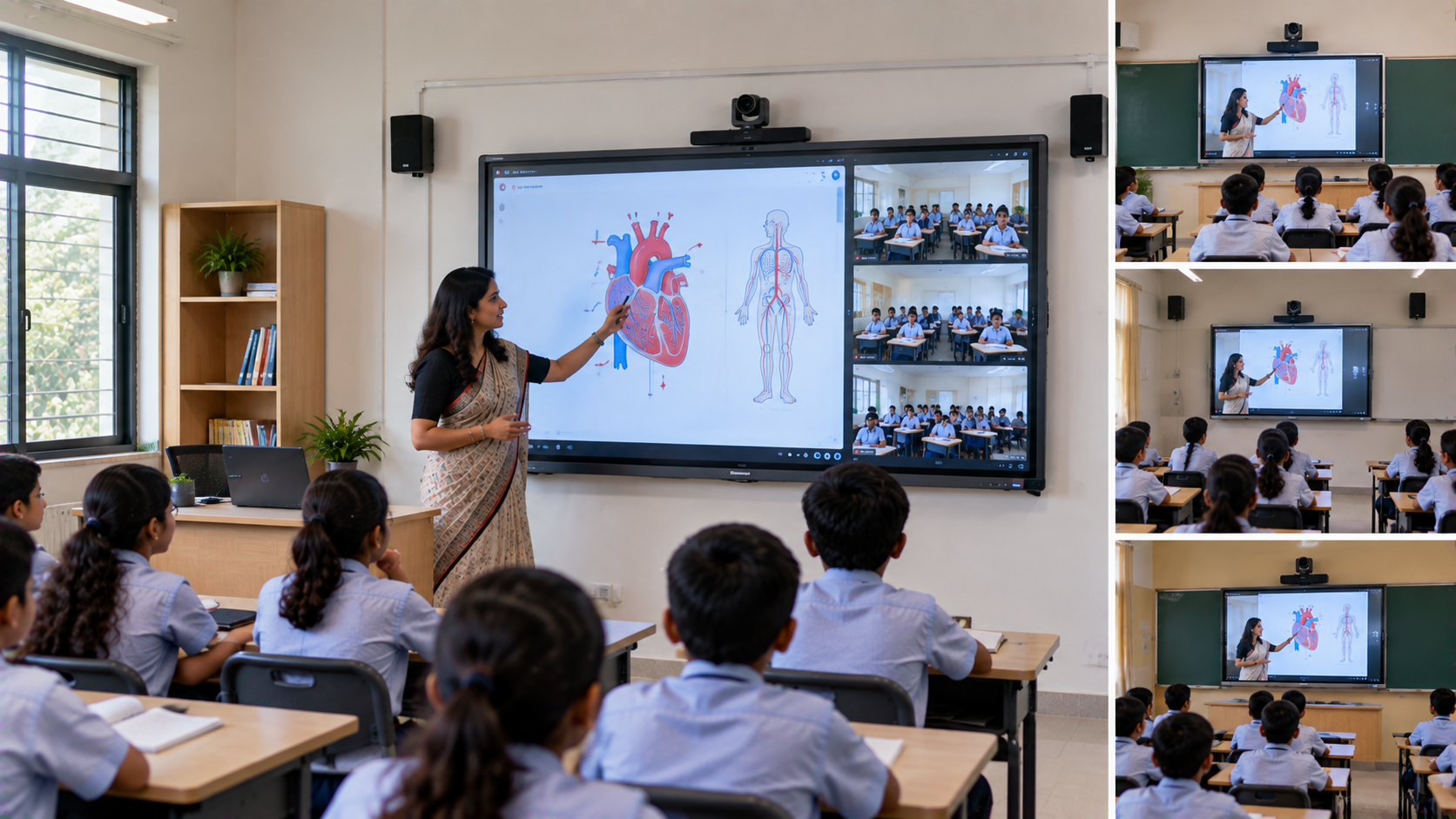
GoLive's solution content specifically positions these displays for online class studios, hybrid classrooms, conference rooms and professional collaboration environments.
For example, an EVOTA 75-inch interactive panel can provide a large workspace for presentations, annotation, demonstrations and digital content.
For buyers researching Evota smart board price, Evota digital board price, Newline digital board price, MAXHUB smart board price, LG interactive digital board price or interactive panel price in India, the important consideration is the complete configuration—not simply the lowest listed price.
Step 2: Add a Professional PTZ Camera
A professional webinar requires more than a fixed laptop webcam.
A PTZ camera—Pan, Tilt and Zoom—can be positioned to capture the presenter, interactive display and different areas of the room.
GoLive's camera solutions include options such as:
EVOTA 4K PTZ Camera
EVOTA 10X HD PTZ Camera
Logitech PTZ Pro 2
Other professional camera and imaging solutions
GoLive specifically identifies PTZ cameras as suitable for online class studio setups, hybrid classrooms, lecture recording and professional communication.
Businesses searching for Evota 4K PTZ camera price, Evota camera price, PTZ camera price, Logitech PTZ camera or Sony NX80 price in India should compare resolution, optical zoom, room size, connectivity and intended use before selecting a model.
Step 3: Build Better Audio
A webinar can survive an average video feed; poor audio is much harder for viewers to tolerate.
A professional setup may include:
Wireless microphone
Lavalier or headset microphone
Studio microphone
Conference speakers
Audio interface or mixer
Appropriate acoustic treatment
GoLive currently offers multiple microphone categories including wireless clip-on, dual-channel wireless, headset, lavalier, studio and USB microphones.
For a teacher, trainer or presenter, a wireless microphone can provide freedom of movement while maintaining consistent voice pickup.
Step 4: Add Lighting for a Professional Appearance
Even an excellent EVOTA 4K camera or other professional camera can produce an average-looking video if the lighting is poor.
A webinar studio should consider:
Key lighting
Fill lighting
Background lighting
Adjustable studio lights
Ring lights where appropriate
GoLive offers studio lighting kits, ring lights, LED panels, portable lighting and adjustable colour-temperature lighting.
The objective is not simply to make the room brighter. It is to create consistent, camera-friendly illumination.
Step 5: Connect the Studio with Capture and Streaming Equipment
A professional studio may need to switch between:
Presenter → PTZ Camera → Interactive Panel → Laptop → Video Playback → Remote Guest
An HDMI video capture device, compatible streaming workflow, video switcher or livestream mixer can help bring multiple sources into one production workflow.
GoLive's solution guidance identifies HDMI capture, OBS-compatible workflows, lecture recording, live streaming and hybrid-class delivery as important components of modern studio environments.
This makes the studio more useful than a simple video-call room.
A Practical Webinar Studio Configuration
|
Studio Requirement |
Possible GoLive Solution |
|---|---|
|
Interactive presentation |
EVOTA Interactive Panel |
|
Large digital workspace |
MAXHUB / Newline / LG Interactive Display |
|
Presenter tracking |
EVOTA 4K PTZ Camera |
|
Presenter audio |
Wireless / Lavalier / Headset Mic |
|
Lighting |
Studio Lighting Kit / LED Panel |
|
Content capture |
HDMI Video Capture Device |
|
Processing |
OPS Mini PC / Computer |
|
Streaming |
OBS-compatible workflow |
|
Installation |
End-to-end deployment support |
The exact combination should be selected according to room dimensions, audience size, content type, connectivity and budget.
What About Webinar Studio Setup Price?
There is no single studio setup price because the cost depends on the equipment configuration.
For reference, GoLive's website currently displays products such as the EVOTA EP75 75-inch interactive panel at ₹92,700, the EVOTA C12HULT 4K UHD PTZ camera at ₹51,000, studio lighting for digital boards at ₹11,500 and an Intel Core i5 OPS PC module at ₹27,000. These are current website-listed prices and can change; a complete studio quotation may differ depending on configuration, installation and additional equipment.
Therefore, businesses should evaluate total solution value, not only individual product prices.
Why Choose GoLive eTechnologies?
The biggest advantage of an integrated approach is accountability.
Instead of asking:
“Which camera should I buy?”
the better question is:
“What complete technology setup will help my business conduct professional webinars reliably?”
GoLive's approach focuses on:
Right solution: Match equipment to the actual requirement.
Fast deployment: Reduce unnecessary procurement complexity.
Installation: Help ensure equipment is properly implemented.
Support: Assistance beyond the initial purchase.
Training: Help users become comfortable with the technology.
Peace of mind: One technology partner for an integrated setup.
This supports GoLive eTechnologies' core proposition:
Technology that works, backed by people who help.
From Kanpur to Businesses Across India
Although this guide focuses on a representative Kanpur business scenario, the same studio concept can apply to businesses, schools, coaching institutes, corporates and training organisations across India.
Whether the requirement is an online teaching setup, smart classroom setup, hybrid classroom, professional podcast studio, webinar room or corporate training studio, GoLive eTechnologies can help businesses evaluate the combination of displays, PTZ cameras, microphones, lighting, capture equipment and related technology.
The goal is straightforward:
Less technology headache. More confidence that everything will work.
Build Your Professional Webinar Studio with GoLive eTechnologies
If you are planning a webinar studio in Kanpur, an online teaching setup, hybrid training room or professional recording environment, start with the complete requirement rather than individual products.
Explore interactive displays, EVOTA Smart Boards, EVOTA PTZ cameras, MAXHUB Digital Boards, Newline Interactive Panels, LG Interactive Digital Boards, microphones, studio lighting and supporting equipment through GoLive eTechnologies.
Get in touch with GoLive eTechnologies for product selection, configuration, pricing, installation and support tailored to your studio requirements.
Your email address will not be published. Required fields are marked *

By Inhype • September 12, 2026
A smart classroom is only as effective as the technology supporting it. Interactive panels, smart boards, PTZ cameras, microphones, speakers, PCs and
Read More
By Inhype • September 12, 2026
Higher education is rapidly moving beyond traditional chalkboards and projectors. Today, colleges and universities need technology that supports inter
Read More
By Inhype • September 12, 2026
A smart classroom for CBSE schools is no longer simply a classroom with a digital board. Modern schools are building connected learning environments t
Read More
By Inhype • September 12, 2026
Planning a smart classroom project for 10, 20 or even 50 classrooms requires more than simply purchasing digital boards. Schools, colleges, universiti
Read More
By Inhype • September 12, 2026
A smart classroom can transform the way teachers explain concepts, students interact with lessons, and institutions deliver digital education. From in
Read More




Golive eTechnologies India Private Limited (CIN - U31909UP2021PTC148242) is one of India's leading providers of smart classrooms, interactive boards, video conferencing solutions, and display technologies for the education, healthcare, corporate, and government sectors.











No comments yet. Be the first to comment!