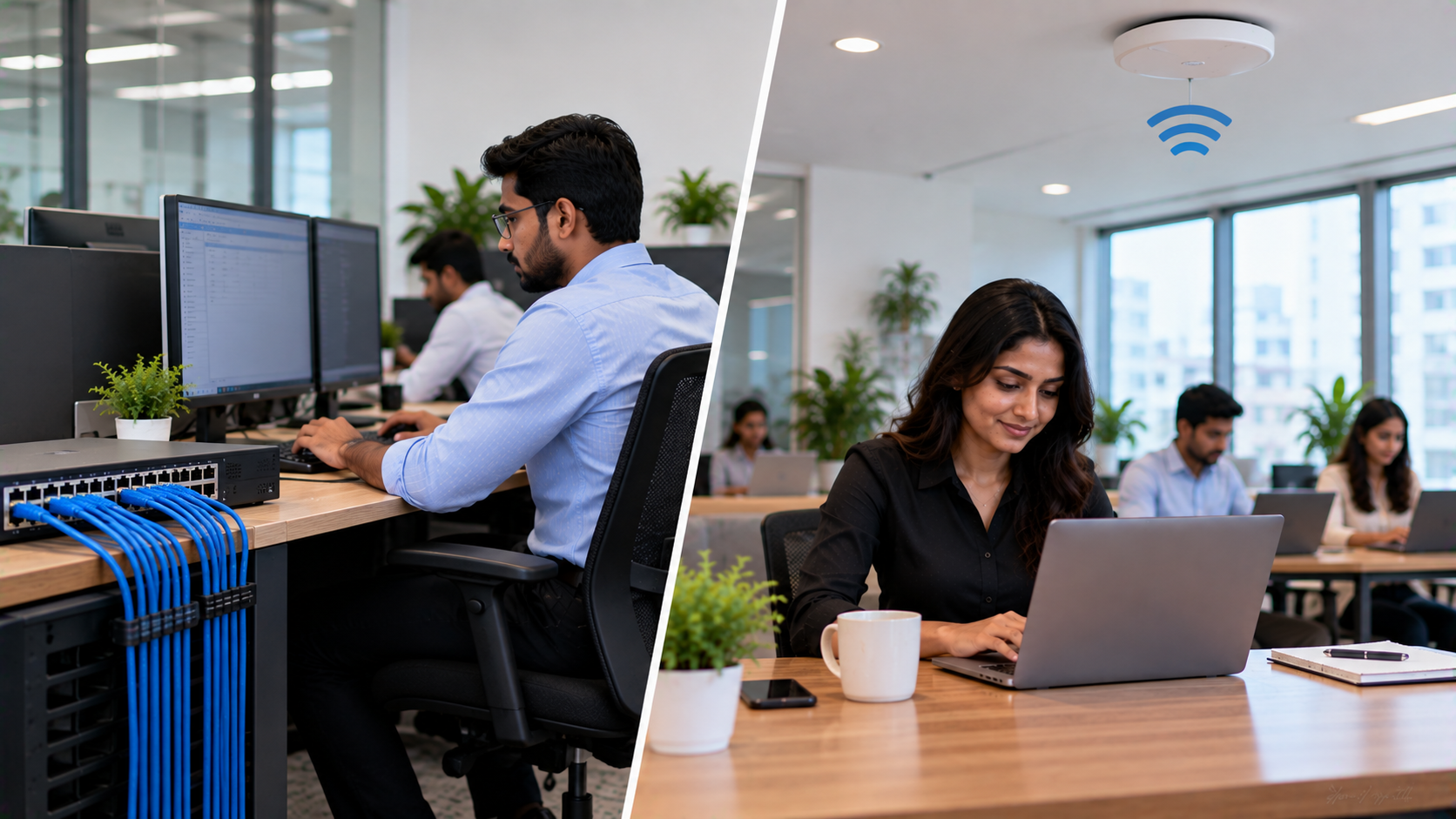
Choosing between LAN and Wi-Fi for business is not simply a matter of wired versus wireless connectivity. The right network setup depends on how your business operates, the devices you use, security requirements, workspace layout, and how much reliability your teams need every day. For offices, schools, coaching centres, conference rooms and smart classrooms, a practical approach is often to use both LAN and Wi-Fi strategically. At GoLive eTechnologies, we help businesses and institutions select the right technology, deploy it efficiently, and support it beyond installation—so you spend less time dealing with technology headaches and more time getting work done.
LAN vs Wi-Fi: What Is the Difference?
A LAN (Local Area Network) typically connects devices using Ethernet cables through network switches and routers. It is particularly useful where stable, consistent connectivity is important.
Wi-Fi connects devices wirelessly through access points or wireless routers. It provides greater mobility and makes it easier to connect laptops, smartphones, tablets and other wireless devices.
|
Factor |
LAN |
Wi-Fi |
|---|---|---|
|
Connection |
Wired |
Wireless |
|
Stability |
Highly consistent |
Depends on signal/environment |
|
Mobility |
Limited |
Excellent |
|
Security |
Strong physical control |
Requires secure wireless configuration |
|
Best for |
Fixed devices & critical systems |
Mobile devices & collaborative spaces |
|
Installation |
Requires cabling |
Easier to deploy in many environments |
|
Scalability |
Excellent with structured networking |
Excellent with properly designed access points |
Where Should Businesses Use LAN?
1. Desktop Computers and Fixed Workstations
For employees working from fixed desks, LAN can provide a reliable connection for cloud applications, ERP systems, file sharing and business communication.
This is particularly useful for offices with multiple desktop computers where consistent network performance is important.
2. Servers and Network Storage
Servers, NAS devices and other infrastructure generally benefit from wired connectivity because they can involve continuous data transfers and require dependable network access.
3. CCTV and Security Systems
Network-connected cameras can generate significant amounts of data. A structured wired network can help provide dependable connectivity between cameras, network switches and recording systems.
For organisations installing PTZ cameras, conference cameras or lecture recording systems, network planning should be considered alongside the camera itself.
GoLive eTechnologies can help businesses select compatible technology and coordinate deployment rather than leaving customers to manage installation themselves.
4. Conference Rooms
A conference room may require multiple connected devices—including displays, PCs, cameras and other AV equipment.
A combination of wired network connections for fixed equipment and Wi-Fi for laptops and smartphones can create a more flexible hybrid meeting setup.
Products such as the Evota 4K PTZ camera, Logitech PTZ solutions and interactive display systems can be integrated into appropriately designed meeting environments.
Where Should Businesses Use Wi-Fi?
1. Laptops and Mobile Devices
Employees increasingly work from laptops and tablets rather than fixed desktop computers. Wi-Fi allows users to move between meeting rooms, workstations and collaborative areas without changing network connections.
2. Smart Classrooms and Training Rooms
Schools, colleges and coaching institutes often need connectivity for interactive panels, teacher laptops, student devices and online teaching equipment.
An Evota interactive panel, Newline interactive panel, MAXHUB smart board or LG interactive panel can form part of a modern smart classroom, while Wi-Fi enables teachers and students to connect compatible devices.
3. Guest Networks
Businesses can create a separate Wi-Fi network for visitors, customers and guests without giving them access to internal business systems.
Proper network segmentation and security configuration are important when setting up guest connectivity.
4. Collaborative Workspaces
Wi-Fi is particularly useful in meeting rooms, training areas and flexible workspaces where users frequently connect different laptops and mobile devices.
LAN vs Wi-Fi for Business: Which One Should You Choose?
Instead of choosing one technology exclusively, many businesses can benefit from a LAN + Wi-Fi network design.
Choose LAN when you need:
Consistent connectivity for fixed workstations
Reliable connections for servers and storage
Network-connected security equipment
Stable connectivity for critical business devices
High-performance connections between fixed systems
Choose Wi-Fi when you need:
Employee mobility
Laptop and tablet connectivity
Guest access
Flexible meeting rooms
Smart classroom connectivity
Easy connection of mobile devices
Use Both When You Need:
Performance + flexibility.
For example, a corporate office could use LAN for desktops, printers and fixed AV equipment while providing Wi-Fi for employee laptops, smartphones and visitors.
A smart classroom could similarly use wired connectivity for fixed infrastructure while using Wi-Fi for teacher and student devices.
Connectivity Is Only One Part of a Smart Technology Setup
A reliable business technology environment requires more than buying individual devices.
For example, a modern training room may require:
Interactive flat panel display
PTZ camera
Microphone and speaker system
Computer or presentation system
Network connectivity
HDMI/video capture equipment
Installation and configuration
User training and ongoing support
GoLive eTechnologies helps customers bring these components together into a practical technology solution.
Whether you're comparing an Evota smart board, Newline digital board, MAXHUB digital board, LG interactive panel or other interactive display solutions, the focus should be on the complete requirement—not just the product price.
Smart Boards, Interactive Panels and Network Connectivity
Interactive displays are increasingly used in smart classrooms, boardrooms, coaching centres and training environments.
Products such as:
Evota interactive flat panels
Newline interactive panels
MAXHUB smart boards
LG interactive digital boards
PTZ cameras and lecture recording equipment
can support presentations, collaboration, online teaching and hybrid meetings.
When comparing Evota digital board price, Newline interactive panel price in India, MAXHUB smart board price in India or LG interactive digital board price in India, businesses should also consider installation, accessories, configuration, warranty and after-sales support.
The lowest product price does not necessarily represent the lowest overall technology cost.
Why Choose GoLive eTechnologies?
At GoLive eTechnologies, technology selection is supported by people who understand the practical side of deployment.
Our approach is built around:
Right solution → Fast deployment → Installation → Training → Support
This means customers can get help with selecting the appropriate display, camera, networking and supporting equipment instead of managing every technical requirement independently.
Our brand promise is simple:
Technology that works, backed by people who help.
Whether you're setting up an office network, smart classroom, online class studio, conference room or complete digital teaching environment, the objective is to reduce technology headaches and give customers greater confidence that everything will work together.
LAN vs Wi-Fi: Final Takeaway
LAN and Wi-Fi are not competing technologies that businesses must always choose between.
LAN is generally suited to fixed, performance-sensitive and infrastructure-heavy devices, while Wi-Fi is ideal for mobility, collaboration and wireless access.
For many modern organisations, the most practical solution is a carefully designed combination of both.
From interactive panels and smart boards to PTZ cameras and online teaching equipment, GoLive eTechnologies can help you select the right technology, deploy it efficiently and support it beyond installation.
Need help choosing the right technology setup? Explore GoLive eTechnologies for interactive displays, PTZ cameras, smart classroom solutions and business technology backed by selection, installation and support.
Your email address will not be published. Required fields are marked *

By Inhype • September 12, 2026
A smart classroom is only as effective as the technology supporting it. Interactive panels, smart boards, PTZ cameras, microphones, speakers, PCs and
Read More
By Inhype • September 12, 2026
Higher education is rapidly moving beyond traditional chalkboards and projectors. Today, colleges and universities need technology that supports inter
Read More
By Inhype • September 12, 2026
A smart classroom for CBSE schools is no longer simply a classroom with a digital board. Modern schools are building connected learning environments t
Read More
By Inhype • September 12, 2026
Planning a smart classroom project for 10, 20 or even 50 classrooms requires more than simply purchasing digital boards. Schools, colleges, universiti
Read More
By Inhype • September 12, 2026
A smart classroom can transform the way teachers explain concepts, students interact with lessons, and institutions deliver digital education. From in
Read More




Golive eTechnologies India Private Limited (CIN - U31909UP2021PTC148242) is one of India's leading providers of smart classrooms, interactive boards, video conferencing solutions, and display technologies for the education, healthcare, corporate, and government sectors.





















No comments yet. Be the first to comment!