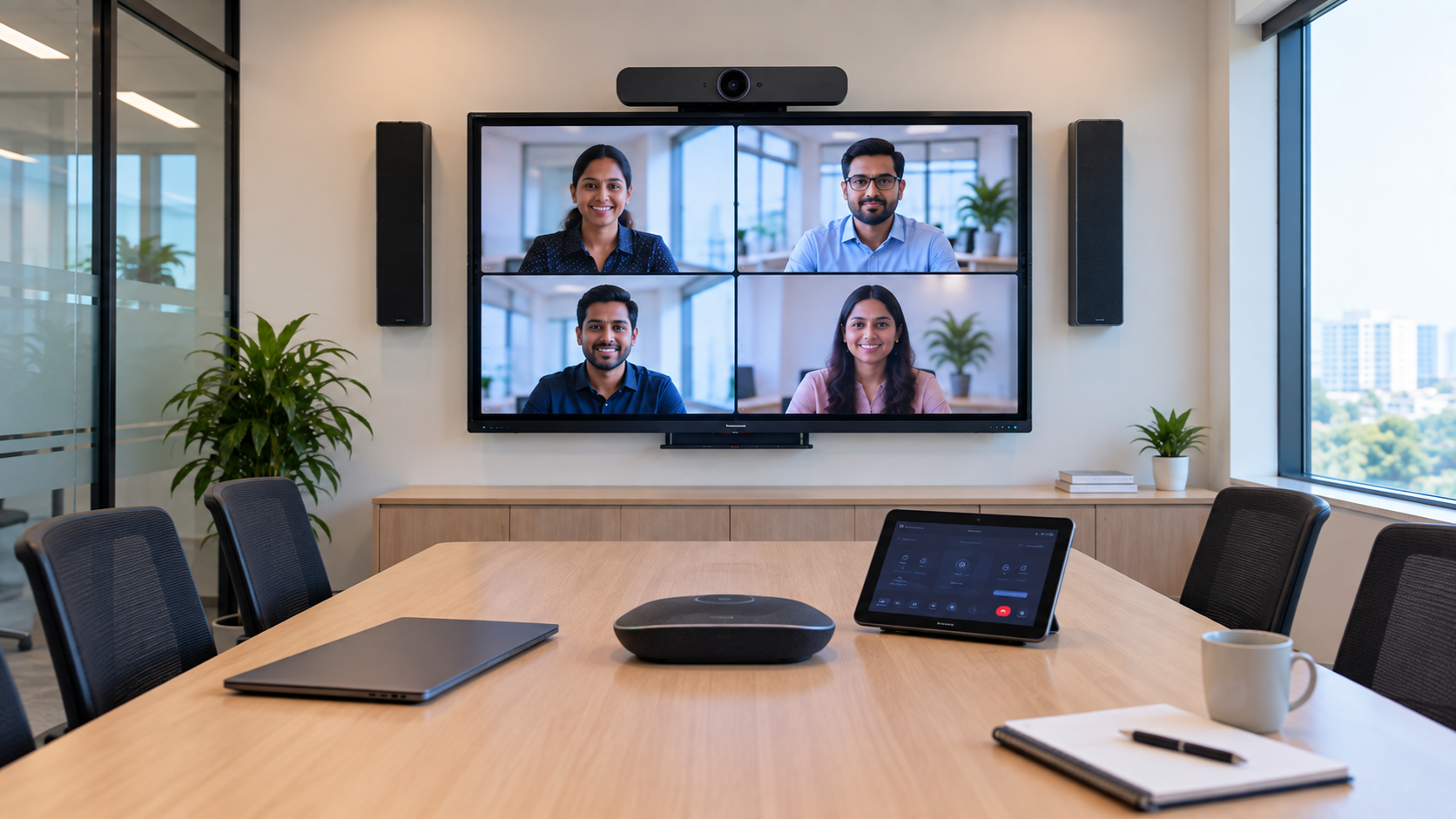
A professional Microsoft Teams Room setup needs more than a camera and screen. The right combination of an interactive display, PTZ camera, microphone, speakers, room controller and connectivity accessories can transform an ordinary meeting room into a reliable collaboration space. For Indian businesses, educational institutions, coaching centres and hybrid teams, selecting the right conference room equipment is equally important as selecting the right software. GoLive eTechnologies helps customers choose, install and support complete technology solutions based on room size, application and budget.
What Equipment Is Needed for a Microsoft Teams Room?
A typical Microsoft Teams Room equipment list includes:
Display or interactive flat panel
PTZ conference camera
Conference microphone
Conference room speakers
Microsoft Teams Room controller
Mini PC/compute unit
HDMI and USB connectivity
Wall or ceiling mounting accessories
Network connectivity
Optional video capture and room-control equipment
The exact configuration depends on whether you are setting up a small meeting room, boardroom, training room, classroom or hybrid collaboration space.
1. Display or Interactive Panel
The display is the centrepiece of a Teams Room. A professional display should provide sharp visuals, easy content sharing and comfortable viewing for everyone in the room.
For collaboration and training environments, an interactive flat panel display can offer additional advantages such as touch interaction, annotation and digital whiteboarding.
GoLive eTechnologies can help businesses evaluate options such as Evota interactive panel, Evota smart board, MAXHUB smart board, Newline interactive panel and LG interactive panel according to room requirements.
Why choose an interactive display?
4K visual quality for presentations and video
Touch and annotation capabilities
Digital whiteboarding
Better collaboration during hybrid meetings
Suitable for meeting rooms, classrooms and training centres
If you're comparing an Evota smart board 75 inch price, Newline digital board 75 inch price, LG interactive flat panel 75 inch price or MAXHUB digital board price, compare the complete solution—not just the panel price.
2. PTZ Camera for Microsoft Teams Rooms
A camera is one of the most important components of a hybrid meeting room. A PTZ camera can pan, tilt and zoom to provide better coverage than a basic webcam.
For larger meeting rooms and boardrooms, a 4K PTZ camera can deliver high-resolution video while allowing participants to be framed more effectively.
GoLive eTechnologies offers solutions such as Evota 4K PTZ camera, Evota PTZ camera and other professional conference camera options.
PTZ camera benefits
Wide room coverage
Pan, tilt and zoom functionality
High-resolution video
Better participant framing
Suitable for boardrooms and training rooms
Useful for hybrid meetings and online teaching
For smaller rooms, a professional USB webcam may be sufficient. For larger rooms, a dedicated PTZ camera is generally a more scalable choice.
3. Microphone for Clear Conference Audio
Video quality gets attention, but audio quality determines whether a meeting feels professional.
A Microsoft Teams Room should have microphones positioned so participants can be heard clearly without repeatedly asking others to speak louder.
Depending on the room, businesses may consider:
Conference microphones
Wireless microphones
Table microphones
Ceiling microphones
Speakerphone systems
Conference speaker and microphone combinations
GoLive eTechnologies can help select the appropriate conference room speaker microphone, wireless mic for teachers, smart microphone or professional microphone solution based on room size and usage.
Why microphone selection matters
A good microphone setup can reduce:
Echo
Background noise
Uneven voice levels
Audio dropouts
Repeated questions during meetings
For boardrooms and larger meeting spaces, microphone placement should be planned along with the camera and speaker layout.
4. Conference Room Speakers
Speakers complete the audio system by ensuring remote participants can be heard clearly.
A suitable conference room speaker should provide consistent sound coverage without becoming uncomfortable at higher volumes.
For larger installations, professional audio brands and solutions can be considered based on acoustic requirements, including suitable amplifier and speaker configurations.
The right speaker solution depends on:
Room dimensions
Number of participants
Ceiling height
Acoustic treatment
Microphone configuration
Meeting frequency
GoLive eTechnologies can support customers with speaker, microphone and audio integration, rather than simply supplying individual products.
5. Microsoft Teams Room Controller
A room controller provides an easy way to operate the meeting system.
Users should be able to:
Join meetings
Start or end calls
Control volume
Manage participants
Share content
Control connected room equipment
A properly configured controller reduces dependence on technical staff and makes the meeting room easier for employees to operate.
This is particularly valuable for organisations with multiple meeting rooms where consistent room operation is important.
6. Connectivity & Accessories
A reliable Teams Room isn't complete without the right accessories.
Depending on the configuration, you may require:
HDMI cables
USB cables
USB extension cables
HDMI video capture devices
Network connectivity
Wall mount or mounting kit
Power accessories
Cable management
Mini PC or compute equipment
GoLive eTechnologies can help customers select compatible accessories as part of an end-to-end deployment.
Microsoft Teams Room Equipment Comparison
|
Equipment |
Purpose |
Recommended For |
|---|---|---|
|
Interactive Display |
Video, presentations & collaboration |
Meeting rooms, classrooms |
|
PTZ Camera |
Professional room video |
Medium & large rooms |
|
Conference Microphone |
Voice capture |
Meeting rooms |
|
Speakers |
Remote participant audio |
All room sizes |
|
Room Controller |
Meeting management |
Professional Teams Rooms |
|
Mini PC/Compute |
Runs collaboration software |
Dedicated Teams Rooms |
|
HDMI/USB Accessories |
Connectivity & sharing |
All configurations |
Choosing the Right Teams Room Equipment in India
There is no single equipment combination that works for every room.
Small meeting room
A compact setup may include:
Display + USB camera + microphone/speaker + controller
Medium conference room
Consider:
75-inch display + PTZ camera + conference microphone + speakers + controller
Large boardroom
A larger room may require:
Large 4K display + professional PTZ cameras + multiple microphones + professional speakers + controller + dedicated compute
Training or hybrid classroom
Consider:
Interactive flat panel + PTZ camera + wireless microphone + speakers + presentation system
This approach makes it easier to select the right solution instead of paying for unnecessary equipment.
Why Choose GoLive eTechnologies for Microsoft Teams Room Setup?
GoLive eTechnologies focuses on more than simply supplying technology.
Our brand promise is simple:
Technology that works, backed by people who help.
From selecting an Evota interactive panel or MAXHUB digital board to configuring cameras, microphones, displays and connectivity, GoLive eTechnologies provides end-to-end technology support from selection to installation and beyond.
Customers benefit from:
Right solution based on application and room requirements
Fast deployment to reduce setup delays
Professional installation
Training and assistance
Post-installation support
The goal is simple: less technology headache and more confidence that everything will work.
Whether you are looking for a Microsoft Teams Room setup in Delhi NCR, a smart classroom solution, an online teaching setup or conference room equipment for an office anywhere in India, GoLive eTechnologies can help build the right technology stack.
Final Microsoft Teams Room Buying Checklist
Before purchasing, check:
Room size and seating capacity
Display size and viewing distance
Camera coverage
Microphone pickup range
Speaker coverage
Teams compatibility
Controller requirements
HDMI/USB connectivity
Installation requirements
Training and after-sales support
Don't buy individual devices blindly. Build a complete, compatible room solution.
Ready to Build Your Microsoft Teams Room?
Explore professional displays, Evota smart boards, MAXHUB smart boards, Newline interactive panels, PTZ cameras, microphones and conference room solutions with GoLive eTechnologies.
Get the right solution, fast deployment, professional installation and dependable support—from selection to installation and beyond.
Your email address will not be published. Required fields are marked *

By Inhype • September 12, 2026
A smart classroom is only as effective as the technology supporting it. Interactive panels, smart boards, PTZ cameras, microphones, speakers, PCs and
Read More
By Inhype • September 12, 2026
Higher education is rapidly moving beyond traditional chalkboards and projectors. Today, colleges and universities need technology that supports inter
Read More
By Inhype • September 12, 2026
A smart classroom for CBSE schools is no longer simply a classroom with a digital board. Modern schools are building connected learning environments t
Read More
By Inhype • September 12, 2026
Planning a smart classroom project for 10, 20 or even 50 classrooms requires more than simply purchasing digital boards. Schools, colleges, universiti
Read More
By Inhype • September 12, 2026
A smart classroom can transform the way teachers explain concepts, students interact with lessons, and institutions deliver digital education. From in
Read More




Golive eTechnologies India Private Limited (CIN - U31909UP2021PTC148242) is one of India's leading providers of smart classrooms, interactive boards, video conferencing solutions, and display technologies for the education, healthcare, corporate, and government sectors.





















No comments yet. Be the first to comment!