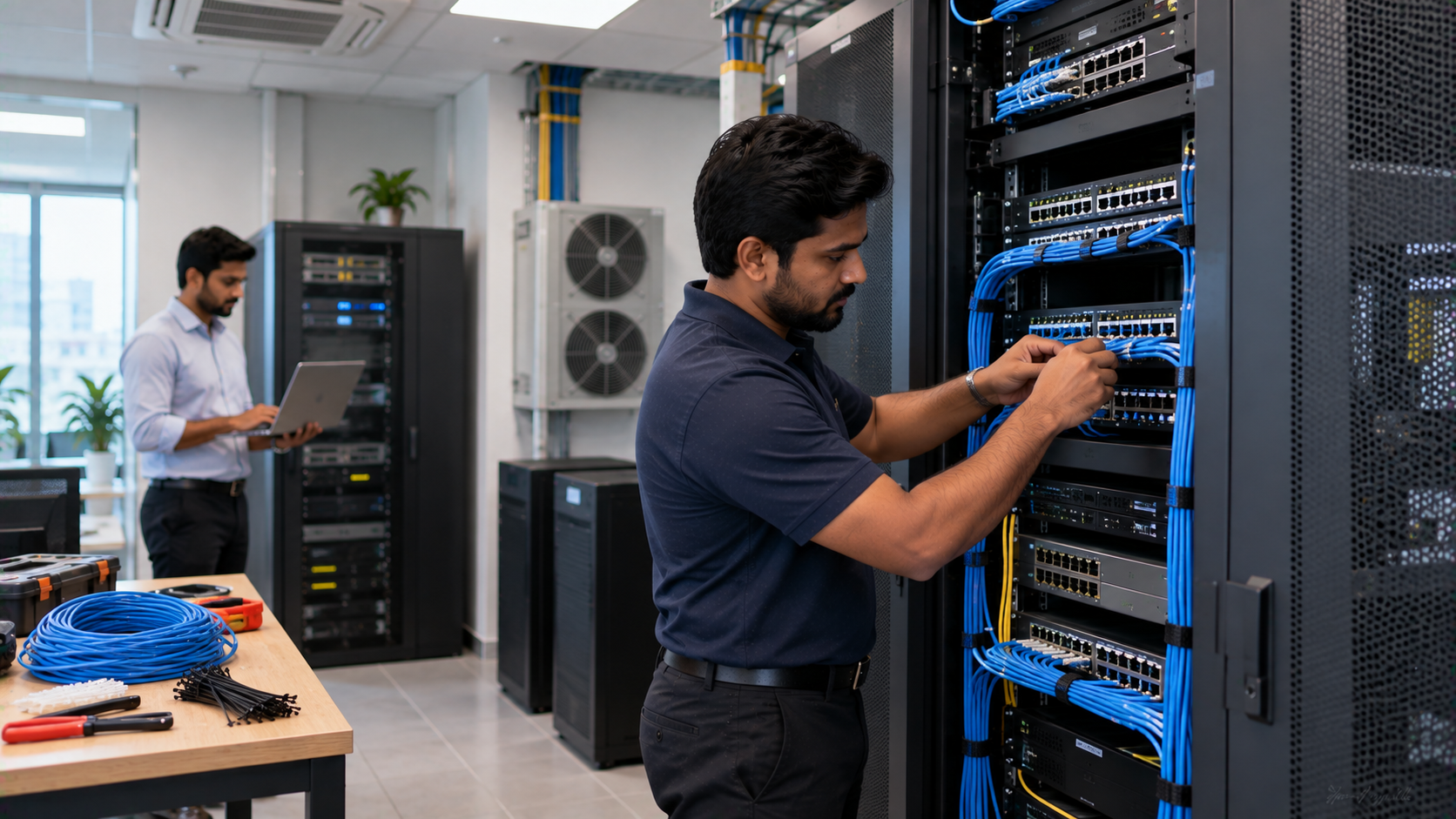
A reliable IT network starts with more than routers and switches. A properly planned network rack setup keeps networking equipment organized, improves airflow, simplifies maintenance and makes future upgrades easier. Whether you are setting up a school, office, coaching centre, server room, smart classroom or business facility, choosing the right rack equipment and installation approach can reduce technology headaches. With the right combination of network rack equipment, structured cabling, power management and cooling, organizations can create an infrastructure that is easier to monitor, maintain and scale. At GoLive eTechnologies, the focus goes beyond supplying technology. Our approach is simple: Technology that works, backed by people who help. From selecting the right solution to installation, deployment and ongoing assistance, GoLive helps customers build technology environments with greater confidence.
What Is a Network Rack Setup?
A network rack is a structured enclosure or open-frame system used to house networking and IT equipment. Depending on the application, a rack may contain:
Network switches
Routers and firewalls
Patch panels
Cable management accessories
UPS systems
Power distribution units
Servers and storage equipment
CCTV/networking equipment
Fibre termination equipment
Rack-mounted accessories
A good network rack setup keeps equipment accessible while preventing cable clutter, overheating and unnecessary downtime.
For organizations also investing in smart classroom equipment, interactive panels, PTZ cameras or online teaching equipment, a properly organized network infrastructure can support reliable connectivity across the entire environment.
Network Rack Equipment Checklist
Before installation, identify the equipment that needs to be mounted inside or connected to the rack.
1. Network Switches
Switches connect computers, access points, cameras, interactive displays and other network devices. Select the appropriate port count and bandwidth based on current and expected requirements.
2. Patch Panel
A patch panel provides a structured termination point for network cables. It makes troubleshooting and future changes easier compared with directly connecting every cable to the switch.
3. Router and Firewall
Routers manage network traffic between networks, while firewalls provide security controls. Their location should allow easy access for configuration and maintenance.
4. UPS and Power Distribution
A UPS can provide backup power during interruptions and help protect critical equipment. Rack-mounted power distribution also keeps connections organized.
5. Cable Management
Horizontal and vertical cable managers help maintain clean cable routes. Proper management is particularly important when several classrooms, workstations or IP cameras connect to the same infrastructure.
Network Rack Cabling Checklist
Cabling is one of the most important parts of a professional network rack installation.
Follow these practices:
Use appropriate Cat6/Cat6A or fibre cabling for the application.
Label cables at both ends.
Keep data and power cables properly separated where practical.
Avoid excessive bends and cable tension.
Use patch panels instead of creating unnecessary direct connections.
Leave sufficient slack for maintenance and future changes.
Use cable managers to maintain organized pathways.
Document switch ports and connected devices.
A neat rack isn't only about appearance. Structured cabling makes troubleshooting faster and future expansion easier.
Power Checklist for a Network Rack
Power planning should be completed before equipment is installed.
Consider:
UPS → PDU → Network Equipment
Depending on the setup, the rack may include switches, routers, servers, storage systems and other equipment. Calculate their combined power requirements and select suitable power protection accordingly.
Power checklist:
Calculate the total equipment load.
Select an appropriately rated UPS.
Use suitable rack-mounted PDU arrangements.
Avoid overloading individual circuits.
Keep power cables organized.
Provide proper earthing.
Leave capacity for future equipment.
Test backup power periodically.
For larger installations, professional electrical and IT infrastructure assessment is recommended.
Network Rack Cooling and Airflow Checklist
Heat is an important consideration in any equipment rack.
Networking devices and servers generate heat during operation. Poor airflow can contribute to higher operating temperatures and may affect equipment reliability.
Improve rack airflow by:
Keeping front and rear airflow paths clear.
Avoiding unnecessary cable accumulation.
Using blanking panels where appropriate.
Positioning high-heat equipment carefully.
Maintaining suitable room ventilation or air conditioning.
Monitoring temperature in critical environments.
Keeping the rack away from direct heat sources.
For server rooms and high-density installations, cooling requirements should be calculated according to the equipment load rather than relying on a generic cooling arrangement.
Network Rack Setup: Equipment Comparison
|
Component |
Main Purpose |
Key Benefit |
|---|---|---|
|
Rack cabinet |
Houses IT equipment |
Organization and protection |
|
Patch panel |
Terminates network cables |
Easier maintenance |
|
Network switch |
Connects network devices |
Centralized connectivity |
|
Cable manager |
Routes cables |
Cleaner installation |
|
UPS |
Backup power |
Power continuity |
|
PDU |
Distributes rack power |
Organized power management |
|
Cooling system |
Controls temperature |
Better operating environment |
How Network Infrastructure Supports Smart Classrooms
Modern educational environments increasingly combine networking with interactive flat panel displays, PTZ cameras, computers, audio systems and online teaching equipment.
A school or coaching centre may deploy products such as an Evota interactive panel, MAXHUB smart board, Newline interactive panel or LG interactive panel alongside cameras and classroom technology.
These devices depend on reliable connectivity and appropriate infrastructure.
For example, an Evota 4K PTZ camera can support lecture recording, hybrid classes and online teaching environments, while an interactive display can be connected to the classroom network for collaboration and digital teaching.
GoLive eTechnologies can help organizations evaluate the complete technology requirement instead of treating each device as an isolated purchase.
Why Choose GoLive eTechnologies for Technology Deployment?
Buying technology is only one part of a successful deployment.
At GoLive eTechnologies, our brand promise is:
Technology that works, backed by people who help.
Our end-to-end approach covers:
Solution selection
Product recommendations
Deployment planning
Installation
Configuration assistance
User training
After-sales support
Whether you are evaluating Evota digital board price, MAXHUB smart board price, Newline digital board price or LG interactive digital board price in India, the purchase decision should consider more than the product's initial cost.
The right solution depends on room size, usage, connectivity, installation requirements, users and long-term support.
That is where professional assistance can add value.
Network Rack Setup Cost in India: What Affects Pricing?
There is no single network rack setup price for every organization.
The overall cost can vary based on:
Rack size and type
Number of networking devices
Switch specifications
Cabling length and category
Patch panels
UPS capacity
PDU requirements
Installation complexity
Fibre networking requirements
Cooling requirements
Future expansion capacity
Similarly, the price of an interactive display or smart board depends on screen size, specifications, operating system, accessories and deployment requirements.
Instead of selecting equipment based solely on a digital board price or individual component price, businesses and institutions should evaluate the complete technology requirement.
Network Rack Setup Checklist Before Going Live
Use this final checklist before commissioning your rack:
Equipment
Rack size confirmed
Switches and networking devices installed
Patch panels installed
UPS/PDU installed
Cable management completed
Cabling
Every cable labelled
Ports documented
Data cables routed properly
Power cables organized
Spare capacity maintained
Power
Load calculated
UPS tested
PDU connections checked
Earthing verified
Cooling
Airflow paths clear
Rack ventilation checked
Room cooling adequate
High-heat equipment monitored
Testing
Network connectivity tested
Equipment configuration verified
Backup power tested
Documentation completed
User handover/training completed
Build a Technology Setup That Works
From a network rack setup to a complete smart classroom or professional AV environment, choosing compatible equipment and having the right deployment support can make a significant difference.
GoLive eTechnologies provides technology solutions backed by installation, assistance and support—helping customers move from selection to installation and beyond.
Explore solutions for interactive displays, smart classrooms, PTZ cameras, AV equipment and IT infrastructure through GoLive eTechnologies India Private Limited.
Technology that works. Backed by people who help.
Your email address will not be published. Required fields are marked *

By Inhype • September 12, 2026
A smart classroom is only as effective as the technology supporting it. Interactive panels, smart boards, PTZ cameras, microphones, speakers, PCs and
Read More
By Inhype • September 12, 2026
Higher education is rapidly moving beyond traditional chalkboards and projectors. Today, colleges and universities need technology that supports inter
Read More
By Inhype • September 12, 2026
A smart classroom for CBSE schools is no longer simply a classroom with a digital board. Modern schools are building connected learning environments t
Read More
By Inhype • September 12, 2026
Planning a smart classroom project for 10, 20 or even 50 classrooms requires more than simply purchasing digital boards. Schools, colleges, universiti
Read More
By Inhype • September 12, 2026
A smart classroom can transform the way teachers explain concepts, students interact with lessons, and institutions deliver digital education. From in
Read More




Golive eTechnologies India Private Limited (CIN - U31909UP2021PTC148242) is one of India's leading providers of smart classrooms, interactive boards, video conferencing solutions, and display technologies for the education, healthcare, corporate, and government sectors.





















No comments yet. Be the first to comment!