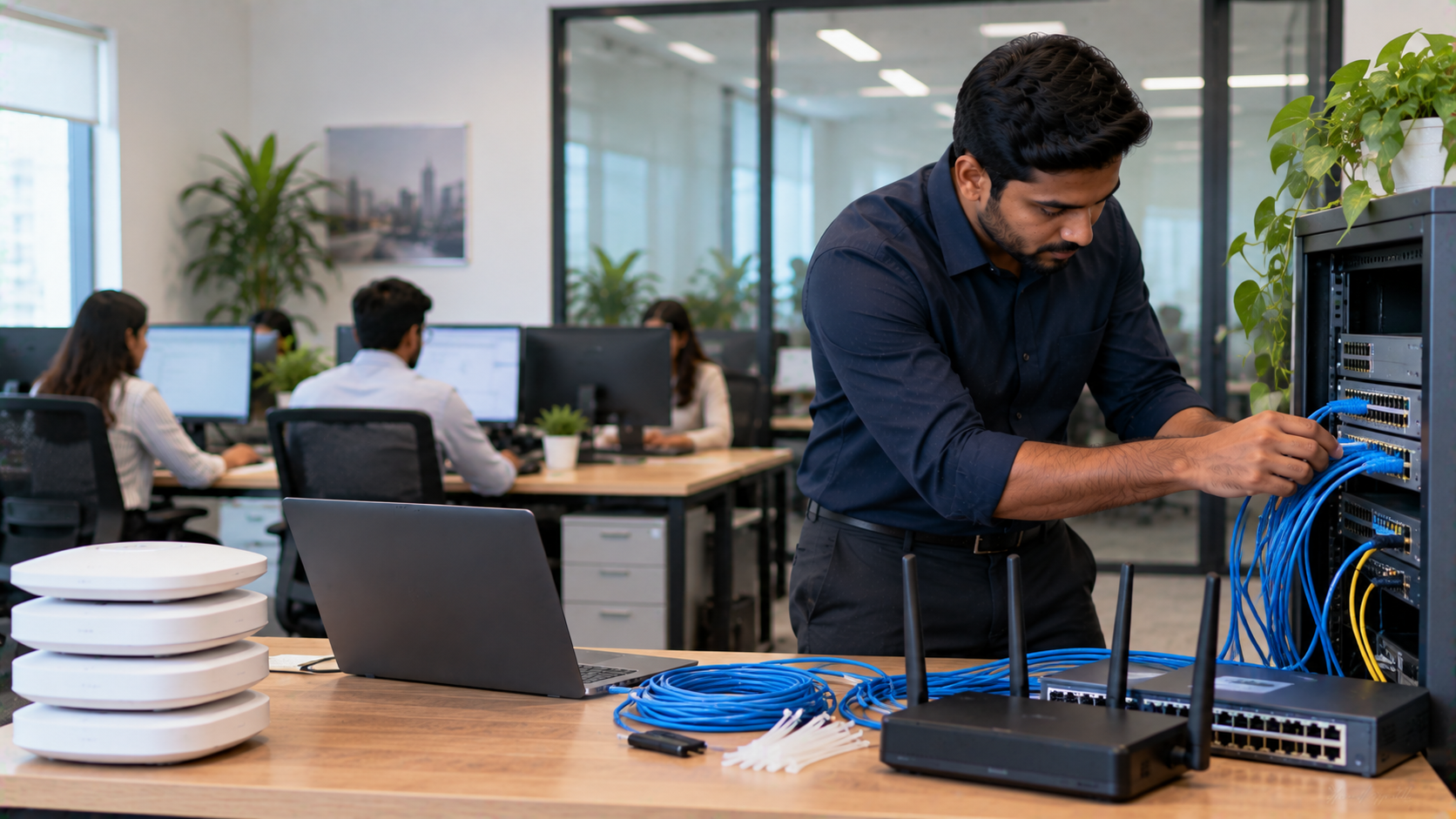
A reliable office networking setup is the backbone of modern business operations. From sharing files and printers to supporting cloud applications, video meetings, IP cameras and connected devices, your network determines how smoothly your team works every day. For small and medium businesses in India, the right networking infrastructure does not have to be complicated or unnecessarily expensive. The key is selecting the right combination of networking hardware, computers, displays, cameras and supporting technology—and having the right people to install and support it. At GoLive eTechnologies, our approach is simple: technology that works, backed by people who help. We support businesses from technology selection and deployment to installation, training and after-sales assistance.
What Is an Office Networking Setup?
An office network connects computers, laptops, printers, servers, displays, cameras and other business devices so they can communicate and access shared resources.
A typical small business network setup may include:
Business-grade router
Network switches
Wi-Fi access points
Ethernet/LAN cabling
Network racks and accessories
Computers and laptops
Printers and shared devices
Interactive displays
PTZ and conferencing cameras
Network security and backup systems
For a growing organization, the network should be designed not only for today's requirements but also for future employees, devices and applications.
Key Components of a Small and Medium Business Network
1. Business Router
The router manages communication between your office network and the internet. Select a router according to your internet speed, number of users, security requirements and expected future growth.
2. Network Switch
A switch connects wired devices within the office. Businesses with multiple computers, printers, access points, cameras or collaboration devices should plan switch capacity according to the number of connected devices.
3. Wi-Fi Access Points
A single wireless router may not provide reliable coverage throughout a larger office. Multiple access points can provide better coverage across meeting rooms, workstations and common areas.
4. Structured Cabling
Good cabling is an important part of an office networking setup. Proper cable routing, labelling and installation make troubleshooting and future expansion easier.
5. Network Security
A business network should be protected using appropriate firewall, password, access-control and security practices. Guest Wi-Fi should also be separated from internal business systems wherever appropriate.
Office Networking Setup for Modern Collaboration
Today's offices are no longer built around computers alone. Businesses increasingly use interactive flat panel displays, PTZ cameras, conference cameras, microphones, digital boards and Mini PCs.
These devices require dependable connectivity to support:
Video conferencing
Online meetings
Wireless presentations
Cloud applications
Digital collaboration
Training sessions
Hybrid meetings
Online teaching and corporate learning
GoLive eTechnologies provides technology categories that can complement a modern connected workplace, including Interactive Flat Panels, Cameras & Imaging Solutions, PC Build & OPS Mini PC, Microphones, Commercial Displays and Accessories & Add-Ons.
For example, GoLive currently lists the MAXHUB UC P25 4K UHD PTZ Camera with 12X optical zoom and PoE support, making it relevant for meeting and collaboration environments where network connectivity is part of the overall AV deployment.
GoLive Products That Can Support a Connected Office
A network is most useful when it supports the complete technology ecosystem inside an organization.
EVOTA Interactive Panels
The Evota EP75 75-inch 4K UHD Interactive Panel is designed for presentations, collaboration, training and interactive workplace applications. GoLive currently lists this model at ₹92,700, although website pricing and availability are subject to change.
Businesses searching for Evota smart board price, Evota smart board 75 inch price, Evota digital board price or Evota interactive panel can compare the configuration with their meeting-room or training-room requirements rather than choosing purely on screen size.
MAXHUB Digital Boards and Interactive Panels
GoLive offers multiple MAXHUB interactive display options, including 65-inch, 75-inch and 86-inch models. Current website listings include the MAXHUB E6530 65-inch, E7530 75-inch and E8630 86-inch interactive flat panels.
These displays can be integrated into meeting rooms, training environments and collaboration spaces where network connectivity supports online meetings, content sharing and cloud-based workflows.
PTZ Cameras
A PTZ camera can be useful for conference rooms, training rooms, boardrooms and hybrid meetings. GoLive's current portfolio includes MAXHUB and Philips conferencing cameras, along with EVOTA camera solutions.
Businesses searching for Evota 4K PTZ camera, Evota PTZ camera price, Logitech PTZ camera, PTZ camera price or 4K PTZ camera should consider resolution, optical zoom, connectivity, room size and software compatibility.
OPS Mini PCs
Interactive displays and meeting-room systems may require a dedicated computing device. GoLive currently lists an Intel Core i5 12th Gen OPS PC Module with 8GB RAM, 256GB SSD, Wi-Fi and Bluetooth.
This can help businesses create a cleaner integrated setup for presentations, collaboration applications and digital workplace workflows.
Office Networking Setup: Wired vs Wireless
|
Requirement |
Wired Network |
Wireless Network |
|---|---|---|
|
Desktop computers |
Excellent |
Good |
|
Video conferencing |
Highly reliable |
Good with strong Wi-Fi |
|
Mobility |
Limited |
Excellent |
|
Large file transfers |
Strong |
Depends on Wi-Fi |
|
Installation flexibility |
Requires cabling |
Easier deployment |
|
Security control |
Strong |
Requires careful configuration |
|
Best approach |
Fixed devices |
Mobile devices |
For many SMEs, a hybrid network combining wired Ethernet with business-grade Wi-Fi provides flexibility without sacrificing reliability.
How to Plan an Office Network
Before purchasing equipment, consider:
Number of Users
Estimate current employees and expected growth. A 20-person office and a 100-person organization have very different networking requirements.
Number of Devices
Count desktops, laptops, printers, access points, cameras, displays, phones and other connected devices.
Office Layout
Meeting rooms, cabins, open workspaces and multiple floors may require different networking and Wi-Fi configurations.
Internet Usage
Cloud applications, video conferencing and large file transfers can significantly increase bandwidth requirements.
Future Expansion
Leave sufficient capacity for additional employees and devices instead of designing a network that only works at its current limit.
Common Office Networking Mistakes to Avoid
Choosing equipment only because it is inexpensive
Installing insufficient Wi-Fi coverage
Ignoring network security
Using poor-quality or badly organised cabling
Not planning for future expansion
Mixing business-critical devices with unsecured guest access
Failing to document network connections
Buying individual devices without considering system compatibility
A low initial purchase price does not always mean a lower total cost of ownership. A properly planned setup can reduce troubleshooting, downtime and replacement costs.
Office Networking Setup Cost in India
The office networking setup cost in India depends on several factors:
Number of employees
Number of network points
Router and switch specifications
Wi-Fi coverage requirements
Cabling and installation
Security requirements
Meeting-room technology
Number of cameras and displays
Future expansion requirements
Instead of relying on a generic "network setup price", businesses should request a solution based on their actual office size and device requirements.
Similarly, searches such as digital board price in India, interactive panel price, smart board price in India, PTZ camera price and conference equipment price should be evaluated according to specifications, warranty, installation and support—not just the hardware's headline price.
Why Choose GoLive eTechnologies for Business Technology?
Choosing technology is only one part of the process. Deployment, installation and post-purchase support can have an equally important impact on the user experience.
GoLive eTechnologies India Private Limited provides technology solutions across areas such as interactive displays, conferencing, commercial displays, PCs, cameras, microphones and related workplace technologies.
The GoLive proposition is simple:
Right solution + fast deployment + installation + support.
The goal is to reduce technology headaches and give businesses confidence that their solution will work as intended.
GoLive also provides sales and technical support, with on-site demos and installation available for select locations and product categories.
For businesses in Delhi NCR, Noida, Ghaziabad and across India, this end-to-end approach can be particularly useful when multiple technologies need to work together.
Office Networking Setup Checklist
Before finalising your setup, check:
Number of employees
Number of connected devices
Internet bandwidth
Router capacity
Switch requirements
Wi-Fi coverage
Ethernet cabling
Network security
Meeting-room requirements
Interactive display requirements
PTZ/conferencing camera requirements
Future expansion
Installation and technical support
Final Takeaway
A reliable office networking setup is more than an internet connection. It is the infrastructure that connects people, computers, collaboration tools and business technology.
For SMEs, the best approach is to plan the network around actual business requirements and future growth. Interactive panels, PTZ cameras, Mini PCs and conferencing equipment can then be integrated into a connected workplace rather than treated as isolated purchases.
With GoLive eTechnologies, businesses can explore workplace technology solutions while getting support across selection, deployment, installation and after-sales assistance.
Technology that works, backed by people who help.
Your email address will not be published. Required fields are marked *

By Inhype • September 12, 2026
A smart classroom is only as effective as the technology supporting it. Interactive panels, smart boards, PTZ cameras, microphones, speakers, PCs and
Read More
By Inhype • September 12, 2026
Higher education is rapidly moving beyond traditional chalkboards and projectors. Today, colleges and universities need technology that supports inter
Read More
By Inhype • September 12, 2026
A smart classroom for CBSE schools is no longer simply a classroom with a digital board. Modern schools are building connected learning environments t
Read More
By Inhype • September 12, 2026
Planning a smart classroom project for 10, 20 or even 50 classrooms requires more than simply purchasing digital boards. Schools, colleges, universiti
Read More
By Inhype • September 12, 2026
A smart classroom can transform the way teachers explain concepts, students interact with lessons, and institutions deliver digital education. From in
Read More




Golive eTechnologies India Private Limited (CIN - U31909UP2021PTC148242) is one of India's leading providers of smart classrooms, interactive boards, video conferencing solutions, and display technologies for the education, healthcare, corporate, and government sectors.





















No comments yet. Be the first to comment!