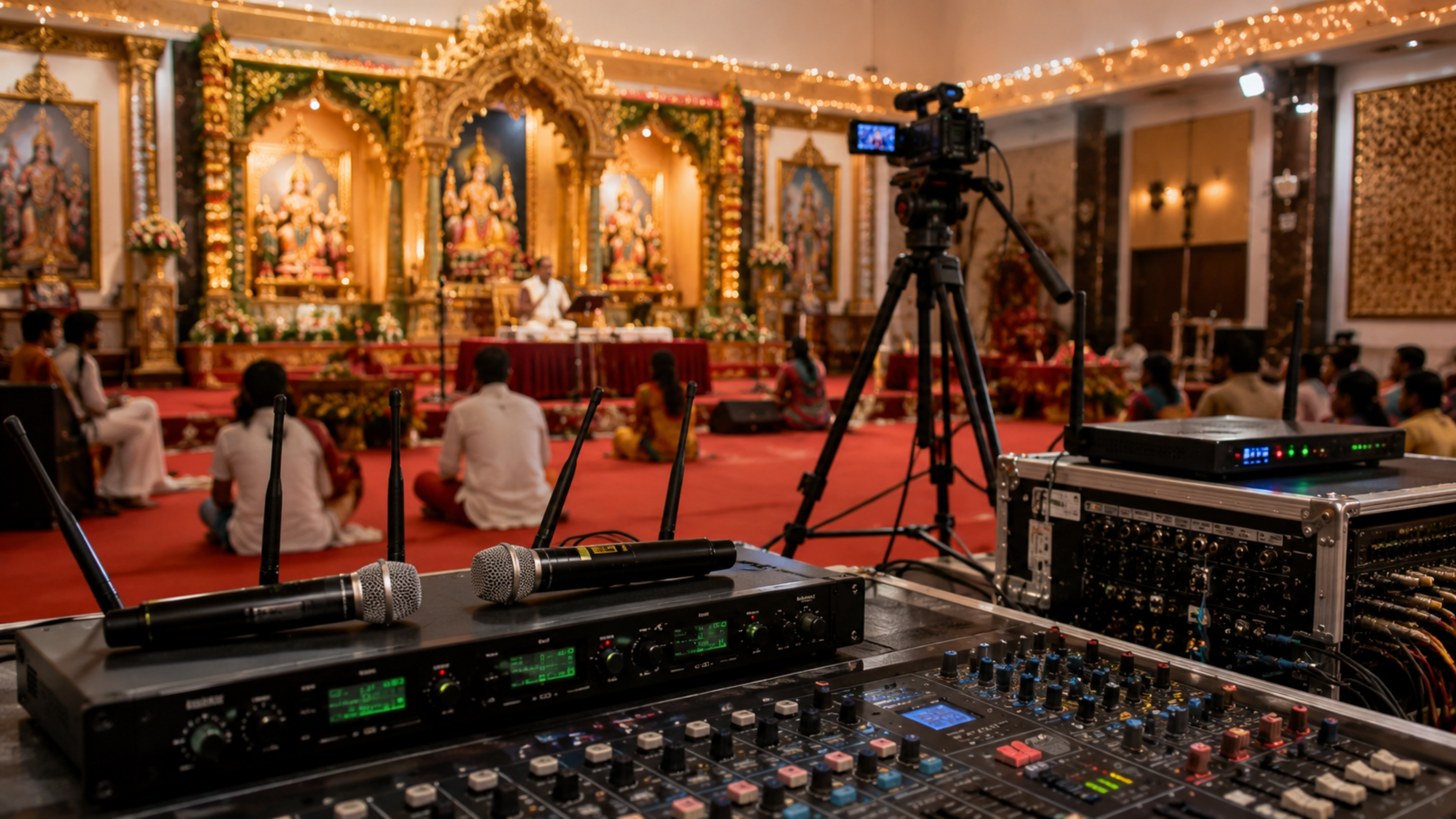
In today's digital era, live prayer broadcasts have become an essential way for temples, churches, mosques, gurudwaras, and spiritual organizations to connect with devotees across India and around the world. While high-quality video is important, clear audio is what truly keeps viewers engaged. Unfortunately, wireless microphone interference can cause signal drops, static noise, audio distortion, and interruptions during live broadcasts. At GoLive eTechnologies India Private Limited, we provide professional audio-visual solutions that help religious institutions achieve reliable, broadcast-quality live streaming. Whether you're setting up a new prayer hall or upgrading an existing streaming studio, our range of EVOTA wireless audio solutions, PTZ cameras, vision mixers, HDMI capture devices, and live streaming accessories ensures uninterrupted communication.
Why Does Wireless Microphone Interference Happen?
Wireless microphones operate using radio frequencies (RF). When multiple wireless devices use the same or nearby frequencies, interference can occur.
Common causes include:
Multiple wireless microphones using overlapping frequencies
Nearby Wi-Fi routers
Bluetooth devices
Mobile phones
CCTV wireless transmitters
LED display controllers
Poor-quality wireless microphones
Improper antenna placement
Low battery levels
For live prayer broadcasts, even a brief audio interruption can affect the worship experience for online viewers.
Signs of Wireless Microphone Interference
If you notice any of the following issues, your wireless microphone system may be experiencing interference:
Sudden audio dropouts
Crackling or static sounds
Buzzing noise
Distorted speech
Delayed audio
Signal loss while moving
Random popping sounds
Reduced microphone range
Professional audio equipment significantly reduces these problems by offering better RF stability and automatic frequency management.
8 Proven Ways to Prevent Wireless Microphone Interference
1. Use Professional Wireless Microphones
Low-cost wireless microphones often use crowded frequency bands and lack proper shielding, making them more susceptible to interference.
Professional wireless microphone systems offer:
Stable wireless transmission
Better signal processing
Reduced background noise
Higher operating range
Reliable performance during long broadcasts
GoLive eTechnologies offers professional AV solutions suitable for religious institutions, educational campuses, auditoriums, and conference halls across India.
2. Select the Right Frequency
Avoid operating multiple microphones on the same frequency.
Before every live prayer session:
Scan available RF channels
Choose interference-free frequencies
Avoid overlapping channels
Recheck frequencies before major events
Many professional systems automatically scan and select the best available channel.
3. Keep Distance from Wireless Devices
Wireless interference commonly comes from nearby electronic equipment.
Maintain adequate distance from:
Wi-Fi routers
Bluetooth speakers
Wireless CCTV systems
Smartphones
Wireless intercom systems
RF transmitters
Separating audio equipment from these devices helps maintain a stronger wireless connection.
4. Position Antennas Correctly
Improper antenna placement can weaken signal strength.
For best performance:
Keep antennas visible.
Avoid placing antennas behind walls or metal structures.
Mount receivers at an elevated position.
Point antennas according to the manufacturer's recommendations.
Avoid placing antennas close together.
Correct antenna placement can greatly improve signal reliability during long live broadcasts.
5. Monitor Battery Levels
Weak batteries reduce transmission power and increase the risk of signal loss.
Best practices include:
Use fresh or fully charged batteries before every service.
Keep spare batteries ready.
Replace batteries before long prayer sessions.
Use high-quality rechargeable batteries when appropriate.
6. Use High-Quality Audio Mixers
A professional audio mixer helps maintain consistent sound quality while minimizing unwanted noise.
Pair your wireless microphones with reliable audio equipment such as:
Audio mixers
Mic controllers
Conference audio systems
Digital signal processors
These devices help balance microphone levels and improve overall audio clarity.
7. Reduce Physical Obstructions
Wireless signals weaken when blocked by:
Concrete walls
Metal structures
Large pillars
Equipment racks
LED display panels
Keep a clear line of sight between the microphone transmitter and receiver whenever possible.
8. Test Your Equipment Before Going Live
Never wait until the prayer session starts.
Conduct a complete audio check:
Test every microphone.
Walk throughout the worship area.
Check for interference.
Verify battery status.
Monitor audio through headphones.
Confirm audio sync with your live stream.
A short pre-event test can prevent major interruptions during the broadcast.
Recommended Live Prayer Broadcast Equipment
To achieve reliable audio and video performance, consider using professional broadcast equipment available through GoLive eTechnologies.
Recommended Products
EVOTA Wireless Microphone Systems for stable voice transmission
EVOTA 4K PTZ Camera for smooth, remote-controlled video coverage
EVOTA 10X HD PTZ Camera for medium-sized worship spaces
Logitech PTZ Camera for conference and prayer hall streaming
Vision Mixers for multi-camera production
HDMI Video Capture Devices for seamless streaming to OBS Studio and other platforms
Professional Audio Mixers for balanced sound
Conference Speaker and Microphone Systems for larger venues
These solutions are ideal for temples, churches, mosques, gurudwaras, auditoriums, and community halls.
Why Choose GoLive eTechnologies?
GoLive eTechnologies India Private Limited is a trusted provider of professional AV, live streaming, and smart classroom solutions. We help organizations across India build reliable setups for education, corporate communication, worship services, and events.
Our solutions include:
EVOTA Interactive Panels
EVOTA Smart Boards
EVOTA PTZ Cameras
Live Streaming Equipment
Vision Mixers
Audio Systems
HDMI Capture Solutions
Interactive Display Panels
Installation and Technical Support
Whether you need a complete live prayer broadcast setup or individual AV components, our experts can help you choose the right solution for your requirements.
Your email address will not be published. Required fields are marked *

By Inhype • September 12, 2026
A smart classroom is only as effective as the technology supporting it. Interactive panels, smart boards, PTZ cameras, microphones, speakers, PCs and
Read More
By Inhype • September 12, 2026
Higher education is rapidly moving beyond traditional chalkboards and projectors. Today, colleges and universities need technology that supports inter
Read More
By Inhype • September 12, 2026
A smart classroom for CBSE schools is no longer simply a classroom with a digital board. Modern schools are building connected learning environments t
Read More
By Inhype • September 12, 2026
Planning a smart classroom project for 10, 20 or even 50 classrooms requires more than simply purchasing digital boards. Schools, colleges, universiti
Read More
By Inhype • September 12, 2026
A smart classroom can transform the way teachers explain concepts, students interact with lessons, and institutions deliver digital education. From in
Read More




Golive eTechnologies India Private Limited (CIN - U31909UP2021PTC148242) is one of India's leading providers of smart classrooms, interactive boards, video conferencing solutions, and display technologies for the education, healthcare, corporate, and government sectors.





















No comments yet. Be the first to comment!