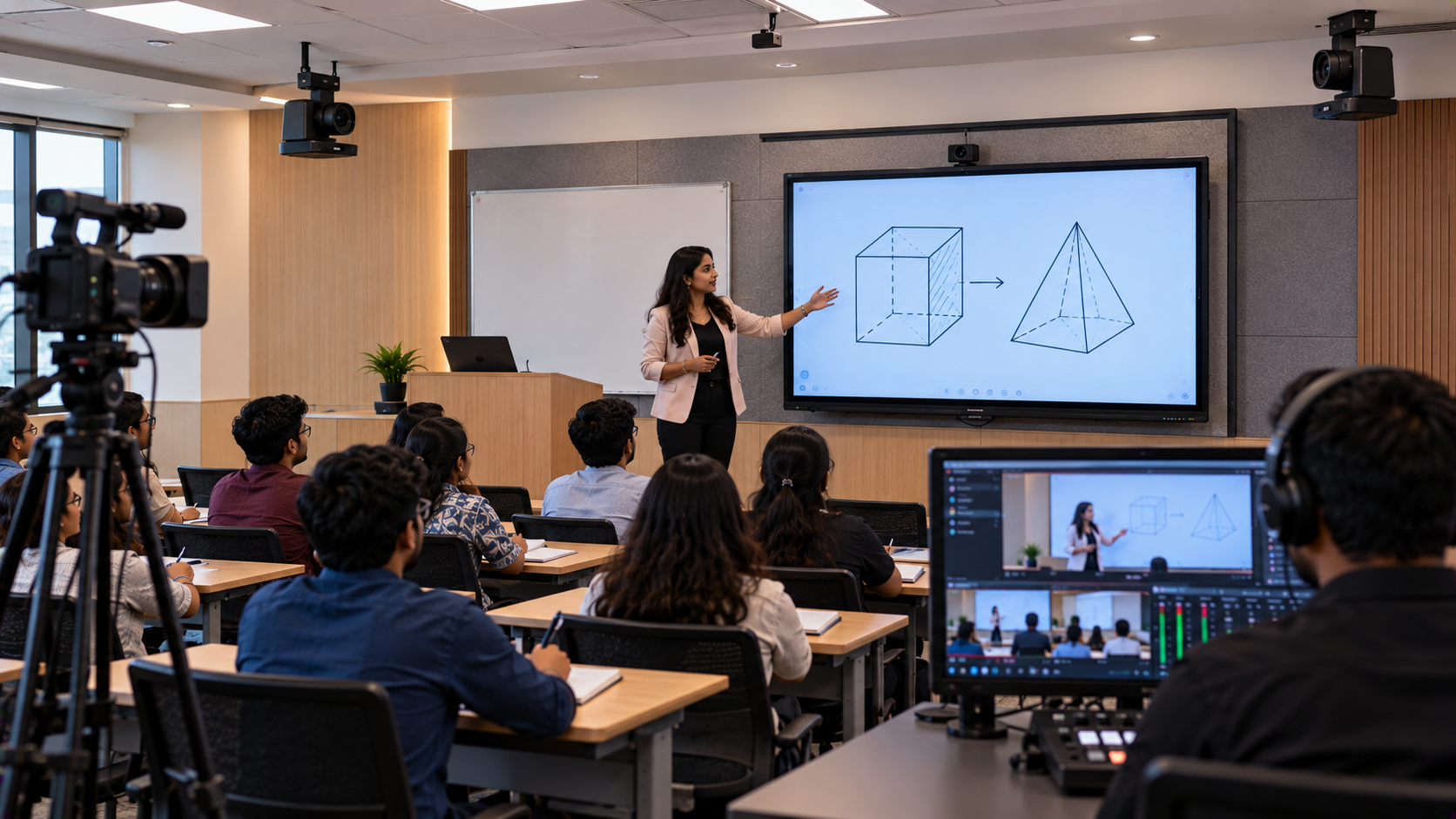
Training centres in Bangalore are increasingly looking for practical ways to record lectures, deliver hybrid classes, develop online courses and share learning content beyond the classroom. However, a basic webcam may not provide the camera movement, board visibility or consistent framing needed for professional lecture recording. A PTZ camera for lecture recording in Bangalore can help training centres create a more flexible video setup. When combined with a suitable microphone, computer, video capture solution and interactive display, it can support clearer recorded lessons and more organised online teaching workflows. GoLive eTechnologies helps education providers evaluate AV equipment and plan solutions around their requirements, from product selection to installation, training and support. The goal is simple: Technology that works, backed by people who help.
Why Training Centres in Bangalore Need a Better Lecture Recording Setup
Bangalore is home to professional training providers, corporate learning teams, coaching institutes and skill-development centres. These organisations may need to record technical lessons, software demonstrations, presentations and instructor-led sessions.
Common challenges include:
Limited camera coverage: A fixed webcam may not capture the instructor and teaching area effectively.
Unclear board content: Students watching recordings may struggle to read text or follow demonstrations.
Inconsistent audio: Background noise and distant microphones can reduce lecture quality.
Complicated recording: Connecting cameras, audio devices and recording software can take time.
Limited flexibility: A room designed only for in-person classes may not suit hybrid training or recorded courses.
A well-planned lecture recording system addresses these requirements as a connected solution rather than a collection of unrelated devices.
What Is a PTZ Camera and How Does It Help Lecture Recording?
PTZ stands for Pan, Tilt and Zoom. A PTZ camera can pan horizontally, tilt vertically and zoom in or out, depending on its specifications.
For training centres, this flexibility can help record different parts of a session without manually repositioning a conventional camera.
Key benefits include:
Flexible framing: Adjust the view between the instructor, presentation screen and demonstration area.
Board-focused recording: Zoom in when trainers explain diagrams, charts or technical details.
Repeatable camera positions: Preset positions, where supported, can simplify recurring lectures.
Hybrid learning support: Use a suitable camera for live sessions as well as recording workflows.
Room efficiency: A properly positioned PTZ camera can cover the intended teaching area without requiring a camera operator to move around constantly.
The actual results depend on the camera's optical zoom, resolution, mounting position, room lighting, connectivity and recording configuration.
Choosing a PTZ Camera for Lecture Recording: GoLive eTechnologies Options
GoLive eTechnologies' AV portfolio includes PTZ camera solutions and equipment for education and professional recording environments. The appropriate model should be selected according to the centre's room size, image-quality needs, connection requirements and budget.
1. EVOTA 4K PTZ Camera
An EVOTA 4K PTZ camera is an option to evaluate when a training centre wants a 4K-capable camera for recording presentations, demonstrations and instructor-led lessons. Higher-resolution capture can help retain visual detail, provided the complete recording workflow supports it.
Consider it for:
Training sessions that need detailed visual capture
Recorded lessons intended for future reuse
Rooms where camera movement and flexible framing are important
Before purchasing, confirm supported outputs, optical zoom, control options, software compatibility and the current EVOTA 4K PTZ camera price with GoLive eTechnologies.
2. EVOTA 10X HD PTZ Camera
An EVOTA 10X HD PTZ camera may suit centres that need flexible framing and HD recording rather than a 4K workflow. Check the model's specifications and room requirements before comparing it with other options.
3. Logitech PTZ Camera Options
Training centres can also evaluate suitable Logitech PTZ cameras, including the Logitech PTZ Pro 2 where appropriate. Compare supported video resolution, zoom, connections, control features and compatibility before deciding.
Buying tip: Do not compare cameras by resolution alone. Optical zoom, field of view, mounting height, output connectivity, audio integration and support can all influence the final result.
Build a Complete Lecture Recording Setup
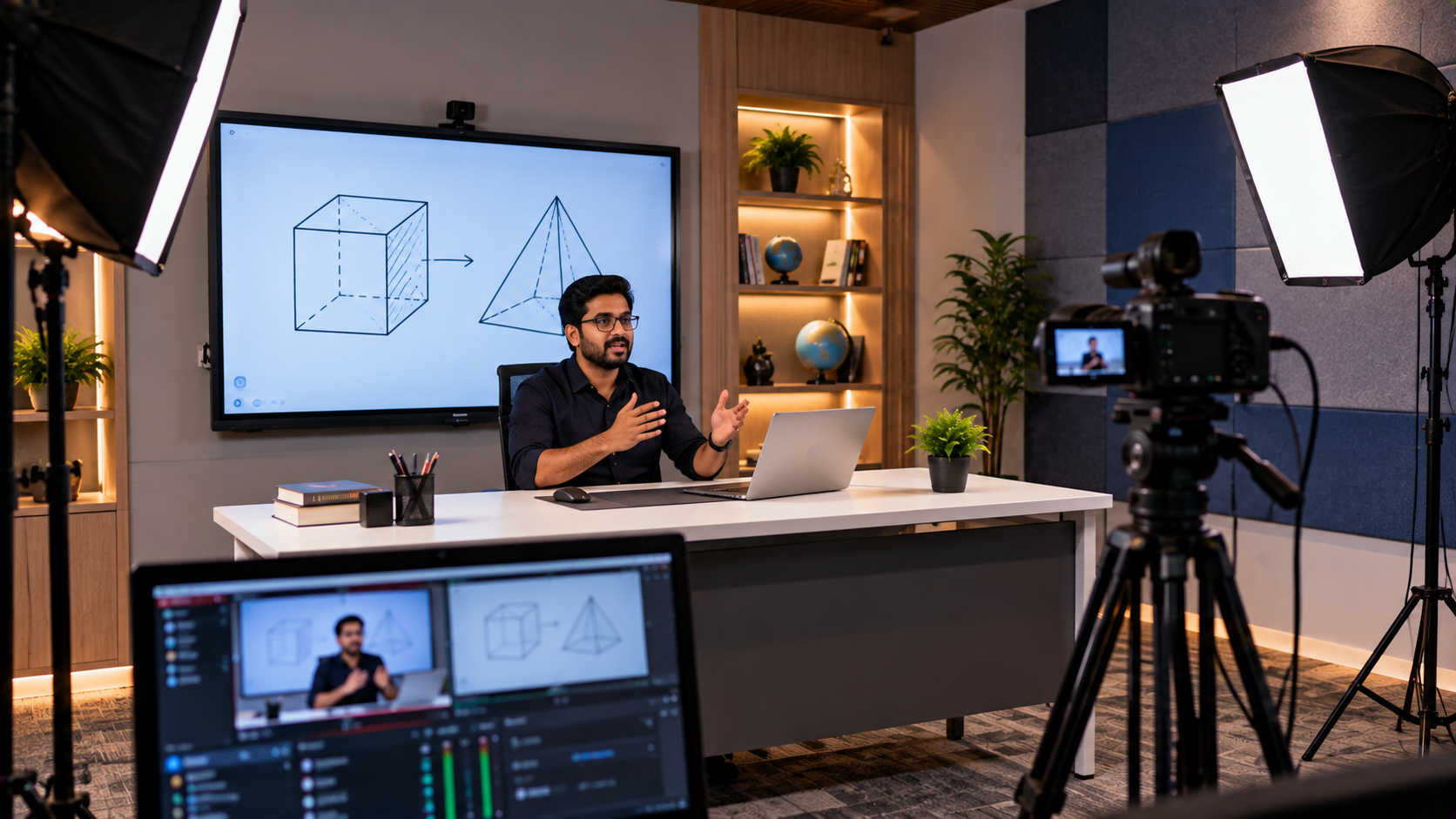
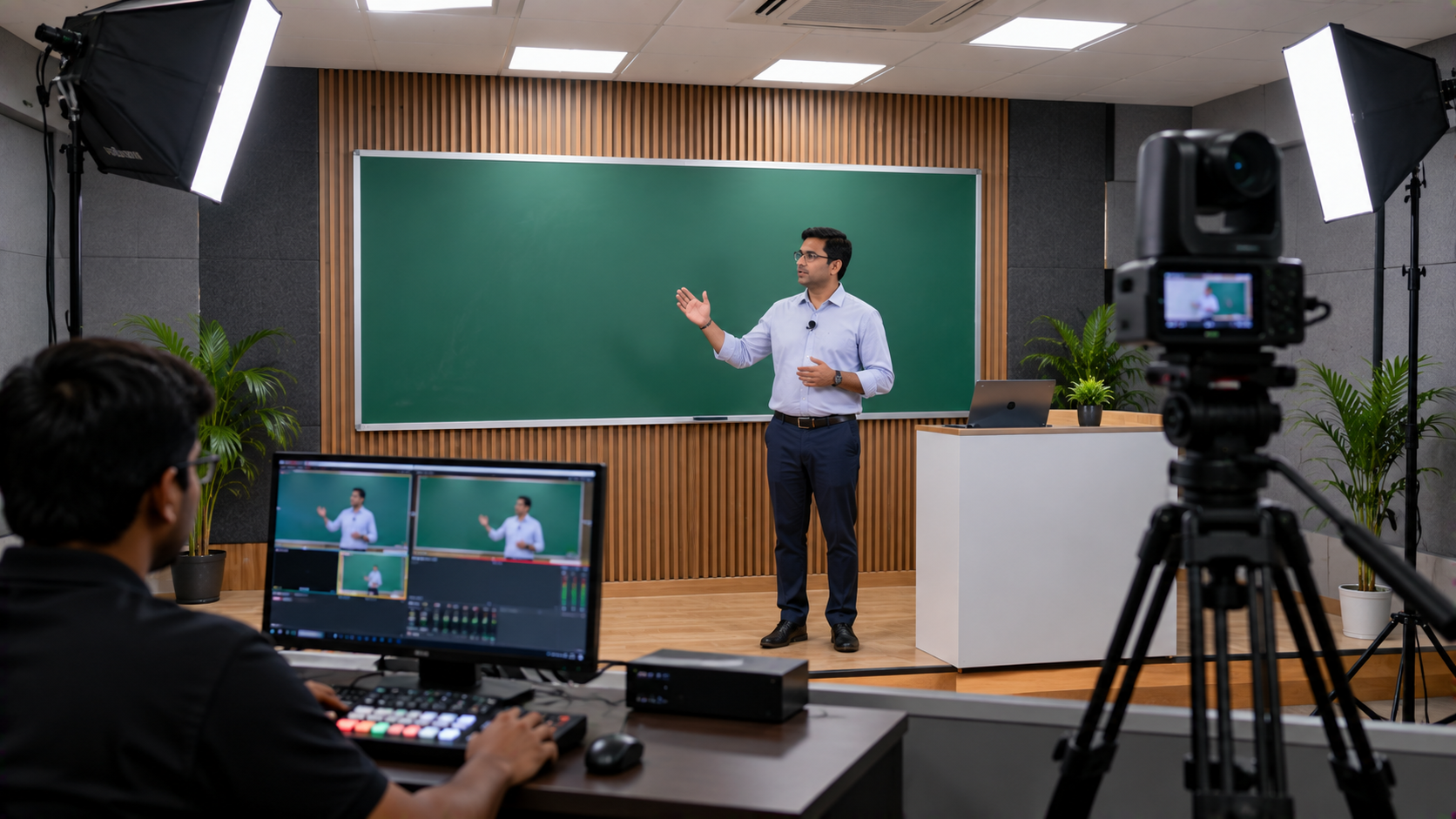
A PTZ camera is only one part of a professional teaching studio setup. GoLive eTechnologies can help buyers evaluate the wider equipment requirement.
|
Component |
Role in the recording setup |
|---|---|
|
PTZ camera |
Captures the instructor and teaching area |
|
Microphone |
Records the instructor's voice clearly |
|
Computer |
Runs recording or streaming software |
|
HDMI video capture device |
Transfers compatible video signals to a computer |
|
OBS Studio or suitable software |
Records or streams supported audio and video sources |
|
Interactive display |
Shows presentations, diagrams and digital learning material |
|
Lighting |
Helps maintain consistent visibility |
|
Cables and mounting accessories |
Connect and position the equipment |
A training centre that uses digital teaching content may also consider an EVOTA interactive panel, or compare suitable MAXHUB, Newline and LG interactive panels. These displays can support presentations, annotation and classroom interaction, but they are optional and should be selected according to teaching requirements and budget.
If instructors prefer writing directly on a computer, a compatible writing pad for PC may be another useful accessory.
How to Record Better Lecture Audio and Video
Follow these practical steps before recording a full course:
Plan camera framing: Check whether the instructor, board and demonstration area remain visible.
Test the microphone: Record a short sample and listen for echo, background noise and inconsistent volume.
Check board readability: Confirm that text and diagrams remain clear in the recorded video.
Verify the capture workflow: Test the camera, computer, capture device and software together.
Record a sample lesson: Review audio, framing, lighting and presentation visibility before recording an entire module.
These checks help reduce avoidable retakes and make the recording process easier for trainers.
From Product Selection to Installation: The GoLive eTechnologies Process
Buying professional AV equipment is only the beginning. The devices must also be compatible, installed appropriately and easy for staff to operate.
GoLive eTechnologies' end-to-end approach can include:
Requirement assessment: Review room dimensions, seating, teaching style, recording needs and budget.
Product selection: Shortlist suitable PTZ cameras, microphones, displays and capture accessories.
Quotation and planning: Confirm the proposed equipment, compatibility and installation requirements.
Delivery and installation: Arrange the agreed equipment and professional installation where available.
Configuration and testing: Check camera framing, video output, audio and the recording workflow.
Training and support: Help users understand the system and identify the right support route for future assistance.
This approach supports the brand promise: Less technology headache. More confidence that everything will work.
PTZ Camera Price in Bangalore: What Affects the Cost?
The cost of a lecture recording setup depends on more than the camera itself. Factors can include:
PTZ camera model, resolution and optical zoom
Number of cameras and control requirements
Microphone and audio equipment
Capture devices, computer and software requirements
Mounting, cabling and installation complexity
Interactive display requirements and staff training
If you are comparing EVOTA 4K PTZ camera price, Logitech PTZ options or a complete lecture recording studio setup price in India, request a requirement-based quotation. Confirm current pricing, stock, warranty, delivery to Bangalore and installation coverage directly with GoLive eTechnologies rather than relying on outdated listings.
Why Choose GoLive eTechnologies for Lecture Recording Equipment?
GoLive eTechnologies India Private Limited focuses on helping customers choose and implement technology, not simply identify a product.
Its customer proposition centres on:
A solution aligned with the actual requirement
Fast deployment planning
Installation and configuration support, as agreed
Training and assistance
Support beyond the initial purchase
When evaluating GoLive eTechnologies reviews, consider relevant customer feedback about service, delivery, installation, training and after-sales assistance. Confirm that the products and services offered match your centre's requirements.
Create a Smarter Lecture Recording Setup in Bangalore
Whether you are recording classroom lectures, creating online courses or supporting hybrid training, the right PTZ camera and compatible AV equipment can make the workflow more practical.
GoLive eTechnologies can help you evaluate EVOTA PTZ cameras, suitable Logitech camera options, microphones, capture devices and interactive displays based on your room, recording goals and budget.
Ready to plan your lecture recording setup in Bangalore? Contact GoLive eTechnologies for product guidance, a customised quotation and assistance from selection to installation and beyond.
Your email address will not be published. Required fields are marked *

By Inhype • September 12, 2026
A smart classroom is only as effective as the technology supporting it. Interactive panels, smart boards, PTZ cameras, microphones, speakers, PCs and
Read More
By Inhype • September 12, 2026
Higher education is rapidly moving beyond traditional chalkboards and projectors. Today, colleges and universities need technology that supports inter
Read More
By Inhype • September 12, 2026
A smart classroom for CBSE schools is no longer simply a classroom with a digital board. Modern schools are building connected learning environments t
Read More
By Inhype • September 12, 2026
Planning a smart classroom project for 10, 20 or even 50 classrooms requires more than simply purchasing digital boards. Schools, colleges, universiti
Read More
By Inhype • September 12, 2026
A smart classroom can transform the way teachers explain concepts, students interact with lessons, and institutions deliver digital education. From in
Read More




Golive eTechnologies India Private Limited (CIN - U31909UP2021PTC148242) is one of India's leading providers of smart classrooms, interactive boards, video conferencing solutions, and display technologies for the education, healthcare, corporate, and government sectors.

No comments yet. Be the first to comment!