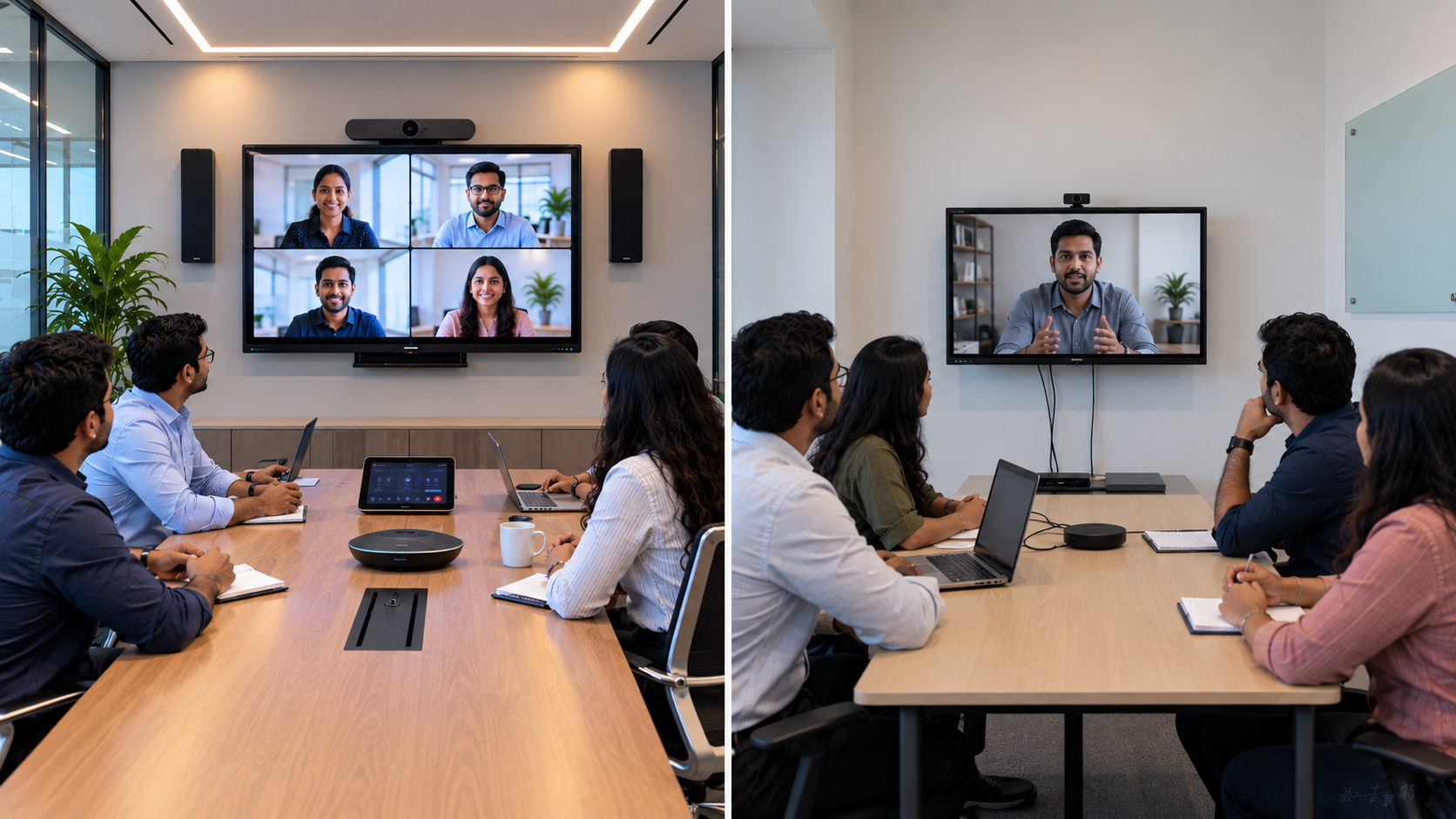
Choosing the right video conferencing setup can significantly affect how effectively your teams collaborate. For businesses, educational institutions, coaching centres, hybrid classrooms and meeting spaces across India, the decision often comes down to two options: a dedicated Microsoft Teams Room setup or a traditional video conferencing system built around a display, camera, microphone and PC. Both approaches can deliver professional meetings, but they differ in integration, usability, scalability and long-term value. This guide explains the difference and helps you choose the right solution for your meeting room.
What Is a Teams Room Setup?
A Teams Room is a purpose-built meeting room environment designed around Microsoft Teams. It typically combines an interactive or professional display, PTZ camera, microphones, speakers, a dedicated computing system and room-control interface.
A well-designed Teams Room can provide:
One-touch meeting joining
High-quality video and audio
Camera framing and tracking
Wireless or wired content sharing
Calendar integration
Hybrid meeting support
Consistent meeting-room experience
For organisations already using Microsoft Teams, this can reduce the technology headache associated with starting every meeting manually.
What Is a Traditional Video Conferencing Setup?
A traditional setup generally combines individual components such as a laptop or desktop, display, webcam or PTZ camera, microphone, speakers and conferencing software.
For example, a meeting room might use:
Display + PC/Laptop + USB Camera + Speaker/Microphone + HDMI connection + Video conferencing software
This approach can be highly flexible and may be suitable for smaller businesses, classrooms and organisations that don't require a fully integrated room system.
Teams Room vs Traditional Video Conferencing: Key Differences
|
Feature |
Teams Room |
Traditional Setup |
|---|---|---|
|
Meeting experience |
Purpose-built |
Component-based |
|
Meeting joining |
One-touch experience |
Usually manual |
|
Microsoft Teams integration |
Excellent |
Depends on equipment/software |
|
Setup |
More structured |
Flexible |
|
Scalability |
Excellent for multiple rooms |
Depends on configuration |
|
Initial investment |
Generally higher |
Can start lower |
|
Customisation |
Professional and controlled |
Highly flexible |
|
Long-term management |
Easier at scale |
More hands-on |
The right choice ultimately depends on your room size, meeting frequency, software ecosystem and budget.
When Should You Choose a Teams Room?
A Teams Room is particularly useful for organisations conducting frequent hybrid meetings.
Consider it if you:
Conduct daily internal and client meetings
Have multiple meeting rooms
Work extensively with Microsoft Teams
Need consistent audio and video quality
Want simple one-touch meeting controls
Have remote participants joining regularly
Want a scalable meeting-room solution
Large enterprises, corporate offices, training centres and institutions can benefit from a professionally integrated setup.
When Is a Traditional Video Conferencing Setup Better?
A traditional system can be a practical option when flexibility and initial affordability are priorities.
It may be appropriate for:
Small meeting rooms
Startups and SMEs
Training rooms
Coaching centres
Educational institutions
Occasional video meetings
Teams that already have laptops or PCs
A modular system also makes it easier to upgrade individual components instead of replacing the complete setup.
Build Your Setup Around the Right Display
The display is one of the most important components of a modern conferencing room.
GoLive eTechnologies provides solutions including Evota interactive panels, MAXHUB smart boards, Newline interactive panels and LG interactive displays for different room sizes and applications.
An interactive panel can provide more than video display. Teams can use it for presentations, brainstorming, annotation, collaborative work and hybrid learning.
For example, a 75-inch interactive display can be appropriate for larger meeting rooms, boardrooms, training rooms and smart classrooms where participants need comfortable viewing from a distance.
When comparing options, searches such as Evota smart board price, Newline smart board price, MAXHUB smart board price in India, LG interactive digital board price India and interactive panel price should be treated as starting points rather than the only decision factor.
The final cost depends on screen size, specifications, accessories, installation and support.
Choose a Professional PTZ Camera for Hybrid Meetings
Camera quality can make or break a video conference.
A PTZ camera offers remote control of pan, tilt and zoom, making it useful for larger meeting rooms, classrooms, training environments and presentation spaces.
GoLive eTechnologies offers options such as the Evota 4K PTZ camera and Evota 10X HD PTZ camera, alongside established conferencing solutions such as Logitech camera options.
A 4K PTZ camera can be especially useful where:
Multiple participants need to remain visible
The room is relatively large
Presenters move around the room
Remote participants need clearer visuals
The camera needs flexible positioning
Instead of selecting a camera solely based on megapixels or zoom, consider the room size, viewing angle, lighting, mounting position and conferencing platform.
Audio Matters as Much as Video
Even an excellent display and camera cannot compensate for poor audio.
A professional conferencing setup may include:
Conference microphones
Wireless microphones
Ceiling or wall speakers
Speakerphones
Audio interfaces
Mixer/amplifier systems
For larger rooms, a properly planned conference room speaker and microphone configuration can provide significantly better coverage than relying on a laptop microphone.
GoLive eTechnologies can help businesses select compatible audio equipment and configure the complete setup according to room requirements.
Teams Room vs Traditional Setup: What About Price?
There is no single video conferencing setup price because the total investment depends on the room and equipment specification.
A traditional setup can often have a lower entry cost because organisations can build it around existing PCs, displays and accessories.
A Teams Room generally requires more specialised hardware and integration, which can increase the initial investment. However, businesses should also consider the cost of meeting disruptions, complicated setup, poor audio/video quality and repeated hardware upgrades.
Therefore, compare total value, not just the purchase price.
Consider these costs:
Display or interactive panel
Camera
Microphones
Speakers
Computing hardware
Mounting accessories
Cabling
Installation
Configuration
User training
After-sales support
Why Buy Your Complete Solution from GoLive eTechnologies?
The biggest advantage of a professional technology partner is that you don't have to figure out every component yourself.
GoLive eTechnologies follows a simple brand promise:
Technology that works, backed by people who help.
From product selection to installation and beyond, the goal is to provide an end-to-end technology experience.
Customers benefit from:
Right solution: Equipment selected according to your room and use case.
Fast deployment: Faster implementation with coordinated equipment and installation.
Installation: Professional setup and configuration.
Support: Assistance when you need it.
Training: Guidance so your team can use the technology confidently.
This approach means less technology headache and more confidence that everything will work.
Whether you're searching for an Evota interactive panel, MAXHUB digital board, Newline digital board, LG interactive panel, PTZ camera or complete online teaching setup, GoLive eTechnologies can help you build the right solution rather than simply selling individual products.
Which One Should You Choose?
Choose a Teams Room if your organisation needs a highly integrated, professional and scalable Microsoft Teams meeting environment.
Choose a traditional video conferencing setup if you need flexibility, lower initial investment or a modular solution built around existing equipment.
And if you're unsure, start with the room—not the product.
Evaluate:
Number of participants
Room dimensions
Meeting frequency
Microsoft Teams usage
Camera coverage
Audio requirements
Display size
Installation requirements
Future expansion
Support requirements
Final Verdict
There is no universal winner between Teams Room and traditional video conferencing. The best solution is the one that matches your room, workflow, budget and future requirements.
With GoLive eTechnologies, you can get an end-to-end technology solution covering selection, deployment, installation, training and support.
Ready to upgrade your meeting room? Explore GoLive eTechnologies' interactive displays, PTZ cameras, conferencing equipment and complete technology solutions—or contact the team for a solution tailored to your space.
Your email address will not be published. Required fields are marked *

By Inhype • September 12, 2026
A smart classroom is only as effective as the technology supporting it. Interactive panels, smart boards, PTZ cameras, microphones, speakers, PCs and
Read More
By Inhype • September 12, 2026
Higher education is rapidly moving beyond traditional chalkboards and projectors. Today, colleges and universities need technology that supports inter
Read More
By Inhype • September 12, 2026
A smart classroom for CBSE schools is no longer simply a classroom with a digital board. Modern schools are building connected learning environments t
Read More
By Inhype • September 12, 2026
Planning a smart classroom project for 10, 20 or even 50 classrooms requires more than simply purchasing digital boards. Schools, colleges, universiti
Read More
By Inhype • September 12, 2026
A smart classroom can transform the way teachers explain concepts, students interact with lessons, and institutions deliver digital education. From in
Read More




Golive eTechnologies India Private Limited (CIN - U31909UP2021PTC148242) is one of India's leading providers of smart classrooms, interactive boards, video conferencing solutions, and display technologies for the education, healthcare, corporate, and government sectors.





















No comments yet. Be the first to comment!