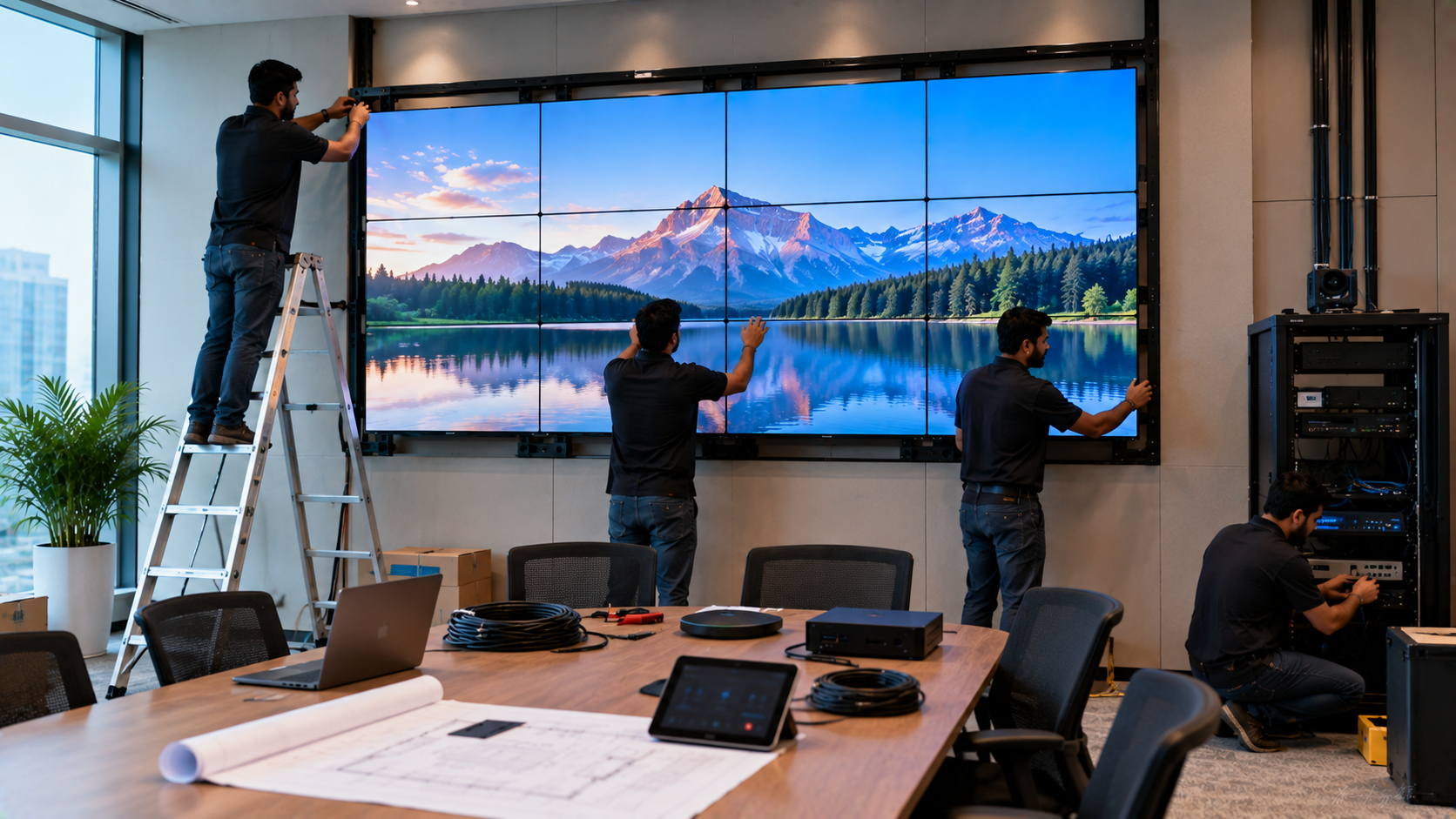
A professional video wall installation is more than putting multiple displays together. The right video wall requires careful planning around screen size, viewing distance, mounting structure, power requirements, connectivity, content sources, ventilation, and long-term maintenance. For corporate offices, control rooms, retail stores, educational institutions, hotels, command centres and public spaces, a well-designed video wall can transform how information, presentations and visual content are communicated. At GoLive eTechnologies, the focus is simple: Technology that works, backed by people who help. From selecting the right display solution to installation, configuration and post-installation assistance, an end-to-end approach can make video wall deployment significantly easier.
What Is a Video Wall?
A video wall is a large visual display created by combining multiple screens or display modules into one unified viewing surface.
Depending on the application, organisations can consider:
Commercial LED video walls
Indoor LED video walls
Active LED displays
LCD video walls
Interactive display solutions
Large-format digital screens
Digital signage systems
The ideal solution depends on the room, viewing distance, content type, operating hours and required resolution.
For organisations already considering digital boards, interactive panels or smart classroom solutions, a video wall can also complement existing AV infrastructure.
1. Plan the Video Wall Before Installation
The first step is determining where and how the video wall will be used.
Before purchasing equipment, consider:
Viewing distance
A video wall for a reception area may have different requirements from one used in a control room. The farther the audience is from the screen, the more important overall screen size and appropriate pixel pitch/resolution become.
Room dimensions
Measure:
Available wall width
Wall height
Viewing distance
Ceiling height
Door and access clearances
Power points
Cable pathways
These measurements help determine whether a 2×2, 3×3 or larger configuration is practical.
Content requirements
Identify whether the display will show:
Presentations
CCTV feeds
Dashboards
Digital signage
Advertisements
Live video
Training content
Corporate communication
Online classes
Multiple sources simultaneously
For businesses that require professional AV environments, video walls can work alongside PTZ cameras, video switchers, HDMI capture devices, conference cameras and audio systems.
2. Understand Power Requirements
Power planning is one of the most important parts of video wall installation.
A large display system may require multiple power connections, distribution points and appropriate electrical protection.
Before installation, assess:
Total power consumption
Number of display units
Dedicated electrical circuits
Power distribution
Surge protection
UPS requirements
Cable capacity
Ventilation and heat management
Never overload an existing electrical circuit simply because a display physically fits on the wall.
For large commercial installations, GoLive eTechnologies can help customers evaluate the complete technology requirement rather than treating the display as an isolated product.
The goal is simple: right solution + fast deployment + installation + support.
3. Choose the Right Mounting System
A secure mounting structure is essential for a professional video wall.
Depending on the installation, customers may need:
Wall mounting brackets
Video wall mounting kits
Structural support
Adjustable brackets
Service-access mechanisms
Cable management
Floor or ceiling support
The wall itself should also be assessed for load-bearing capability and structural suitability.
For a multi-screen installation, even a small alignment error can become noticeable across the entire video wall. Professional installation therefore helps achieve better screen alignment, cleaner cable management and a more finished appearance.
4. Consider Bezel, Alignment and Viewing Experience
For LCD-based video walls, bezel width matters because the borders between screens remain visible.
When comparing video wall options, consider:
|
Requirement |
What to Evaluate |
|---|---|
|
Screen size |
Available wall space and viewing distance |
|
Resolution |
Type of content being displayed |
|
Bezel |
Visual continuity between displays |
|
Brightness |
Indoor or high-ambient-light environment |
|
Mounting |
Wall structure and service access |
|
Connectivity |
HDMI, USB, network and other inputs |
|
Control |
Video wall controller or processor |
|
Maintenance |
Access to individual display modules |
For environments where seamless visual continuity is critical, active LED video walls and indoor LED video walls can be considered alongside conventional display configurations.
5. Plan Your Content and Sources
A video wall is only as effective as the content displayed on it.
Before installation, determine the required content sources.
For example, a corporate video wall may display:
Dashboard + Live Camera + Presentation + Data Feed
A command centre may require multiple camera feeds, while a retail environment may primarily require promotional videos and digital signage.
Depending on the setup, customers may require:
Media players
HDMI sources
Video processors
Video wall controllers
HDMI video capture devices
Video switchers
Network connectivity
Content management software
Organisations creating online class studio setups, teaching studio setups or hybrid classrooms can also integrate professional cameras, interactive panels and other AV equipment into a larger visual communication ecosystem.
6. Integrate Cameras and AV Equipment
Video walls frequently form part of a larger technology environment.
For example, GoLive eTechnologies' portfolio can support requirements involving Evota PTZ cameras, Evota 4K PTZ cameras, interactive panels and other professional AV equipment, depending on the customer's application and configuration.
PTZ cameras can be useful for:
Conference rooms
Lecture recording
Training rooms
Hybrid classrooms
Online teaching
Corporate events
Live streaming
Customers comparing Evota 4K PTZ camera price, Evota camera price, Logitech PTZ cameras or other camera options should evaluate image quality, zoom capability, room size, connectivity and application rather than price alone.
7. Interactive Panels and Video Walls: Different Use Cases
A video wall and an interactive panel serve different purposes.
|
Video Wall |
Interactive Panel |
|---|---|
|
Large-scale visual communication |
Interactive teaching/presentation |
|
Digital signage |
Writing and annotation |
|
Control rooms |
Classrooms |
|
Reception areas |
Meeting rooms |
|
Advertising |
Training |
|
Public information |
Collaboration |
GoLive eTechnologies offers technology solutions across these applications, including Evota interactive panels, MAXHUB smart boards, Newline interactive panels and other display categories.
Customers researching Evota smart board price, MAXHUB smart board price in India, Newline interactive panel price, LG interactive digital board price India or interactive panel price should compare specifications, warranty, installation and support along with the initial purchase price.
8. Installation Is Only the Beginning
A professional video wall should be planned for its entire lifecycle.
Post-installation requirements can include:
Display calibration
Content configuration
User training
Troubleshooting
Preventive maintenance
Cable management
Product assistance
Technical support
This is where GoLive eTechnologies' end-to-end approach becomes valuable.
Technology that works, backed by people who help means customers can receive support from product selection and installation through ongoing assistance.
The objective is to reduce technology headaches and provide greater confidence that the complete system will work as intended.
Why Choose GoLive eTechnologies for Video Wall Solutions?
GoLive eTechnologies focuses on delivering the right technology solution rather than simply supplying individual products.
Customers can explore solutions across:
Video walls and large-format displays
Interactive flat panel displays
Smart boards
PTZ cameras
Conference room AV
Digital classroom equipment
Online teaching equipment
Video capture and streaming equipment
Installation and technology support
Whether you are planning a video wall in Delhi NCR or sourcing technology for an organisation elsewhere in India, the right combination of product selection, installation and support can make deployment easier.
Final Checklist Before Installing a Video Wall
Before placing an order, confirm:
Wall dimensions and viewing distance
Screen configuration
Resolution and brightness
Power requirements
Mounting structure
Cable routing
Content sources
Video processor/controller requirements
Installation requirements
Training and post-installation support
Ready to Plan Your Video Wall?
Whether you need a video wall, interactive display, smart board, PTZ camera or complete AV setup, GoLive eTechnologies can help you evaluate the right solution for your application.
Technology that works, backed by people who help — from selection to installation and beyond.
Your email address will not be published. Required fields are marked *

By Inhype • September 12, 2026
A smart classroom is only as effective as the technology supporting it. Interactive panels, smart boards, PTZ cameras, microphones, speakers, PCs and
Read More
By Inhype • September 12, 2026
Higher education is rapidly moving beyond traditional chalkboards and projectors. Today, colleges and universities need technology that supports inter
Read More
By Inhype • September 12, 2026
A smart classroom for CBSE schools is no longer simply a classroom with a digital board. Modern schools are building connected learning environments t
Read More
By Inhype • September 12, 2026
Planning a smart classroom project for 10, 20 or even 50 classrooms requires more than simply purchasing digital boards. Schools, colleges, universiti
Read More
By Inhype • September 12, 2026
A smart classroom can transform the way teachers explain concepts, students interact with lessons, and institutions deliver digital education. From in
Read More




Golive eTechnologies India Private Limited (CIN - U31909UP2021PTC148242) is one of India's leading providers of smart classrooms, interactive boards, video conferencing solutions, and display technologies for the education, healthcare, corporate, and government sectors.





















No comments yet. Be the first to comment!